
Stone Drop
Ores drop straight from stone and deepslate, with a Mining XP level system, per-player toggles and an upgrade shop. Server-side, no client mod required.
I don't know my version or loader
StoneDrop
StoneDrop makes plain stone worth mining. Every stone, deepslate, andesite, diorite, granite or tuff block you break has a configurable chance to drop real ores — and every block you break earns Mining XP that levels you up, raises your drop chances, and buys permanent upgrades.
Everything runs server-side. Players join with a vanilla client and get the full experience: no client mod, no resource pack, no config sync.
Features
⛏️ Ore drops from ordinary stone
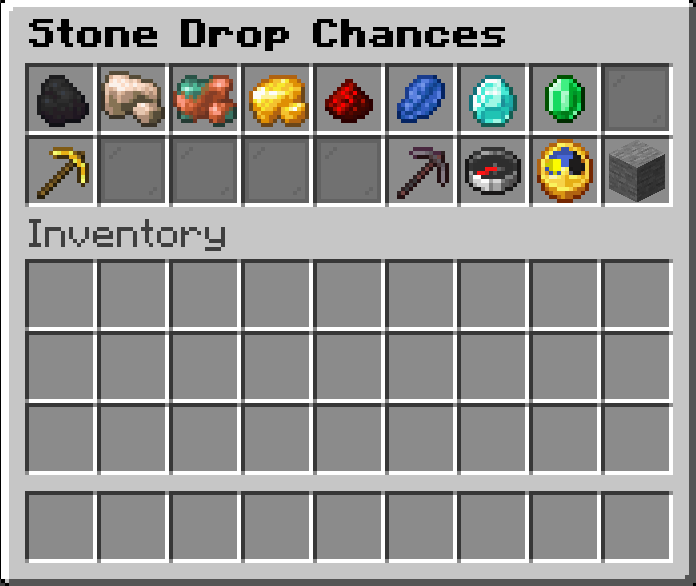
Break stone and get coal, raw copper, raw iron, raw gold, redstone, lapis, diamonds and emeralds — with fully configurable chances, amounts and requirements. Defaults are tuned to feel rewarding without breaking progression.
📈 Mining XP and levels
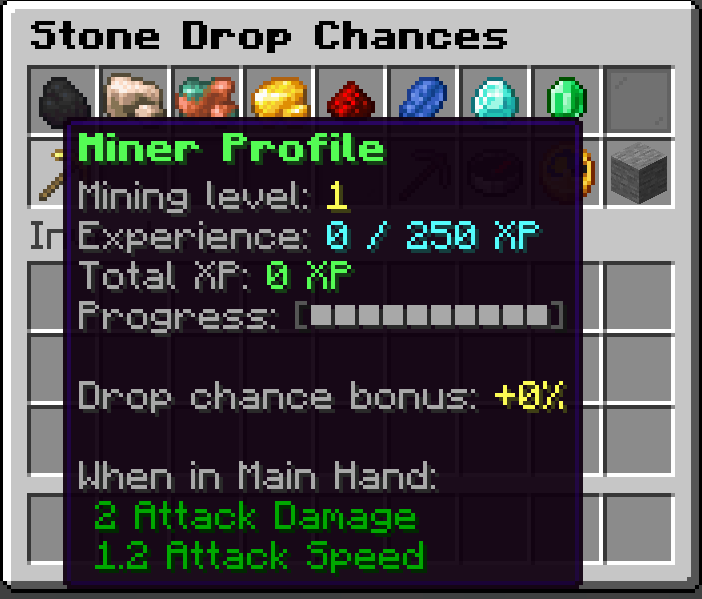
Every block mined grants Mining XP, and rarer drops grant more. Each level increases all your drop chances (+2% per level by default), so a dedicated miner is measurably better at mining.
Progress is shown in a green boss bar and a minimal action bar popup on each mined block — both toggleable per player.
🛒 Upgrade shop
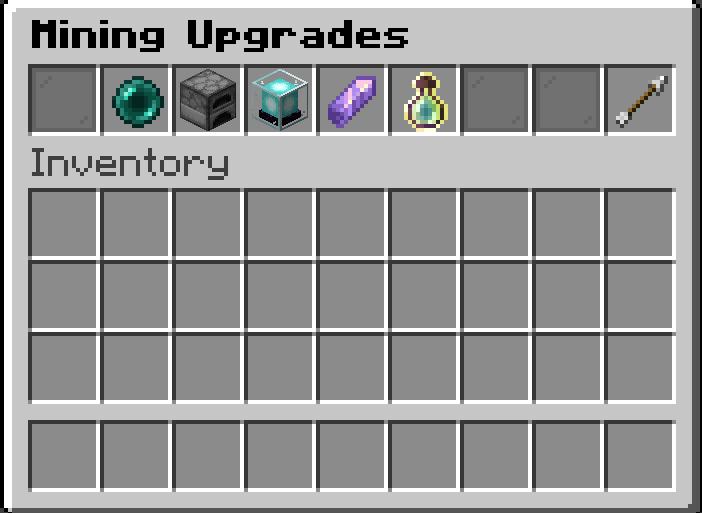
Spend Mining XP on permanent upgrades, each of which can be toggled on and off at any time:
| Upgrade | Effect | Cost |
|---|---|---|
| Telekinesis | Drops go straight into your inventory | 10,000 XP |
| Auto-Smelt | Raw copper, iron and gold arrive as ingots | 25,000 XP |
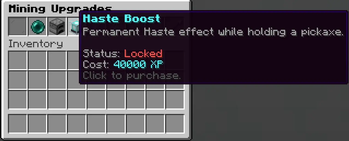
| Haste Boost | Permanent Haste I / II while holding a pickaxe | 40,000 / 100,000 XP |
| Double Drop | 10% / 20% / 30% chance to double a drop | 15,000 / 35,000 / 70,000 XP |
| Double XP | +50% / +100% / +200% experience orbs from drops | 20,000 / 50,000 / 120,000 XP |
Upgrades are paid for out of your total Mining XP, which means buying one costs you levels — and with them, part of your drop chance bonus. That trade-off is deliberate: you choose between raw drop rates and permanent quality-of-life power, and you mine your way back up.
🎛️ The /drop GUI
One command opens a read-only chest menu showing every configured drop with its base chance, your chance at your current level, the exact Fortune scaling, the required pickaxe tier and its on/off state. Click any item to toggle that drop for yourself, or flip them all at once — handy when you're after a specific resource.
⚒️ Real Fortune and tier support
Each drop declares how Fortune treats it — scaling the amount, scaling the chance, or ignoring it entirely — and which pickaxe tier is required to obtain it. Tier detection also works with modded pickaxes through a capability-based fallback, so custom tools are ranked correctly even without vanilla tags.
Silk Touch suppresses the extra drops by default (configurable).
⚙️ Configurable, per world
The config lives in your world folder (<world>/config/stonedrop.json) and player data alongside it, so every world keeps its own balance and progression. Admins can reload with /drop reload (permission level 2).
You can add any item to the drop table, change the list of source blocks, tune the XP curve and the per-level bonus, or set replace_default_drops to make stone drop only your custom loot instead of cobblestone.
Commands
| Command | Permission | Description |
|---|---|---|
/drop |
everyone | Opens the drops GUI, profile and upgrade shop |
/drop reload |
level 2 | Reloads the configuration from disk |
Installation
- Install Fabric Loader 0.16.0+ and Fabric API
- Drop the jar into your
modsfolder - Start the server — the config file generates on first world load
Required on the server only. Installing it client-side in singleplayer works just as well (singleplayer runs an internal server).
Configuration example
{
  "replace_default_drops": false,
  "disable_with_silk_touch": true,
  "chance_bonus_per_level": 0.02,
  "xp_per_block": 1,
  "xp_base_required": 250,
  "xp_extra_per_level": 150,
  "source_blocks": [
    "minecraft:stone",
    "minecraft:deepslate",
    "minecraft:andesite",
    "minecraft:diorite",
    "minecraft:granite",
    "minecraft:tuff"
  ],
  "drops": [
    {
      "item": "minecraft:diamond",
      "chance": 0.005,
      "min_amount": 1,
      "max_amount": 1,
      "fortune_multiplier": "amount",
      "required_tier": "iron",
      "min_exp": 3,
      "max_exp": 7,
      "mining_xp": 60
    }
  ]
}
| Field | Meaning |
|---|---|
chance |
Roll chance per broken block (0.005 = 0.5%) |
fortune_multiplier |
"amount", "chance" or "none" |
required_tier |
"none", "wood", "stone", "iron", "diamond", "netherite" |
min_exp / max_exp |
Vanilla experience orbs dropped |
mining_xp |
StoneDrop Mining XP awarded per item |
Compatibility
- Minecraft: 1.21 – 1.21.1 and 1.21.9 – 1.21.11
- Loader: Fabric (Loader 0.16.0+)
- Dependencies: Fabric API
- Side: server-side (clients need nothing)
- Works with modded pickaxes: tool tiers are detected from what a tool can actually mine, so custom materials and missing tags are handled correctly
- Edition: Minecraft Java
- File type: .jar
- Minecraft versions listed: 1.21.9, 1.21.10, 1.21.11
- How to install: Install the matching mod loader (Forge, Fabric or NeoForge) for your Minecraft version. → Download the .jar. → Put it in the .minecraft/mods folder and launch that loader profile.
- Where to get it: Opens on Modrinth — not every file is mirrored on our own servers.
Install steps are the general flow for this file type — How to install Minecraft Java mods & modpacks walks through it step by step.
- Ships as stonedrop-mc1.21.11-1.0.3.jar — drop this file into the mods folder
- Download size: 67 KB
- Download link checked 7 Sept 2026 — working
These come from our own check of the pack file, not from the source page.