
What is SkyBubble?
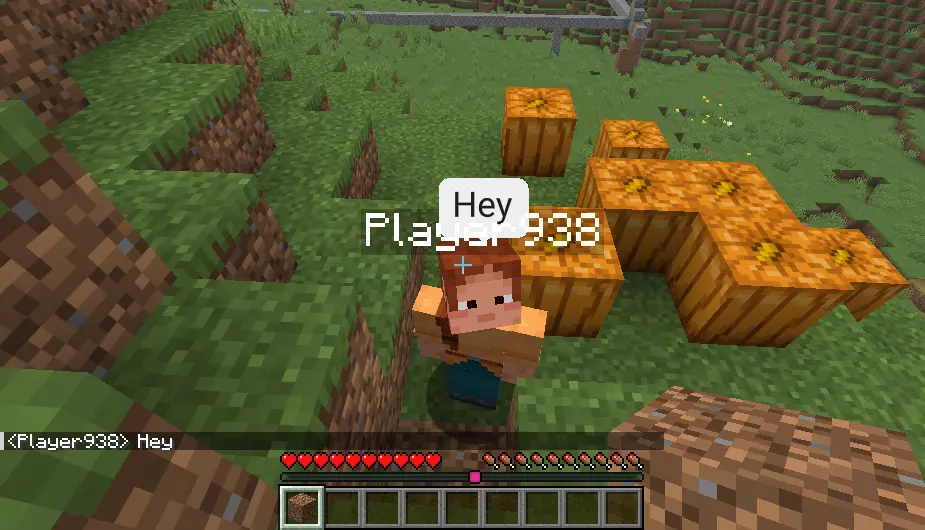
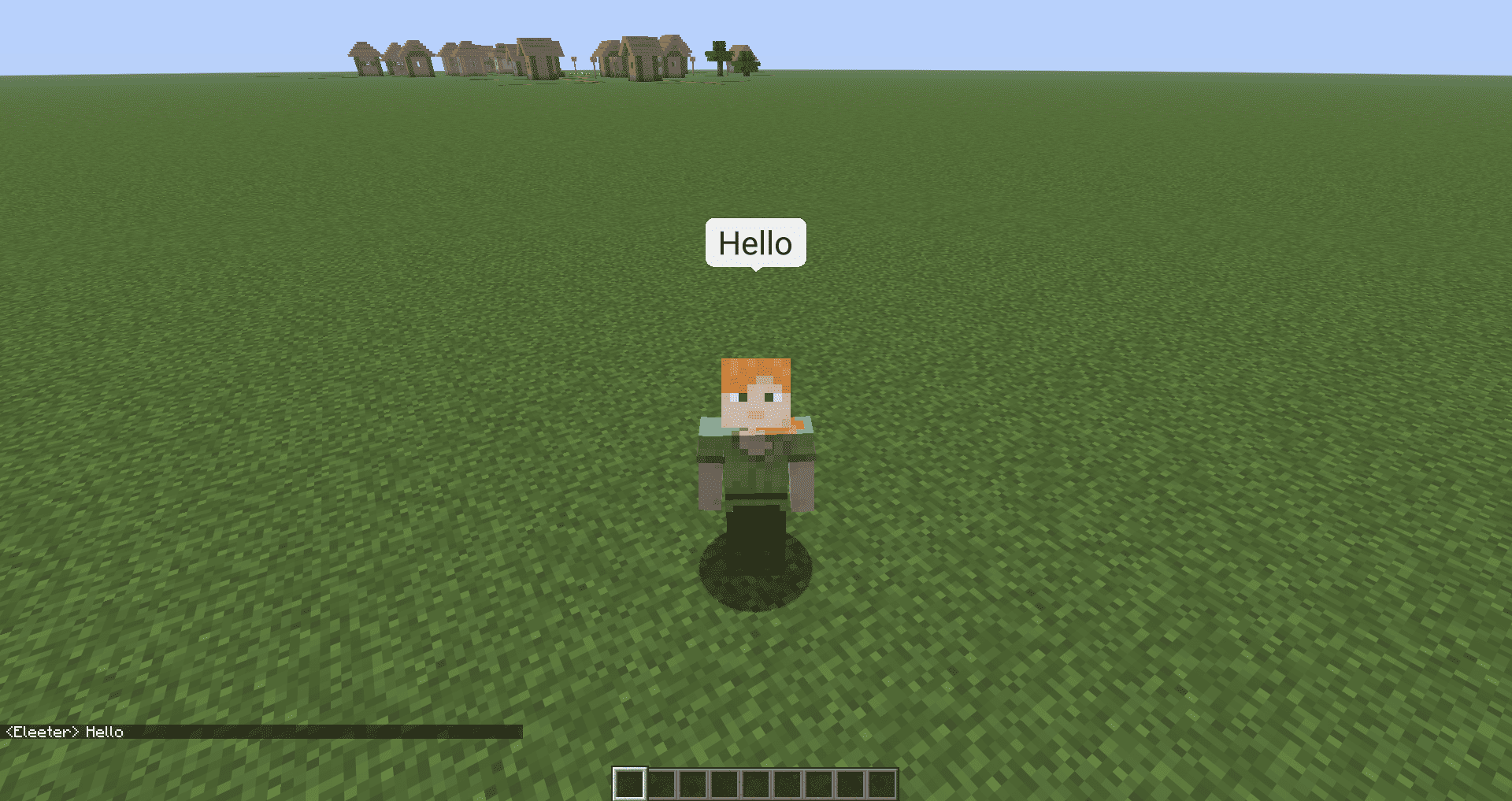
SkyBubble adds floating chat bubbles above player heads in Minecraft, so you can instantly see who is talking without digging through the chat log in the corner of your screen.
Instead of relying on Minecraft's blocky bitmap font, SkyBubble renders text using a MSDF (multi-channel signed distance field) font renderer. This means your chat bubbles stay crisp and readable at any distance or zoom level, instead of looking pixelated or blurry like vanilla text does when scaled in 3D space.
How it works
SkyBubble is entirely client-side. There is no server-side installation required. You don't need to install anything on the server, and server owners don't need to add this mod for it to work.
Only the viewer needs SkyBubble installed to see bubbles. If you have the mod, you'll see a chat bubble above any player who talks, whether or not they have SkyBubble themselves. If you don't have the mod installed, you won't see bubbles above anyone, even players who do have it. Chat itself still works completely normally either way.
Current Features
- Floating chat bubbles rendered directly above players in the world
- Fully client-side, no server-side installation needed
- Works for any player talking, even if they don't have the mod installed themselves
- Clean, smooth vector-based font rendering instead of Minecraft's default blocky font
- Bubbles automatically position themselves above the player's nametag
- Multiple messages stack cleanly instead of overlapping
Planned Features
- Settings UI to let you load and use your own custom fonts
- Adjustable bubble display timer to control how long a bubble stays visible
- Arabic and Chinese text shaping support for proper rendering of those scripts
- Emoji support, including standard Unicode emoji and custom emoji using images or GIFs
- Extend platform support to NeoForge
Why SkyBubble?
Chat in Minecraft can be hard to follow on busy servers, especially with a lot of players talking at once. SkyBubble makes conversations easier to follow by showing who said what, right where you're already looking, in text that's actually pleasant to read.
Questions or want to see how it's coming along?
You can join my Discord server: Crafty Hub Discord
Dev Team
This project is managed and developed by Me (Eleeter) and Edren.
- Edition: Minecraft Java
- File type: .jar
- Minecraft version listed: 26.2
- How to install: Install the matching mod loader (Forge, Fabric or NeoForge) for your Minecraft version. → Download the .jar. → Put it in the .minecraft/mods folder and launch that loader profile.
- Where to get it: Opens on Modrinth — not every file is mirrored on our own servers.
Install steps are the general flow for this file type — How to install Minecraft Java mods & modpacks walks through it step by step.
- Ships as sky-bubble-26.2-1.0.0.jar — drop this file into the mods folder
- Download size: 482 KB
- Download link checked 7 Sept 2026 — working
These come from our own check of the pack file, not from the source page.