
Tanya's Keys
Java mod listed for Minecraft 26.x. Downloads from the MC Java Mods app on Android.
A lightweight Fabric mod that shows a live WASD + SPACE key display on your HUD, so you (or your viewers) can see exactly which movement keys are being…
⬇ Download on Modrinth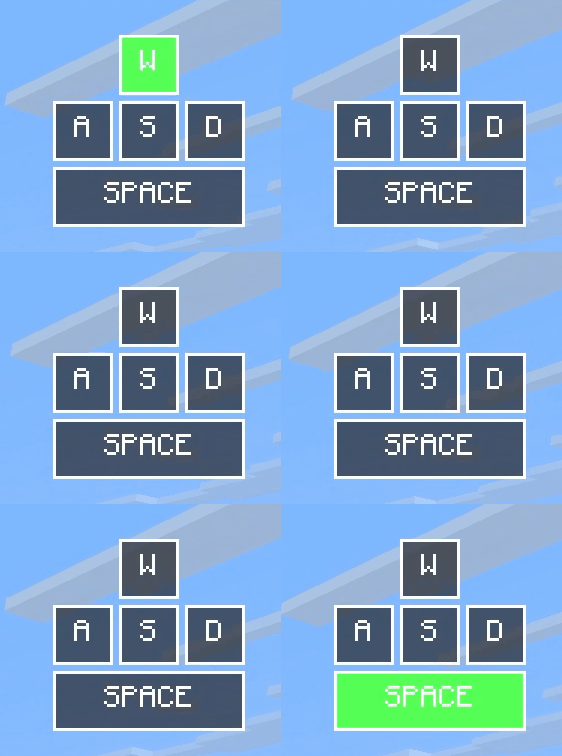
Tanya's Keys
Tanya's Keys is a lightweight, client-side Fabric mod that adds a clean and fully customizable keystrokes and CPS overlay to Minecraft.
It is ideal for PvP, speedrunning, livestreams, videos, or anyone who wants to see their movement and mouse inputs in real time.
Features
- Live
W,A,S, andDmovement display - Optional
Space,Shift, andLCtrlindicators - Left and right mouse button indicators
- Accurate left-click and right-click CPS counters
- Keys highlight instantly when pressed
- In-game configuration screen
- Six built-in color themes
- Four layout presets
- Adjustable key size, spacing, position, and screen margin
- Optional text shadows
- Remappable keys for opening the settings and toggling the overlay
- Persistent configuration saved between game sessions
- English and Romanian translations
- Fully client side servers do not need to install the mod
Themes
Tanya's Keys includes six visual themes:
- Classic
- Midnight
- Crimson
- Amethyst
- Sunset
- Monochrome
Layout presets
- Default -> the complete, balanced layout
- Compact -> a smaller overlay that uses less screen space
- Streamer -> a larger layout designed for recordings and livestreams
- Minimal -> displays only the essential movement keys
You can select a preset and then adjust individual settings to create a custom layout.
Controls
| Default key | Action |
|---|---|
K |
Open the Tanya's Keys configuration screen |
Controls can be changed under:
Options → Controls → Key Binds → Tanya's Keys
- Edition: Minecraft Java
- File type: .jar
- Minecraft version listed: 26.2
- How to install: Install the matching mod loader (Forge, Fabric or NeoForge) for your Minecraft version. → Download the .jar. → Put it in the .minecraft/mods folder and launch that loader profile.
- Where to get it: Opens on Modrinth — not every file is mirrored on our own servers.
Install steps are the general flow for this file type — How to install Minecraft Java mods & modpacks walks through it step by step.
- Ships as tanyaskeys-2.0.0.jar — drop this file into the mods folder
- Download size: 102 KB
- Download link checked 18 Oct 2026 — working
These come from our own check of the pack file, not from the source page.