
An Extra Pinch of Vanilla
Java modpack listed for Minecraft 26.x. Downloads from the MC Java Mods app on Android.
This modpack serves a simple purpose. To provide a simple way to play Minecraft vanilla with quality of life improvements and tools to aid in a…
⬇ Download on Modrinth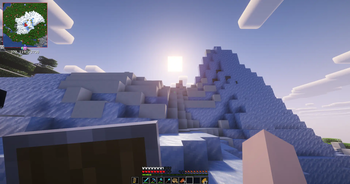
An Extra Pinch of Vanilla Survival Pack
A client-side Vanilla+ modpack built for small multiplayer servers, private survival worlds, and groups of friends who want a smoother, more immersive Minecraft experience without changing the core game.
The pack keeps vanilla progression and gameplay intact while improving performance, animations, visuals, interface elements, building tools, navigation, ambience, multiplayer communication, and small social interactions.
It is designed to work well on mostly vanilla servers, although some features, such as proximity voice chat, may require server-side support.
Highlights
Vanilla-Friendly Experience
No major gameplay overhauls, custom progression systems, new dimensions, or large content additions. The focus remains on improving the standard Minecraft experience.
Performance
Includes performance and rendering improvements through mods such as Sodium, Lithium, Dynamic FPS, and Distant Horizons.
Distant Horizons is included but disabled by default to reduce the performance impact on slower computers.
Visuals & Animations
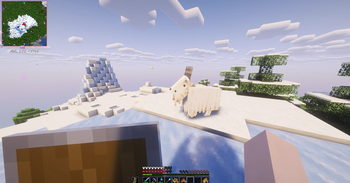
Improves player and entity animations, particles, lighting, explosions, menus, hotbars, distant terrain, and other visual details while preserving the vanilla art style.
Quality of Life
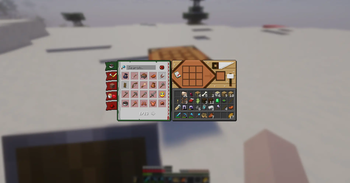
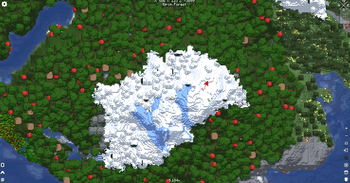
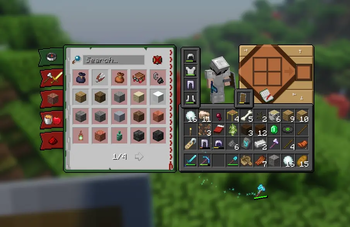
Adds recipe browsing, block information, schematic tools, improved debug information, better HUD elements, map utilities, and other useful client-side features.
Multiplayer & Social
Includes proximity voice chat, multiplayer utilities, player maps, and tools designed to improve small survival servers and friends-only worlds.
PatPat also adds a simple interaction that allows players to pat living mobs.
Optional Content
Shaders
The included shaders are installed but disabled by default. Players can enable their preferred shader pack through the video settings.
Container GUI Styles
Both versions of Recolourful Containers are included.
The standard version is enabled by default. To use the dark version:
- Disable Recolourful Containers GUI + HUD
- Enable Recolourful Containers GUI + HUD (DARK)
Do not enable both versions at the same time.
Included Content
Shaders Resource Packs- Fresh Animations
- Fresh Animations: Classic Horses
- Fresh Animations: Creepers
- Fresh Animations: Details
- Fresh Animations: Emissive
- Fresh Animations: Objects
- Fresh Animations: Player Extension
- Fresh Animations: Quivers
- Fresh Animations: Spiders
- Recolourful Containers GUI + HUD
- Recolourful Containers GUI + HUD (DARK)
- Theone's Eating Animation Pack
- 3D Skin Layers
- [EMF] Entity Model Features
- [ETF] Entity Texture Features
- AmbientSounds
- Blur+
- Chat Animation [Smooth Chat]
- Continuity
- Explosive Enhancement
- Falling Leaves
- Immersive Hotbar
- Iris Shaders
- LambDynamicLights - Dynamic Lights
- AppleSkin
- Better Mount HUD
- BetterF3
- Boat Item View
- Chat Heads
- Cubes Without Borders
- Jade 🔍
- Just Enough Items (JEI)
- Mod Menu
- Edition: Minecraft Java
- File type: .jar
- Minecraft version listed: 26.2
- How to install: Install the matching mod loader (Forge, Fabric or NeoForge) for your Minecraft version. → Download the .jar. → Put it in the .minecraft/mods folder and launch that loader profile.
- Where to get it: Opens on Modrinth — not every file is mirrored on our own servers.
Install steps are the general flow for this file type — How to install Minecraft Java mods & modpacks walks through it step by step.
- Downloads as An Extra Pinch of Vanilla 2.0.1.mrpack
- Download size: 27 KB
- Download link checked 18 Oct 2026 — working
These come from our own check of the pack file, not from the source page.