
lucent-realms-shaders
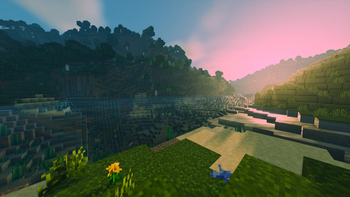
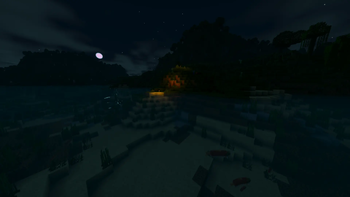
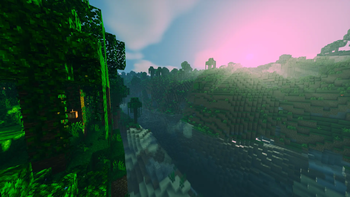
A cinematic Minecraft Java shader pack featuring realistic water reflections, volumetric lighting, custom dimension skies, animated foliage and…
⬇ Download on Modrinth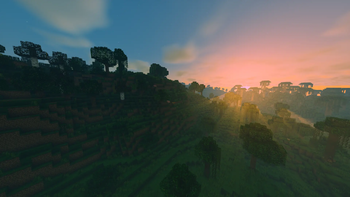
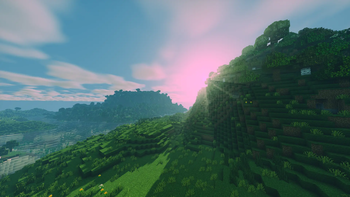
Lucent Realms Shaders
Lucent Realms is a cinematic shader pack for Minecraft Java Edition, designed to create detailed and atmospheric visuals while preserving the recognizable Minecraft world.
Main features
- Realistic animated water with waves and screen-space reflections
- High-quality dynamic shadows
- Volumetric clouds and atmospheric lighting
- Forest light shafts visible between moving tree crowns
- Large orange sunsets and warm sunlight
- Wet surfaces and improved rain effects
- Morning fog gathering in valleys and low terrain
- Animated foliage, flowers and more detailed tree canopies
- Colored glowing ores
- Natural lightning with a powerful screen flash
- Custom dark-red Nether atmosphere
- Custom bright-purple End atmosphere
- Separate visual settings and quality profiles
Requirements
- Minecraft: Java Edition 26.1.2
- OptiFine HD U K1 pre1
- A dedicated graphics card is strongly recommended
This release was designed and tested primarily for OptiFine. Iris compatibility is not currently guaranteed.
Installation
- Download the shader pack ZIP file.
- Do not extract it.
- Move the ZIP file into your
.minecraft/shaderpacksfolder. - Open Minecraft.
- Go to Video Settings and open the shader pack menu.
- Select Lucent Realms Shaders.
Performance
Lucent Realms contains advanced volumetric lighting, reflections and high-resolution shadows. Lower the quality profile, cloud quality, reflection quality or shadow resolution if performance is too low.
Feedback
This is an early public release. Bug reports, screenshots and suggestions are welcome.
Lucent Realms Shaders is an unofficial Minecraft Java Edition project and is not affiliated with Mojang Studios or Microsoft.
- Edition: Minecraft Java
- File type: .zip (resource pack)
- Minecraft version listed: 26.1.2
- How to install: Download the .zip resource pack — do not unzip it. → Put it in .minecraft/resourcepacks. → Enable it in Options → Resource Packs.
- Where to get it: Opens on Modrinth — not every file is mirrored on our own servers.
Install steps are the general flow for this file type — see the MC Java Mods guides for the full walkthrough.
- Downloads as Lucent_Realms_Shaders_v1.0.zip
- Download size: 83 KB
- Download link checked 7 Sept 2026 — working
These come from our own check of the pack file, not from the source page.