
DiscordPunish
Automatically send beautiful Discord webhook embeds for bans, kicks, warns, mutes, unbans and more with configurable appeal buttons for Paper servers.
⬇ Download on Modrinth
🚨 PunishBridge
Keep your Minecraft moderation logs synced with Discord.
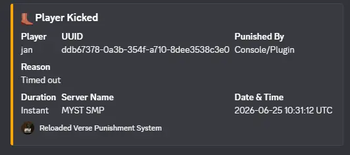
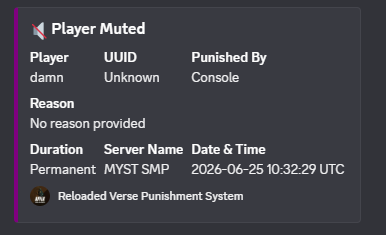
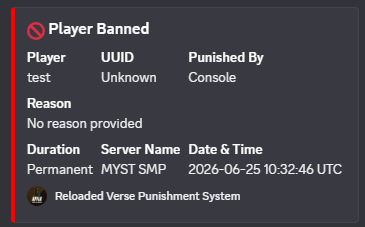
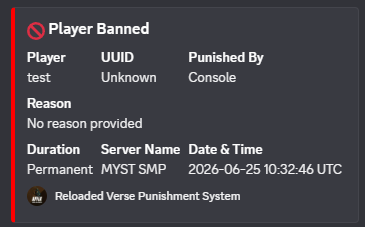
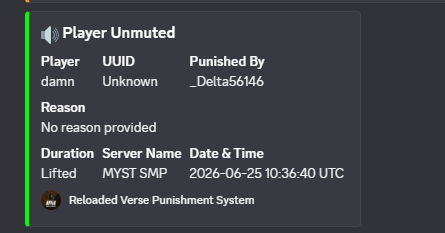
PunishBridge automatically sends clean, modern Discord embeds whenever a player is punished. Simply add your webhook URL, reload the plugin, and you're ready to go.
No Discord bot required.
✨ Features
- 🚫 Ban Logging
- ⏳ Temporary Ban Logging
- ✅ Unban Logging
- 👢 Kick Logging
- ⚠️ Warn Logging
- 🔇 Mute Logging
- 🔊 Unmute Logging
- 🌐 IP Ban Logging
💬 Discord Webhooks
- Modern Discord embeds
- Configurable webhook URL
- Custom server name
- Custom embed footer
- Custom embed colors
- Asynchronous requests (No server lag)
📝 Appeal Button
Every punishment message can include an optional appeal button.
Perfect for:
- Discord Servers
- Websites
- Google Forms
- Appeal Portals
🔌 Supported Plugins
Automatically supports:
- LiteBans
- AdvancedBan
- BanManager
- Native Paper punishments
⚙️ Configuration
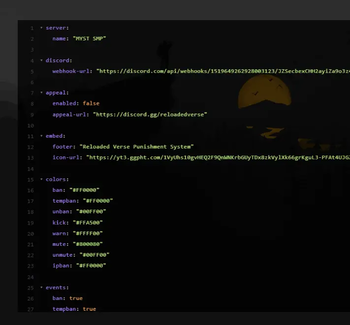
Everything can be customized inside config.yml.
- Webhook URL
- Appeal URL
- Server Name
- Embed Colors
- Footer
- Enabled Events
📦 Commands
/punishbridge reload
Permission
punishbridge.admin
✅ Supported Versions
- Paper 1.21.1+
- Java 21
- Edition: Minecraft Java
- File type: .jar
- Minecraft versions listed: 1.21, 1.21.1, 1.21.2
- How to install: Install the matching mod loader (Forge, Fabric or NeoForge) for your Minecraft version. → Download the .jar. → Put it in the .minecraft/mods folder and launch that loader profile.
- Where to get it: Opens on Modrinth — not every file is mirrored on our own servers.
Install steps are the general flow for this file type — How to install Minecraft Java mods & modpacks walks through it step by step.
- Ships as PunishBridge-1.0.0.jar — drop this file into the mods folder
- Download size: 29 KB
- Download link checked 7 Sept 2026 — working
These come from our own check of the pack file, not from the source page.