
BlackTimber
Java mod listed for Minecraft 26.x. Downloads from the MC Java Mods app on Android.
Smart, Folia native tree felling. Break one log and the whole tree falls, while houses, tree houses and player builds stay untouched. No dependencies, no…
⬇ Download on Modrinth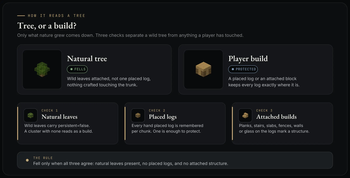

BlackTimber is a smart tree felling plugin for Minecraft Java Edition, written from the ground up for Folia. Break a single log and the whole tree comes down in one motion, gathered with the axe in your hand. Wooden houses, tree houses and hand built trees are never touched. There is nothing to install alongside it: no library plugin, no database, no setup.
What it does
Classic timber plugins fell anything made of logs, which makes them a liability near a base. BlackTimber fells only what nature grew, and it proves a tree is wild before a single extra log is removed.
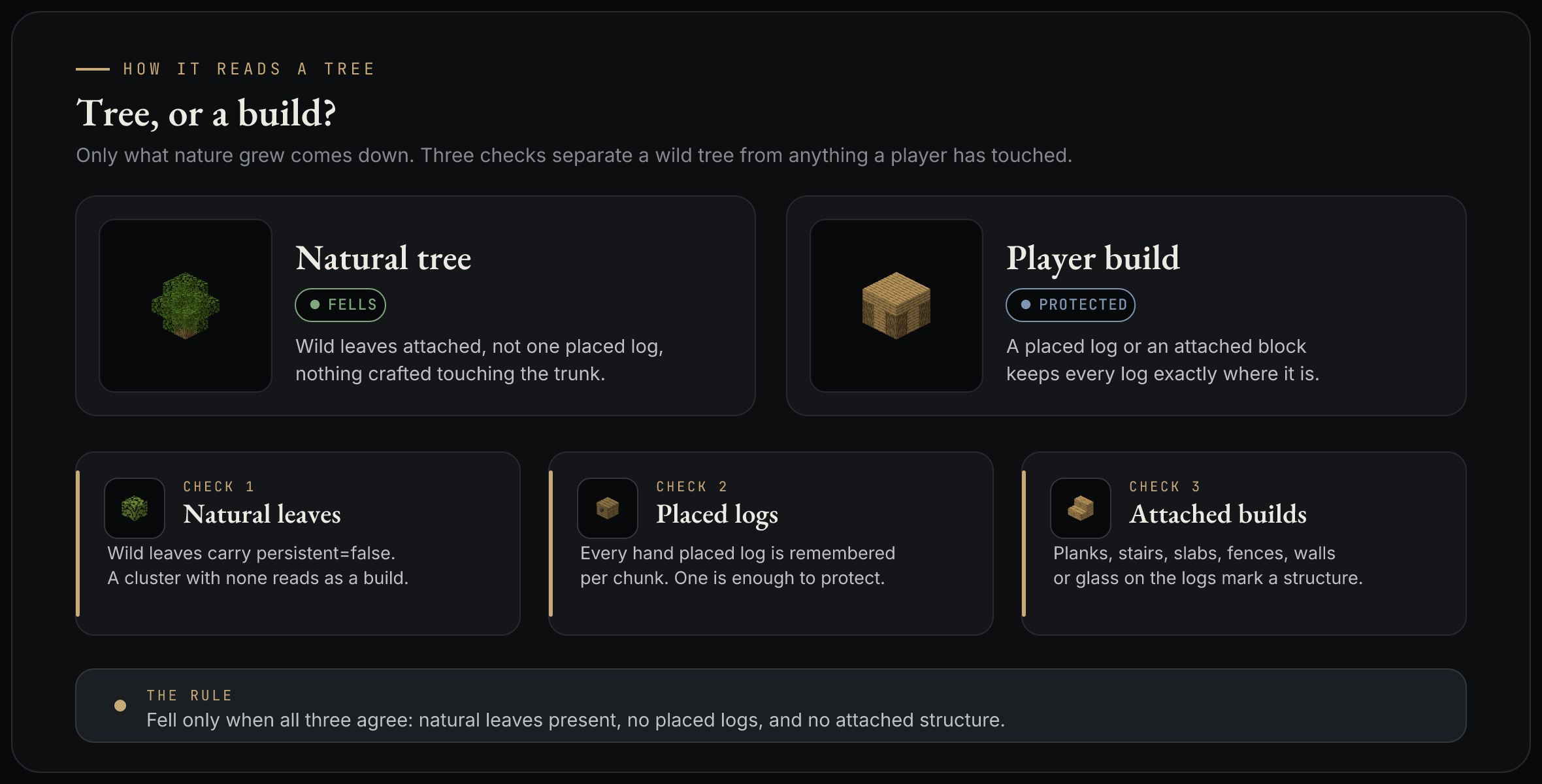
A cluster of logs comes down only when all three checks agree it is wild:
- Natural leaves. Wild leaves are
persistent = false. A cluster with none is treated as a build and left alone. - Placed logs. Every log a player places is remembered. One placed log protects the whole tree.
- Attached structures. Planks, stairs, slabs, fences, walls or glass touching the logs mark the cluster as a build.
Why you want it
- It protects builds. A stray swing near your base will not delete a wall, a floor or a tree house.
- It is fast and Folia native. Felling runs on the region thread that owns the log, large fells are spread across ticks, and the legacy scheduler is never used.
- It is self contained. No external dependencies and no database, so there is nothing to install or maintain alongside it.
In game menus
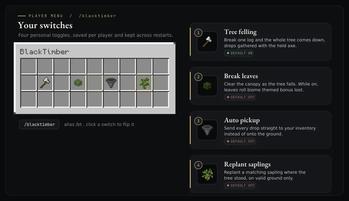
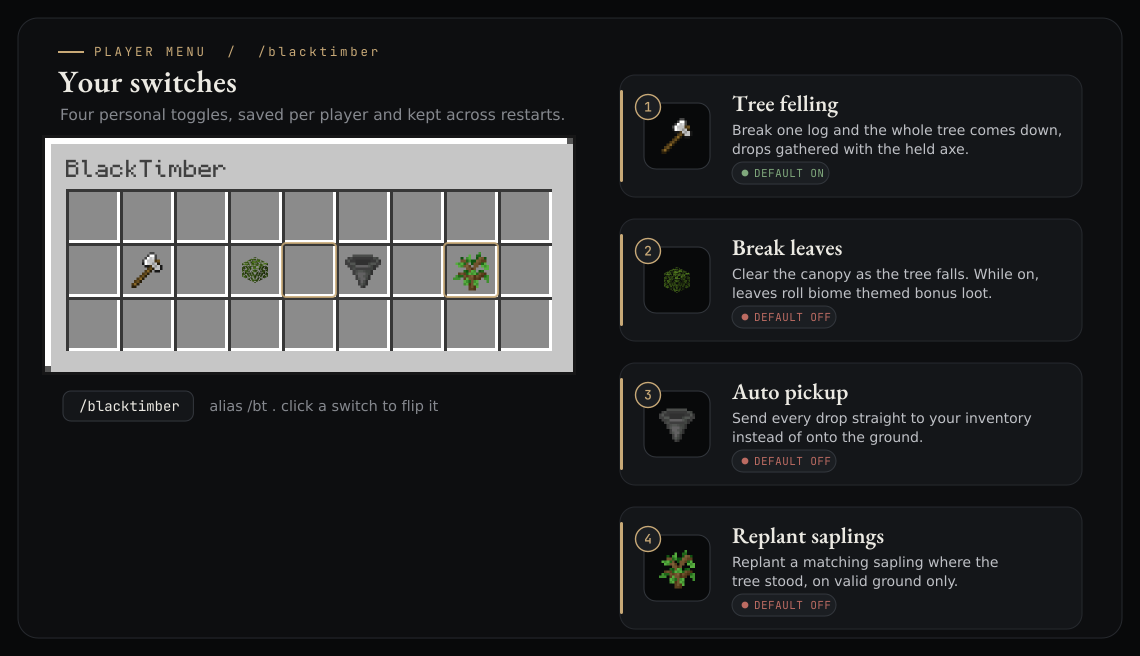
Every player flips three switches for themselves, saved per player.
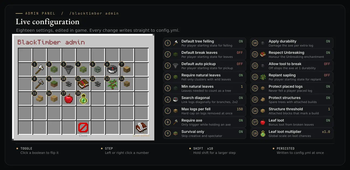
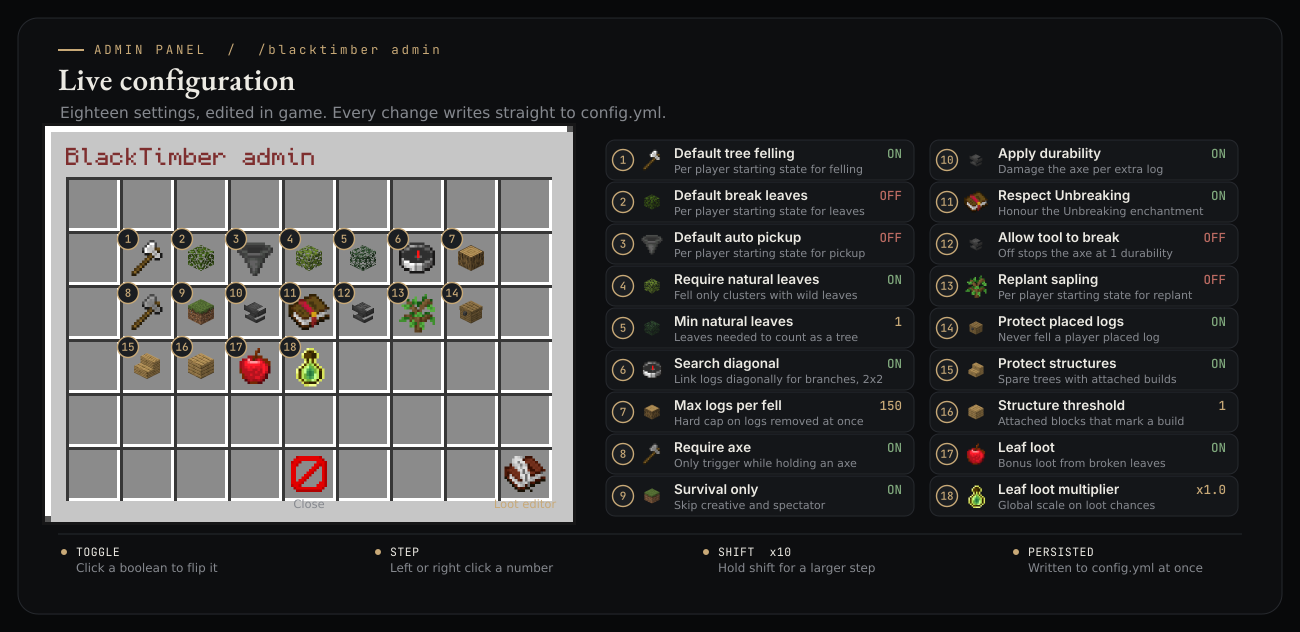
Admins tune eighteen settings live, written straight to config with no reload.
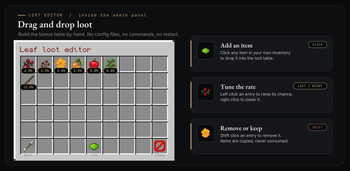
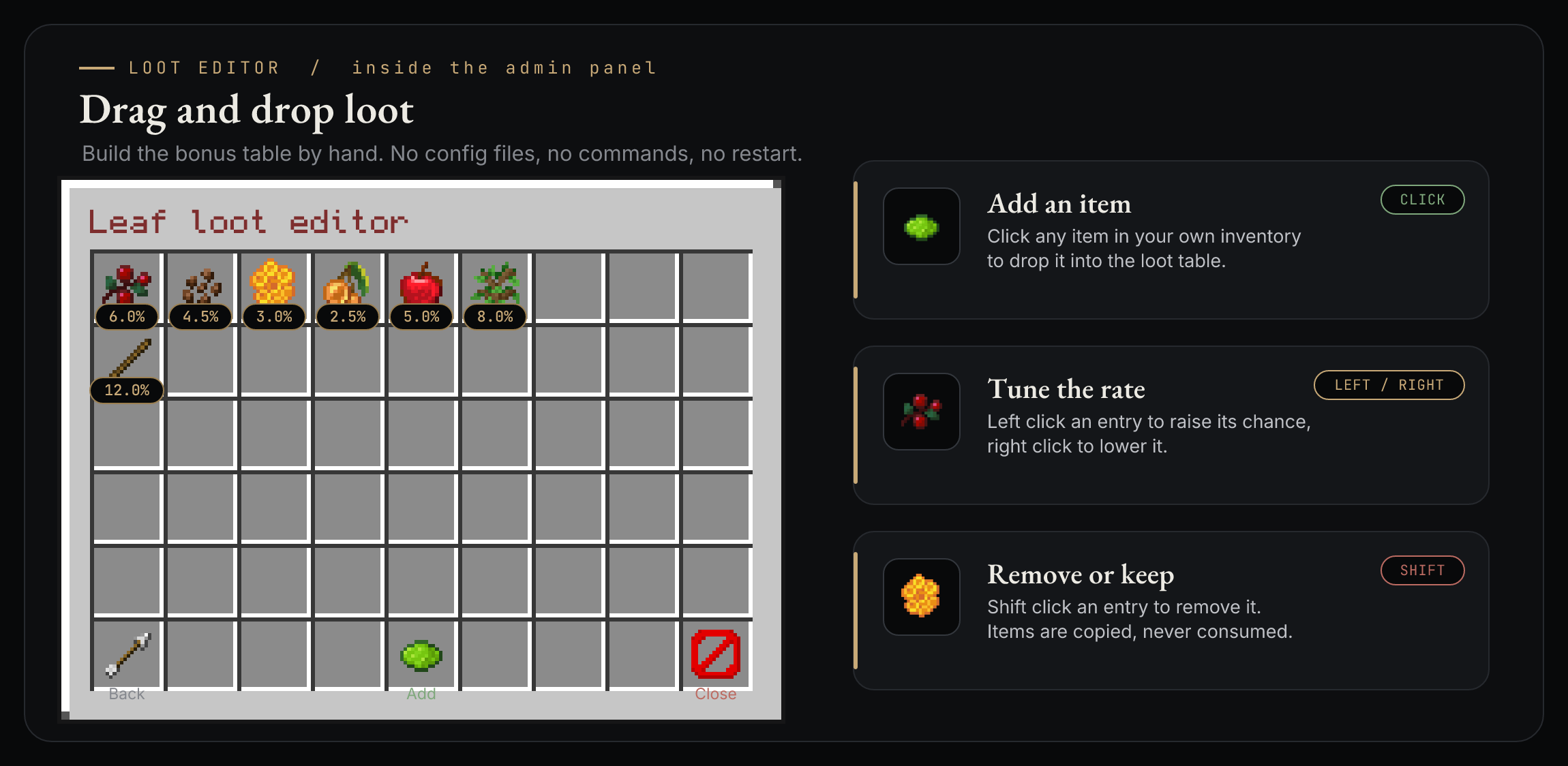
Bonus leaf loot is built by hand in a drag and drop editor.
Requirements
- Folia or Paper
26.1.2(api-version: 26.1). - Java
25.
Commands and permissions
| Command | Permission |
|---|---|
/blacktimber open your menu |
blacktimber.use |
/blacktimber on / off / toggle / leaves / pickup / status |
blacktimber.use |
/blacktimber admin open the admin panel |
blacktimber.admin |
/blacktimber reload |
blacktimber.admin |
blacktimber.use defaults to everyone, blacktimber.admin defaults to operators.
Telemetry and privacy
BlackTimber reports anonymous usage stats every fifteen minutes: a random server id, the
online player count, and the software and version strings. No IP address is stored, no
player names or UUIDs are ever sent, and nothing is linked to any person. The data is
anonymous and aggregate, in the same spirit as bStats. Opt out completely with
telemetry: false in config.yml. Full disclosure is in
TELEMETRY.md.
Links
A full write up lives at docs.cebi.tr; the configuration reference, the source code and the issue tracker are on GitHub.
- Edition: Minecraft Java
- File type: .jar
- Minecraft versions listed: 26.1, 26.1.1, 26.1.2
- How to install: Install the matching mod loader (Forge, Fabric or NeoForge) for your Minecraft version. → Download the .jar. → Put it in the .minecraft/mods folder and launch that loader profile.
- Where to get it: Opens on Modrinth — not every file is mirrored on our own servers.
Install steps are the general flow for this file type — How to install Minecraft Java mods & modpacks walks through it step by step.
- Ships as BlackTimber-1.4.0.jar — drop this file into the mods folder
- Download size: 64 KB
- Download link checked 18 Oct 2026 — working
These come from our own check of the pack file, not from the source page.