
This is a small, lightweight Fabric modpack based on vanilla Minecraft 1.26.2, made mainly for playing together with friends.
The goal is to keep the original vanilla feeling while adding a few quality-of-life mods, such as a world map, freecam, distant horizon and simple voice chat. There are no major gameplay changes, no tech or magic progression, and no complex systems to learn. Just simple improvements that make exploration, building, and multiplayer more comfortable and fun.
Perfect for relaxed survival sessions where vanilla gameplay still comes first. Download and have fun!
Modlist:
- AppleSkin: https://modrinth.com/mod/appleskin
- Cloth Config API: https://modrinth.com/mod/cloth-config
- Complementary Shaders - Reimagined: https://modrinth.com/shader/complementary-reimagined
- Cubes Without Borders: https://modrinth.com/mod/cubes-without-borders
- Distant Horizons: https://modrinth.com/mod/distanthorizons
- Fabric API: https://modrinth.com/mod/fabric-api
- Fabrishot: https://modrinth.com/mod/fabrishot
- Freecam: https://modrinth.com/mod/freecam
- Here 'n' There: https://modrinth.com/mod/herenthere
- Iris Shaders: https://modrinth.com/mod/iris
- Mod Menu: https://modrinth.com/mod/modmenu
- Simple Voice Chat: https://modrinth.com/mod/simple-voice-chat
- Sodium: https://modrinth.com/mod/sodium
- Text Placeholder API: https://modrinth.com/mod/placeholder-api
- Xaero's World Map: https://modrinth.com/mod/xaeros-world-map
Advice!
Please keep in mind that Freecam is considered cheating on some servers. Always make sure it is allowed before using it.
If you want to use Freecam with block collision enabled (so you cannot look through blocks), it is recommended to adjust the settings accordingly.
How to configure Freecam collision
First, assign a key for the Freecam Config GUI:
Open the standard Key Bindings menu
Set a key for the Freecam configuration screen
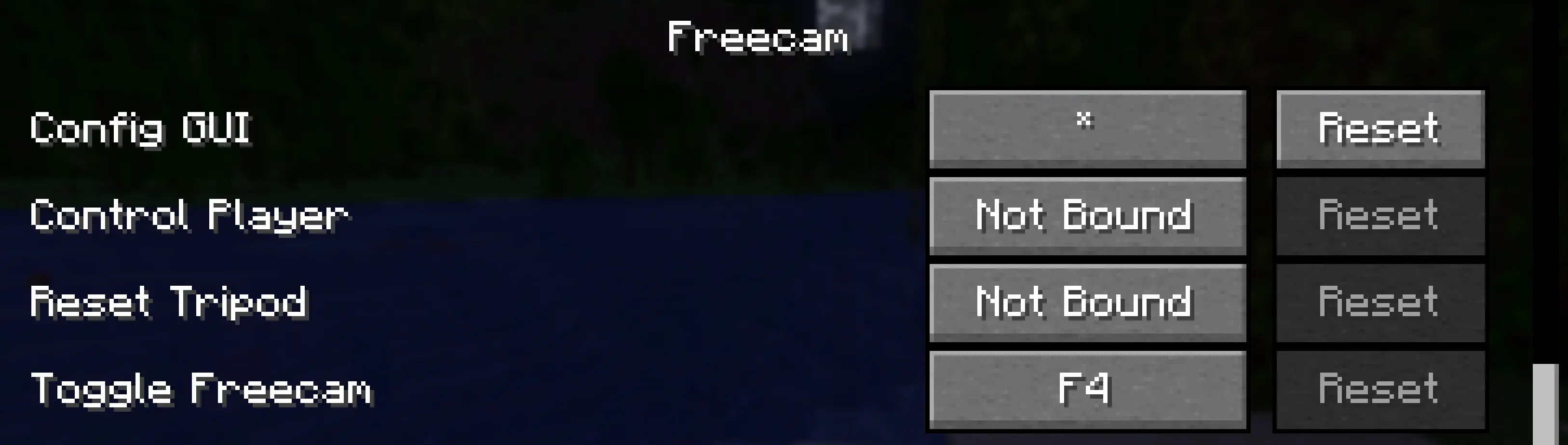
Once in-game, open the Config GUI using the assigned key and set:
Ignore All Collision → No
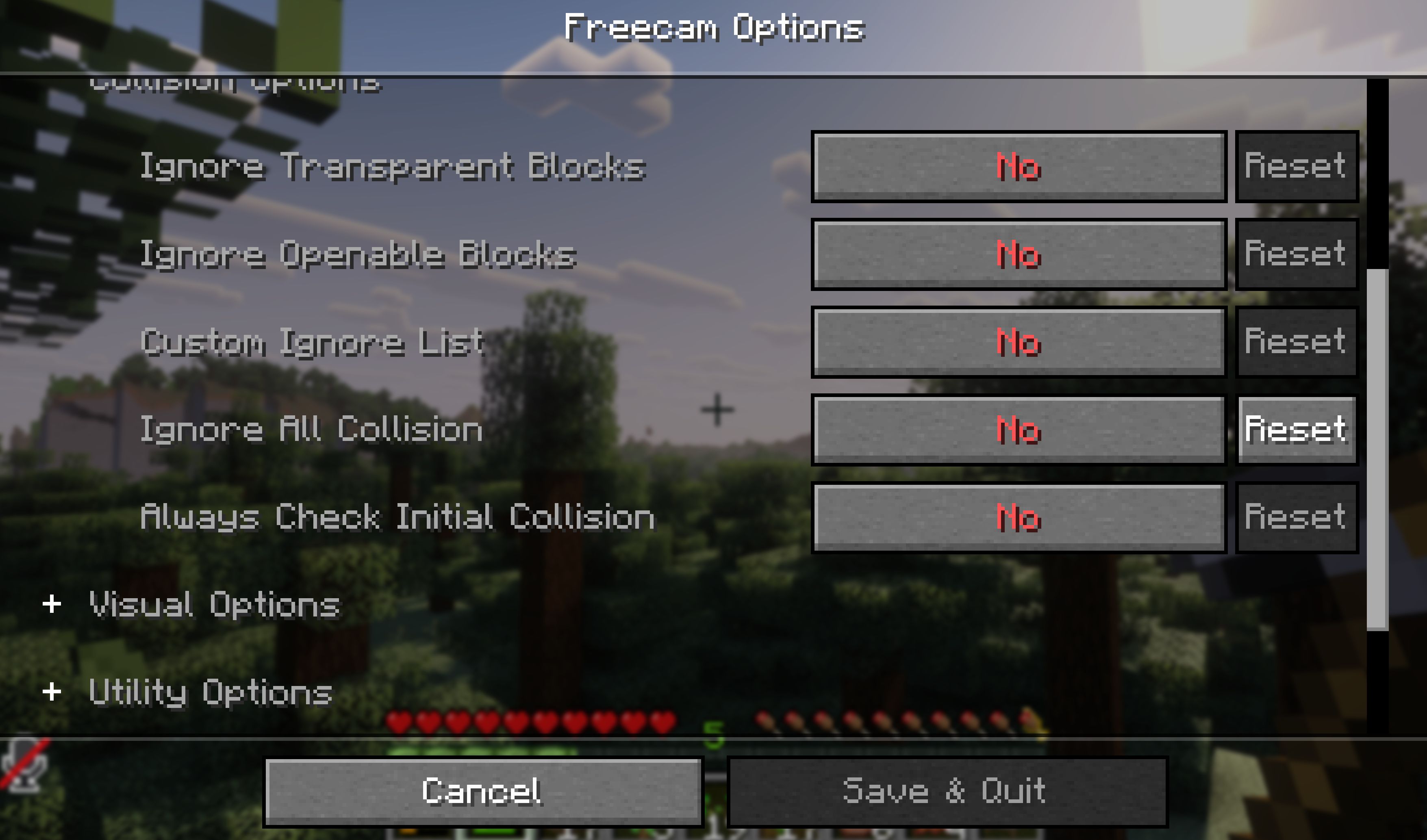
This will prevent the camera from passing through blocks.
If you want it more casual, more strict, or shorter, I can tweak it to match the tone of your modpack perfectly.
- Edition: Minecraft Java
- File type: .jar
- Minecraft version listed: 1.21.11
- How to install: Install the matching mod loader (Forge, Fabric or NeoForge) for your Minecraft version. → Download the .jar. → Put it in the .minecraft/mods folder and launch that loader profile.
- Where to get it: Opens on Modrinth — not every file is mirrored on our own servers.
Install steps are the general flow for this file type — How to install Minecraft Java mods & modpacks walks through it step by step.
- Downloads as StammCraft 1.0.0.mrpack
- Download size: 25 KB
- Download link checked 9 Sept 2026 — working
These come from our own check of the pack file, not from the source page.