Ore Detector | Find Diamonds & Rare Ores
Craft a handheld detector that scans nearby caves, shows a colorful holographic direction, and filters for diamonds, gold, ancient debris, and other ores.
⬇ Download on CurseForgeThe author built this one for Minecraft 26.30. On other versions it may install and then do nothing.
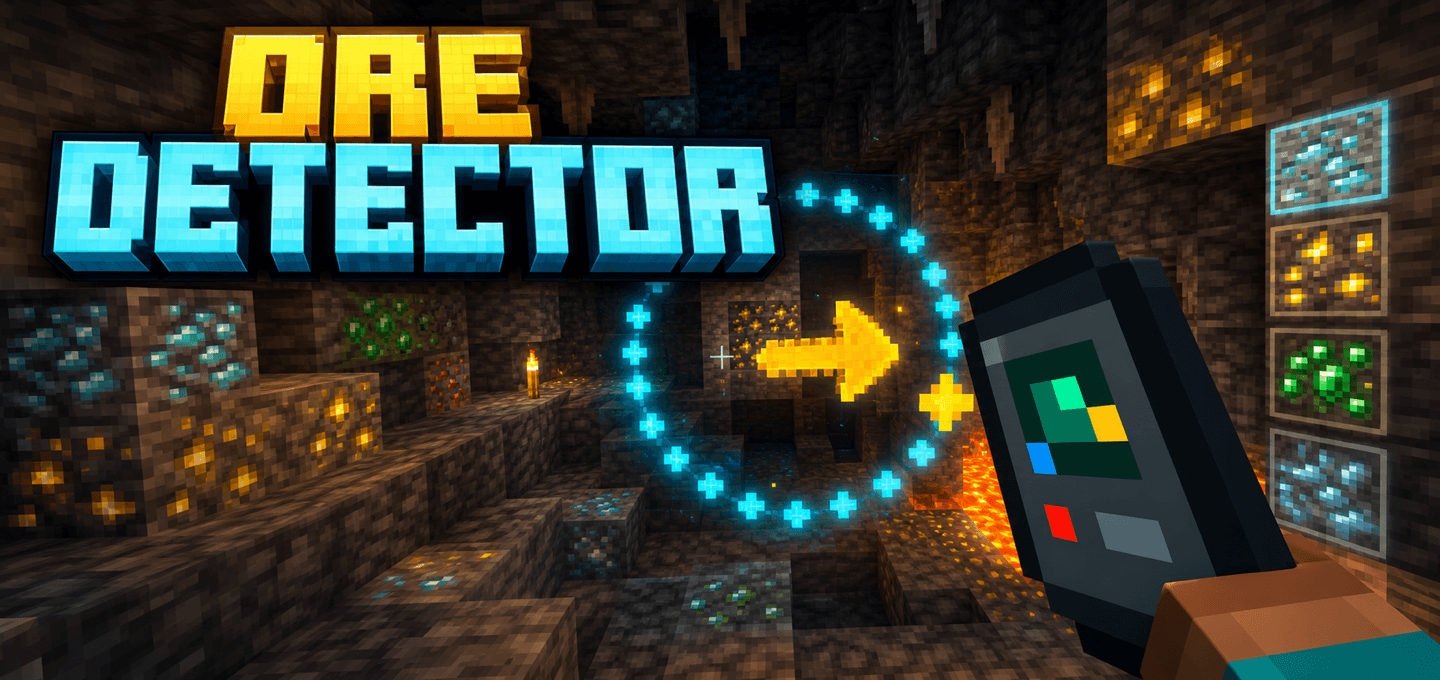
Ore Detector helps you locate nearby ores without turning your world into a permanent X-ray view.
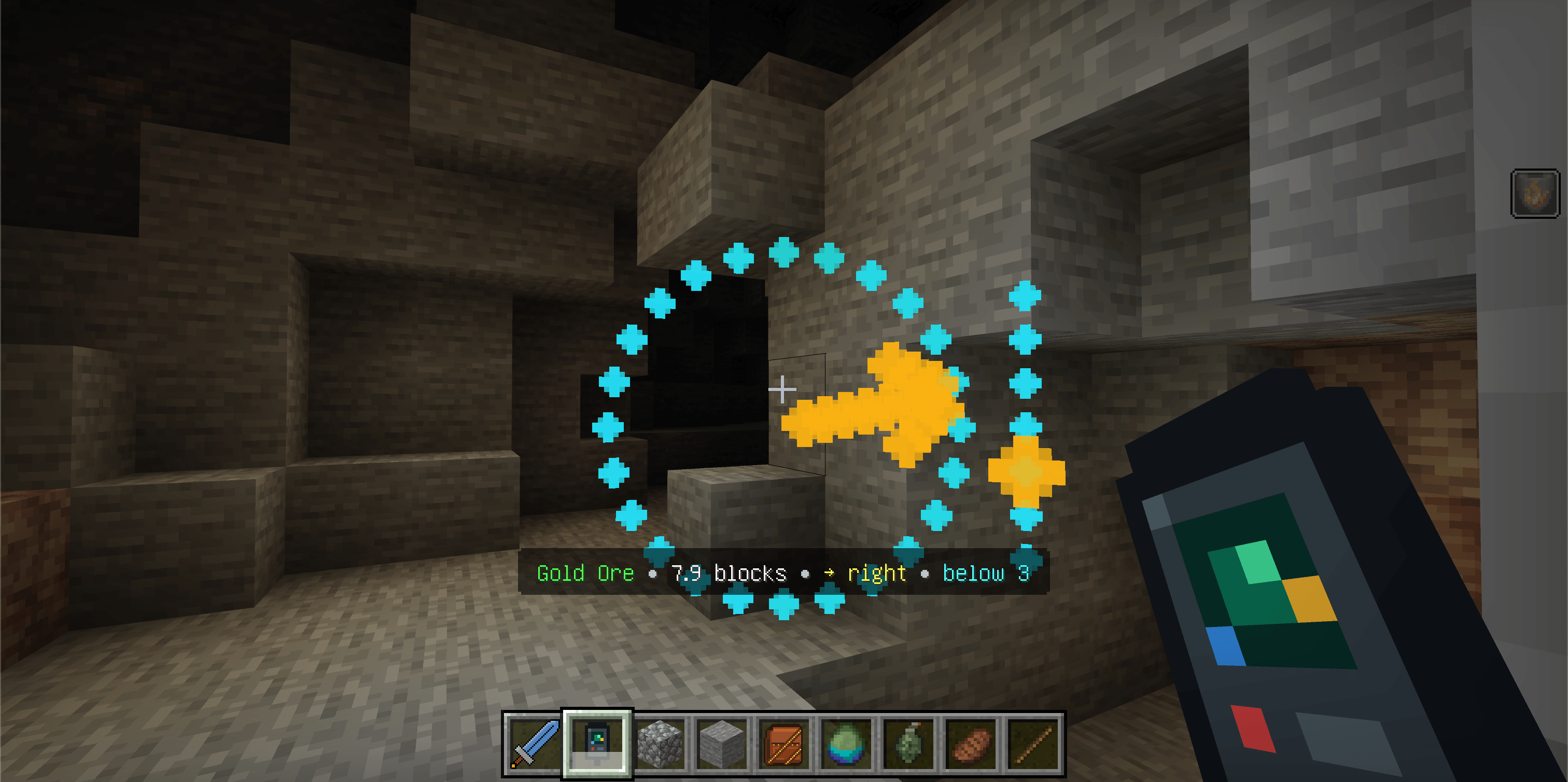
Craft the handheld detector, choose the resource you want, and scan the surrounding cave. The detector reports the nearest matching ore within 16 blocks and creates a colorful holographic display showing its direction, distance, and relative height.
Features
- Scans for the nearest matching ore within a 16-block radius
- Shows the ore type, distance, relative direction, and whether it is above or below you
- Creates a colorful holographic radar ring, arrow, height indicator, and directional trail
- Uses ore-specific colors so diamonds, gold, redstone, emeralds, and other resources are easy to recognize
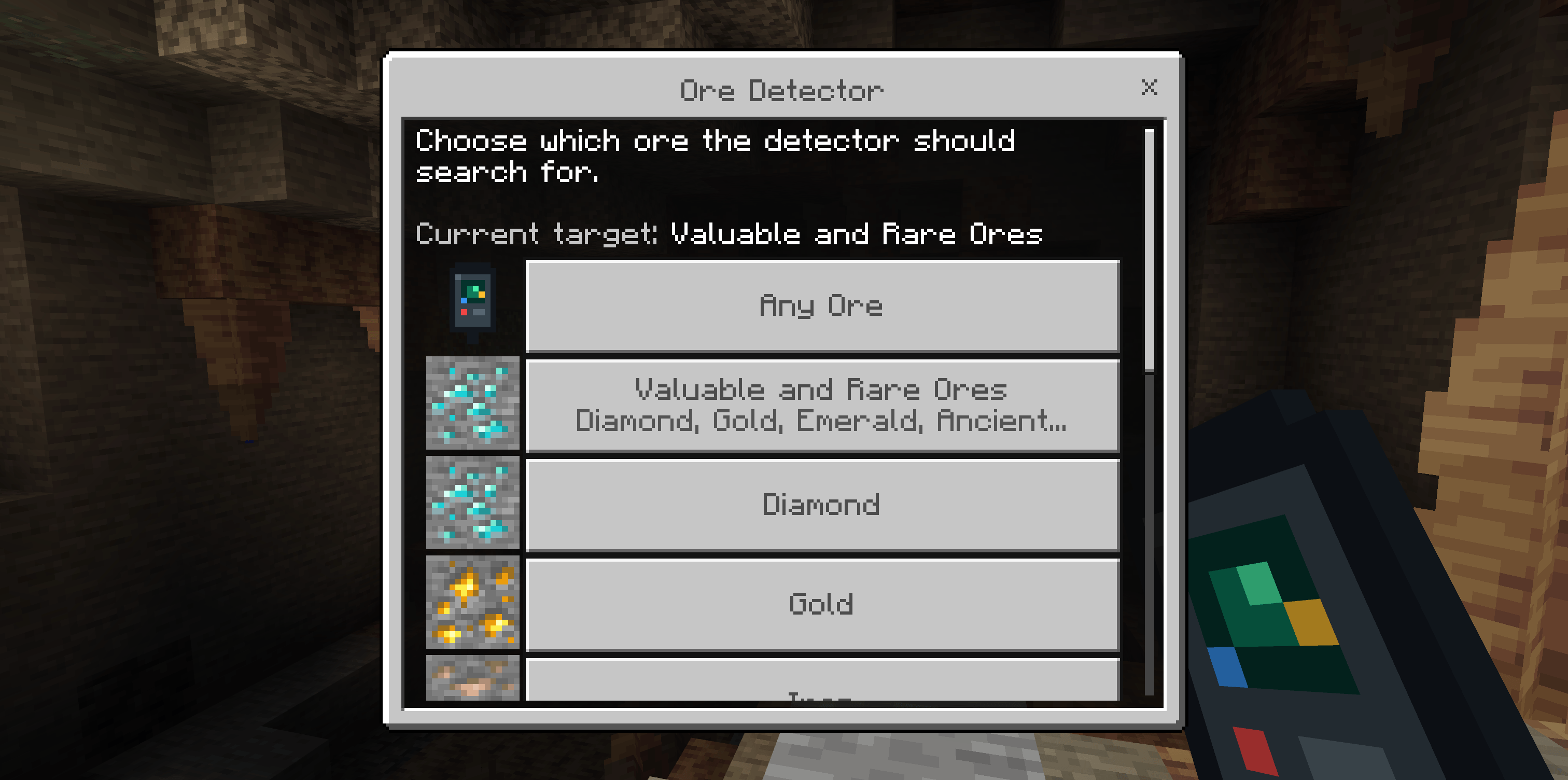
- Sneak and use the detector to open the ore selection menu
- Includes filters for every supported ore plus Any Ore and Valuable and Rare Ores
- Valuable and Rare Ores searches for diamond, gold, emerald, and ancient debris
- Supports Overworld and Nether ores, including deepslate variants, Nether Quartz, Nether Gold, and Ancient Debris
- Stores the selected filter in each individual detector
- Works in multiplayer and remains lightweight by spreading scans across game ticks
- Compatible with Vibrant Visuals
How to use
- Craft an Ore Detector.
- Hold it and use it to scan for the nearest selected ore within 16 blocks.
- Follow the holographic arrow and directional trail. The message above the hotbar also shows the distance and whether the ore is above or below you.
- Sneak and use the detector to open the target menu.
- Select Any Ore, Valuable and Rare Ores, or a specific resource.
Crafting
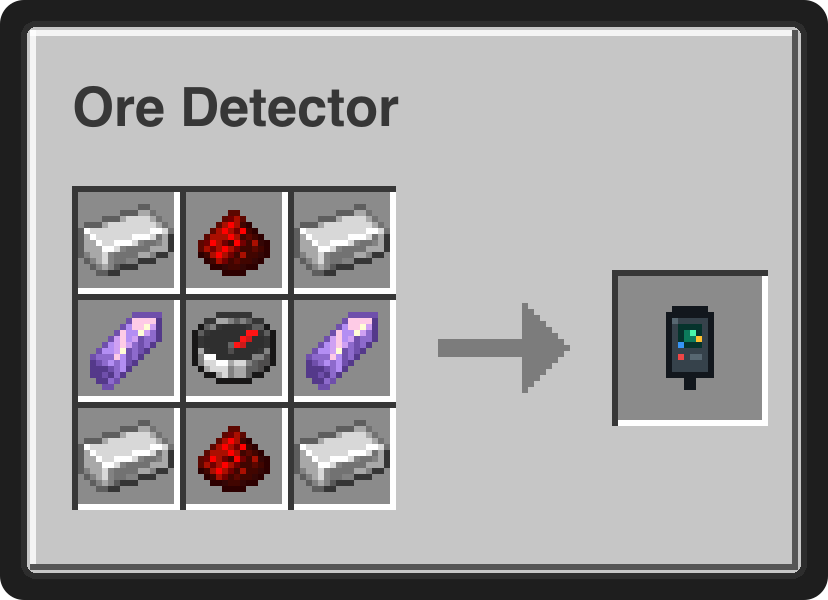
Craft 1 Ore Detector using:
- 4 Iron Ingots
- 2 Redstone Dust
- 2 Amethyst Shards
- 1 Compass
Notes
- The detector searches loaded terrain around the player and does not load distant chunks.
- The nearest matching ore is reported first.
- Different Ore Detectors can remember different selected targets.
- The add-on does not replace ore textures, alter world generation, or increase ore drops.
Requirements
- Minecraft Bedrock Edition 26.30 or newer
- No experimental toggles required
- No external add-ons required

- Edition: Minecraft Bedrock
- File type: .mcpack or .mcaddon
- Minecraft version listed: 26.30
- How to install: Download the .mcpack or .mcaddon file. → Open it — Minecraft imports it. → In your world: Behavior Packs → Available → Activate, then the same under Resource Packs.
- Where to get it: Opens on CurseForge — not every file is mirrored on our own servers.
Install steps are the general flow for this file type — How to install Minecraft Bedrock addons & mods walks through it step by step.
- Pack type: .mcaddon — behaviour and resource pack in one file
- Manifest requires Minecraft 1.26.30 or newer
- Complete pack — everything it depends on is inside the file
- Download size: 15 KB
- Download link checked 9 Sept 2026 — working
These come from our own check of the pack file, not from the source page.