Creativity
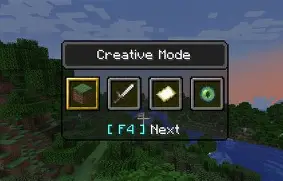
Creativity is a unique Paper plugin that gives players a creative-style building mode without granting full Creative Mode. It is designed for survival servers that want to let trusted players build freely while still keeping gameplay balanced.
Unlike normal Creative Mode, Creativity includes configurable restrictions to prevent abuse while allowing players to fly and access building blocks.
Features
- Separate Creativity mode from vanilla Creative Mode.
- Independent inventory that is separate from Survival.
- Access to building blocks without giving unrestricted Creative Mode.
- Prevents access to weapons, tools, armor, ores, enchanted books, and other restricted items.
- Flight is enabled while in Creativity mode.
- Automatically disables flight while the player is in combat.
- Players still take damage and are not invincible.
- Prevents dropping items obtained through Creativity.
- Blocks access to containers such as chests.
- Supports permissions so only authorized players can use Creativity.
- Configurable settings to customize restrictions for your server.
Why use Creativity?
Creative Mode is often too powerful for survival servers. Players can spawn any item, become invincible, and bypass many gameplay mechanics.
Creativity provides a safer alternative by allowing trusted builders to construct projects while preventing common forms of abuse. It is ideal for survival communities, SMPs, and servers that want to protect their economy while still encouraging creativity.
Compatibility
- Paper 1.21.x
- Java 21
Installation
- Stop your server.
- Place the plugin JAR into your
pluginsfolder. - Start the server.
- Edit the configuration file to customize the plugin if desired.
- Restart or reload the server to apply any configuration changes.
Permissions
Permissions can be used to control which players are allowed to enter Creativity mode.
Commands
See the plugin documentation for available commands and configuration options.
Planned Features
- More configurable item restrictions.
- Per-world settings.
- Additional permission nodes.
- More customization options for server owners.
- Edition: Minecraft Java
- File type: .jar
- Minecraft version listed: 1.21.11
- How to install: Install the matching mod loader (Forge, Fabric or NeoForge) for your Minecraft version. → Download the .jar. → Put it in the .minecraft/mods folder and launch that loader profile.
- Where to get it: Opens on Modrinth — not every file is mirrored on our own servers.
Install steps are the general flow for this file type — How to install Minecraft Java mods & modpacks walks through it step by step.
- Ships as Creativity-1.0.jar — drop this file into the mods folder
- Download size: 4 KB
- Download link checked 10 Sept 2026 — working
These come from our own check of the pack file, not from the source page.