
ModsJava
Adaptive Music Control
Choose which Minecraft music can play in each game mode and dimension.
I don't know my version or loader
Open the Minecraft launcher and look at the profile you play on — it names both, like fabric-loader-1.21.4. The version also shows in the bottom-right corner of the game's main menu.
No loader in the profile name? Then it's plain Minecraft, and these mods won't run — you need Fabric or NeoForge installed first.
Adaptive Music Control
Choose which Minecraft music can play in each game mode and dimension.
Usage
- Start Minecraft.
- Open
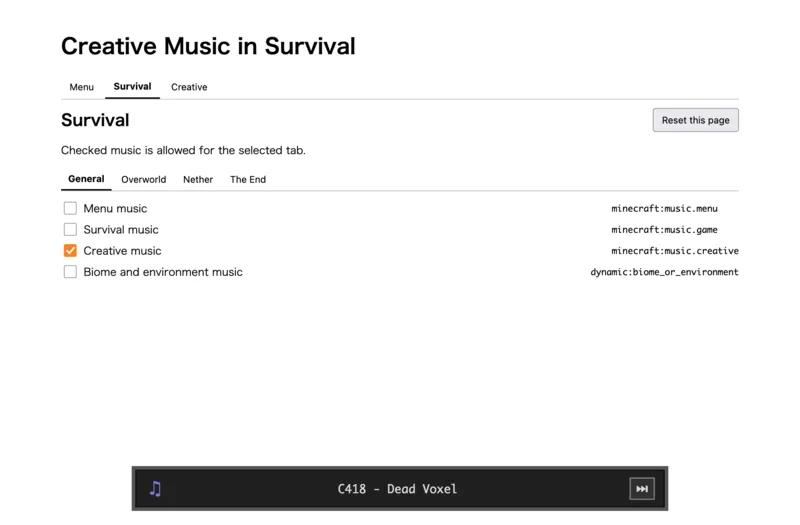
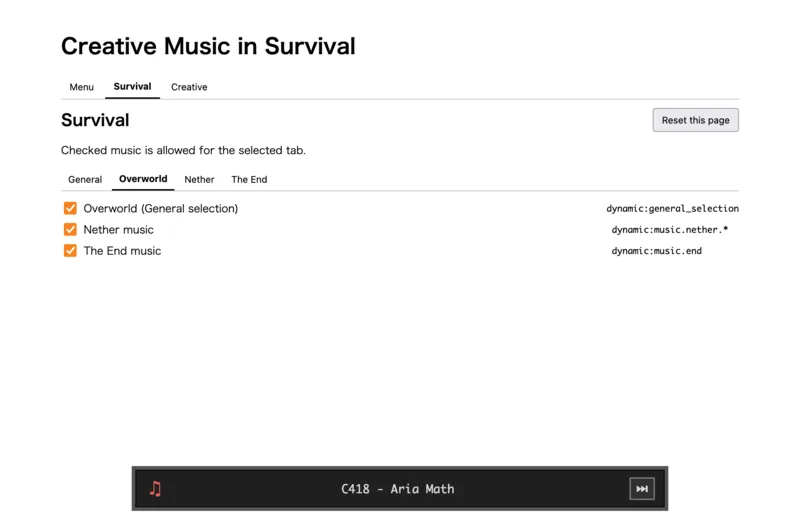
http://127.0.0.1:56001/. - Select a game mode and dimension, then choose the music.
Changes are applied immediately. Reset this page restores the selected tab's default settings.
The bottom player shows the current track. Use the next button to reroll it.(26.1.2 or later only.)
Verified by MCModsHub
- Ships as creativemusicinsurvival-1.20.1-fabric-v1.0.1.jar — drop this file into the mods folder
- Download size: 49 KB
- Download link checked 29 Jul 2026 — working
These come from our own check of the pack file, not from the source page.