
PomPom
Java mod listed for Minecraft 26.x. Downloads from the MC Java Mods app on Android.
⬇ Download on Modrinth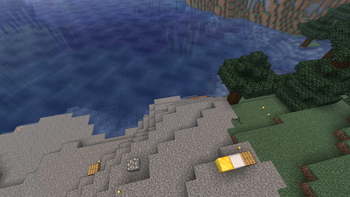
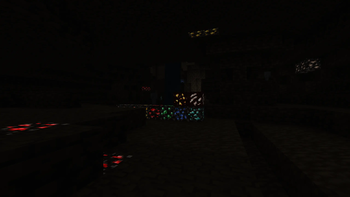
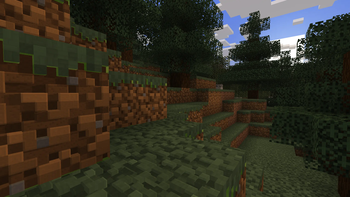
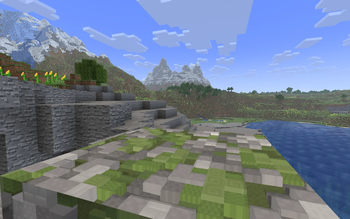
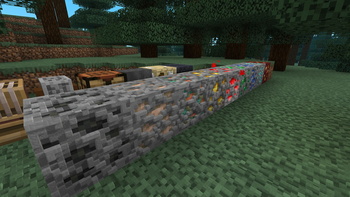
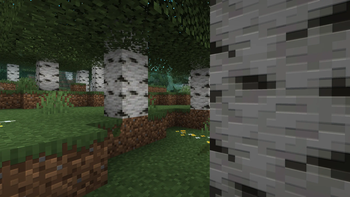
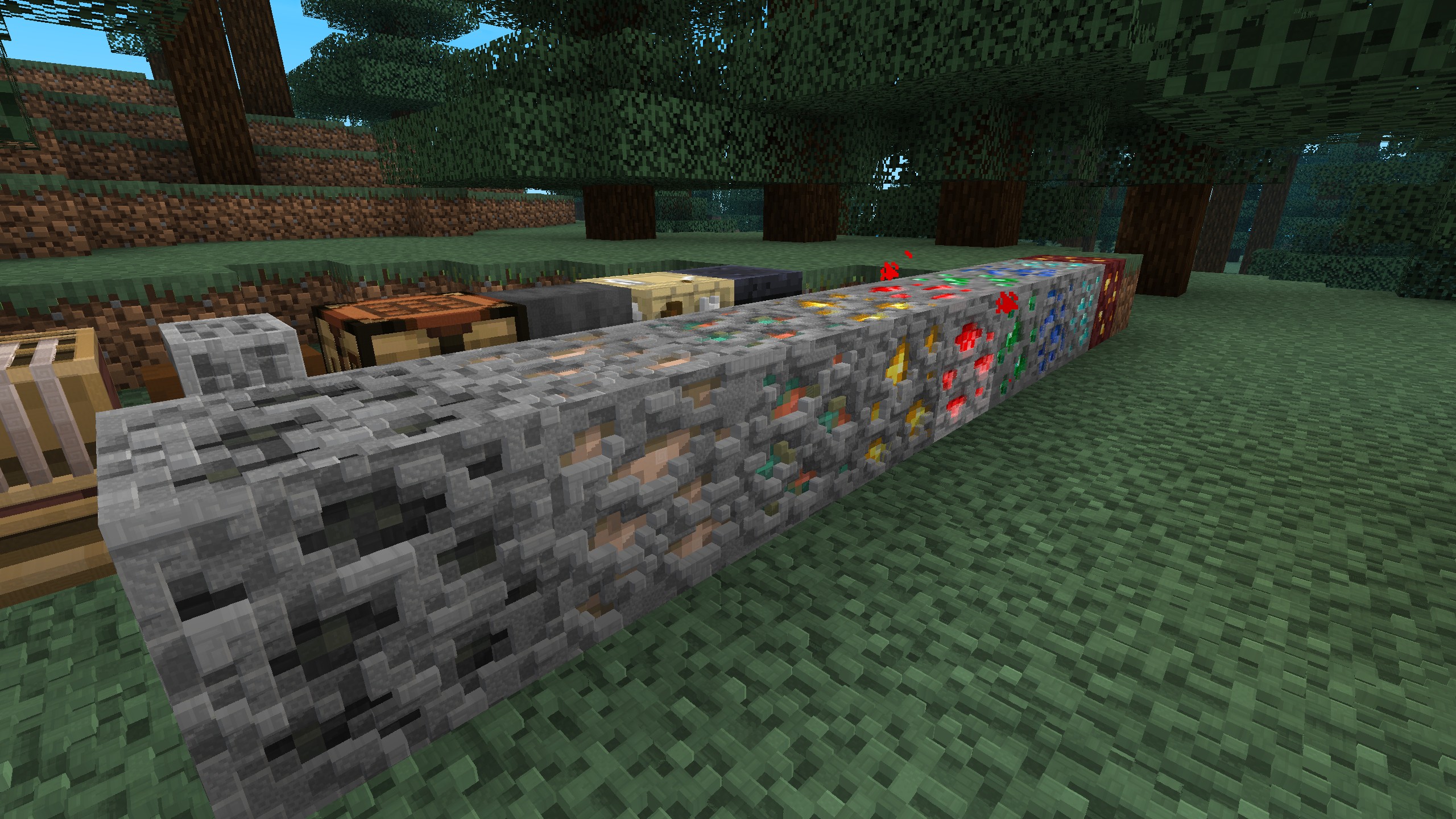
PomPom — real 3D terrain, no shader pack required
Bumpy, carved-looking blocks with depth and moving sun-shadows — for a fraction of a shader pack's cost.
Ever seen a screenshot where the stone, bricks, or logs look genuinely 3D — real grooves and bumps that catch the sunlight and cast little shadows — and figured you needed a big shader pack for that?
You don't. PomPom bakes that depth straight into terrain with no shader pack required and no heavy shader pipeline. It hooks into how Minecraft (or Sodium) already draws the world and adds the 3D look on top. It isn't free — you'll give up some frames — but nowhere near what a full shader pack asks of your GPU. (And if you do run a shader pack, that's fine too — see compatibility below.)
If that sounds too good to be true, here's the honest version: PomPom is matte by design — it does depth, bumps, and sun-shadows, but not mirror reflections or wet specular highlights. That restraint is exactly why it stays light. You get the "wow, that's 3D" without the "why is my game running at 20 FPS."
Why PomPom is one of a kind
Until now, every way of getting depth into Minecraft made you pick between looking 3D and running well:
| Setup | Performance | 3D depth |
|---|---|---|
| Vanilla + LabPBR pack | ✅ | ❌ |
| Vanilla + 3D pack (JSON geometry) | ❌ | ✅ |
| Shader pack (Iris) | ❌ | ✅ |
| PomPom | ✅ | ✅ |
What's actually going on:
- Vanilla + a LabPBR pack — the pack is full of depth and normal-map data… but vanilla Minecraft has nothing that reads it, so it renders flat anyway. All that 3D data just sits there unused. (This is the trap most players fall into.)
- Vanilla + a 3D resource pack (JSON block models) — these fake depth by giving blocks real 3D geometry. It genuinely looks 3D, but all that extra geometry is heavy on performance and only covers the blocks the author bothered to model.
- A shader pack (Iris) — real 3D depth and gorgeous lighting, but the full shader pipeline costs a lot of FPS.
- PomPom — 3D depth on nearly every block, generated right in the shader, with no geometry bloat and no shader pipeline. It costs some performance — but a small slice, not the deep cut a shader pack takes. That's the whole point of the mod.
Do I need a special resource pack?
No — PomPom works on any texture pack, even vanilla. It has two modes and picks automatically:
- With a LabPBR resource pack → it uses the pack's authored depth and normal maps for accurate, hand-crafted 3D (this is true Parallax Occlusion Mapping — the texture actually looks carved, not just shaded).
- With any other pack (or vanilla) → it generates depth on the fly from the texture's own contrast. No PBR data needed.
So you can install it and immediately see a difference, then add a LabPBR pack later for the best results.
Features
Core:
- 🌞 Sun-directional bumps — micro-shadows that shift with the time of day. Noon looks different from sunset.
- 🧱 Parallax Occlusion Mapping (POM) — genuine carved depth from LabPBR packs.
- ✨ Procedural depth — works with any texture pack, no PBR data required.
- 🎛️ Extra effects (toggle in config): world outline, waving foliage, ocean waves, glowing ores, directional block-light, cel shading.
- ⚡ Lightweight & matte — no reflections or specular, so it stays far lighter than a shader pack (and vanilla-faithful).
- 🧩 Works on the vanilla renderer and Sodium — including Sodium's experimental Vulkan backend.
- ⚙️ Fully configurable in-game via Mod Menu + YACL.
⚗️ Experimental — on by default, but still being tuned and may not work perfectly on every block/pack:
- 💡 Emissive blocks — glowing textures (LabPBR emission, plus smart glow detection for lava, glowstone, etc.). May not trigger on everything yet.
- 🌅 Time-of-day atmosphere — scene relight, aerial haze, sun glare, and sky/cloud tinting matched to the day cycle. Still being balanced.
- 🌍 Nether & End support — each dimension gets its own look; may not always render correctly.
You can turn any of these off in the config if they misbehave.
Getting started
- Install Fabric Loader and Fabric API.
- Drop PomPom into your
modsfolder. - (Optional but recommended) add Sodium for the best FPS, and a LabPBR resource pack for authored 3D.
- (Optional) add Mod Menu + YACL to open the in-game settings screen and toggle features.
That's it — launch and look at some stone.
Requirements & compatibility
| Minecraft | 26.2 (Fabric) |
| Required | Fabric API |
| Recommended | Sodium (performance), a LabPBR resource pack (best visuals) |
| For the config screen | Mod Menu + YACL (both optional) |
- ✅ Sodium — fully supported, recommended.
- ✅ Vanilla renderer — supported.
- ✅ LabPBR resource packs — supported.
- ✅ Iris + shader packs — fully compatible, keep both installed! When you turn a shader pack on, PomPom automatically steps aside and lets the shader render the world; when you turn the shader off, PomPom comes right back. Nothing to uninstall, no conflict — PomPom is simply your no-shader-pack option for when you want depth without the FPS hit.
⚠️ This is a beta
First public release! Working LabPBR POM is expected, but artifacting and glitches are possible. If you hit something weird, please report it — screenshots and your setup (pack, Sodium on/off, config) help a ton.
License
PomPom is All Rights Reserved, with one explicit exception:
✅ You may include an unmodified copy of PomPom in a modpack — but only if that modpack is distributed exclusively on Modrinth.
That means:
- ✅ Allowed: bundling PomPom, unchanged, in a Modrinth-hosted modpack.
- ❌ Not allowed: distributing it on any other platform, redistributing it as a standalone download, or including a modified version.
If you want to use PomPom in any other way, please ask first.
- Edition: Minecraft Java
- File type: .jar
- Minecraft version listed: 26.2
- How to install: Install the matching mod loader (Forge, Fabric or NeoForge) for your Minecraft version. → Download the .jar. → Put it in the .minecraft/mods folder and launch that loader profile.
- Where to get it: Opens on Modrinth — not every file is mirrored on our own servers.
Install steps are the general flow for this file type — How to install Minecraft Java mods & modpacks walks through it step by step.
- Ships as pompom-1.0.3+26.2.jar — drop this file into the mods folder
- Download size: 121 KB
- Download link checked 21 Oct 2026 — working
These come from our own check of the pack file, not from the source page.