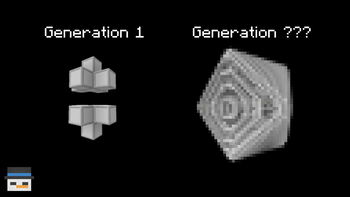
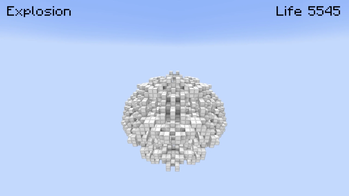
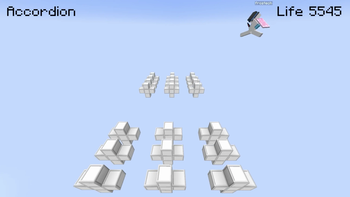
The mod adds a "Conway Block" and "Game Controller" item to the game. It additionally adds the "/resetConwayBlocks" command.
The mod allows the well-known 0 player game to be simulated in Minecraft. I hope you enjoy!
MOD DETAILS:
Conway Block item - found in the Redstone section of the creative menu.
Game Controller - also found in the Redstone section of the creative menu.
/resetConwayBlocks - removes all conway blocks from game's memory, essentially freezing these cells. You should use this command each time you want to try a different set-up otherwise the old blocks will keep updating.
The mod only registers conways blocks that are placed/broken by hand or created by the simulation, so using world-edit or /fill won't work.
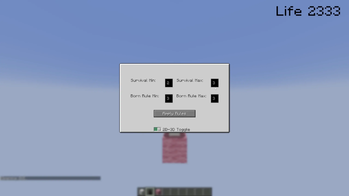
The game rules can be edited by left clicking the game controller.
The simulation can be advanced interacting (right click) with the game controller.
Side note: if you hold down right click it will keep advancing.
To set-up the mod: Download fabric loader for 1.21.1 Download mod jar file Download fabric api jar file for 1.21.1 Launch fabric and enjoy!
- Edition: Minecraft Java
- File type: .jar
- Minecraft version listed: 1.21.1
- How to install: Install the matching mod loader (Forge, Fabric or NeoForge) for your Minecraft version. → Download the .jar. → Put it in the .minecraft/mods folder and launch that loader profile.
- Where to get it: Opens on Modrinth — not every file is mirrored on our own servers.
Install steps are the general flow for this file type — How to install Minecraft Java mods & modpacks walks through it step by step.
- Ships as conway3d-1.0.0.jar — drop this file into the mods folder
- Download size: 396 KB
- Download link checked 10 Sept 2026 — working
These come from our own check of the pack file, not from the source page.