
Minecraft, But Every Block Spreads Like Sculk
Information
A Fabric 1.21.4 mod built by Steampwred for YouTuber Frosty.
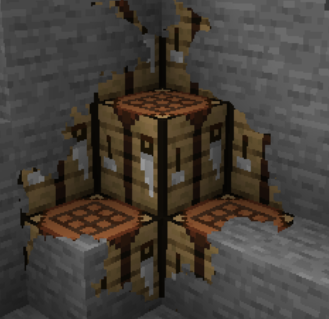
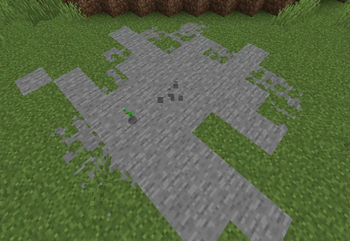
This mod makes any placed block spread and clone itself like sculk. Breaking one clone normally removes all connected copies, but sneak-breaking preserves them. If left unchecked, the spreading blocks can eventually overtake your world.
Good luck beating the game...
Inspired by Skippy T & Element X.
Overview
Place a block and it starts to spread like a sculk catalyst.
From there, it spreads outwards onto other nearby blocks.
Break the original block and the spread withdraws, replacing itself with air.
Crouch while breaking the original block to stop the spread, leaving all blocks affected.
Most features can be toggled through commands.
Commands
/spread startTurn spreading on./spread stopDisables spreading and kills active colonies./spreadShows current enabled state./spread statusShows enabled state, active colonies, base speed, radius ramping, and particle state./spread clearKills active colonies without changing the toggle./spread speed <1-256>Changes the base spread speed. Default:10./spread particles on|offToggles particles./spread maxsize <1-8192>Change max size of colony
Warning
This mod will permanently alter your world, so start with a new world or a backup.
- Edition: Minecraft Java
- File type: .jar
- Minecraft versions listed: 1.21.4, 1.21.5, 1.21.6
- How to install: Install the matching mod loader (Forge, Fabric or NeoForge) for your Minecraft version. → Download the .jar. → Put it in the .minecraft/mods folder and launch that loader profile.
- Where to get it: Opens on Modrinth — not every file is mirrored on our own servers.
Install steps are the general flow for this file type — How to install Minecraft Java mods & modpacks walks through it step by step.
- Ships as every-block-spreads-1.0.0.jar — drop this file into the mods folder
- Download size: 52 KB
- Download link checked 10 Sept 2026 — working
These come from our own check of the pack file, not from the source page.