
Potion's Belt
Potion Belt addresses inventory management by introducing a specialized item container designed solely for potions.
⬇ Download on Modrinth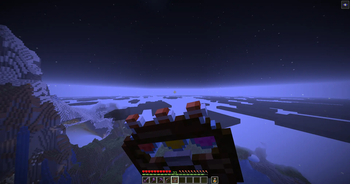
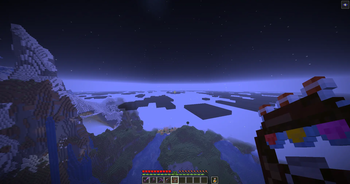
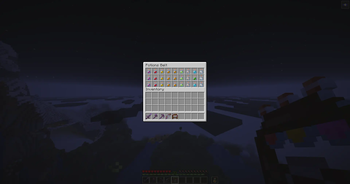
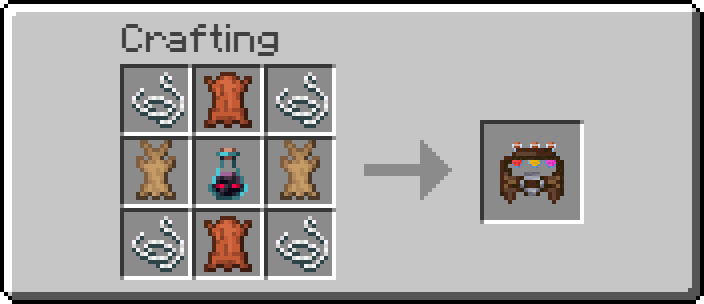
Potion's Belt




A dedicated 3x9 potion container with fast, column-based drinking — no more digging through the hotbar.
What it does
Potion's Belt adds a single item: a 27-slot belt that accepts drinkable potions and empty bottles, plus a fast way to drink from it without opening any GUI mid-fight.
| Feature | Description |
|---|---|
| Drink on right click | The vanilla 1.6s drink animation and timing — no balance changes, just faster access. |
| Column-based loadout | 3 rows x 9 columns. Dedicate each column to one potion type; drinking only ever replaces the exact slot drunk, so a column's contents never drift. |
| Sticky column selection | Hold the remappable "Column Select" modifier + a hotbar key (1-9) or scroll to pick a column. Your pick is remembered as the default for every future drink, not just the current one. |
| Row and belt-wide fallback | If the selected column's top potion is gone, the belt falls back to row 2, then row 3, of that column; if the whole column is empty, it falls back further to the first potion anywhere in the belt, only failing outright if the belt has none left at all. |
| HUD preview | An icon + name next to the hotbar always shows exactly which potion is about to be drunk. |
| Bottles return to the belt | Drinking turns only that slot into an empty bottle, in place — nothing else shifts. |
| Two ways to open the GUI | A dedicated keybind (either hand), or E while the belt is specifically your main-hand item. |
| Custom sounds | Distinct sounds for opening the belt and for each drink starting/ending. |
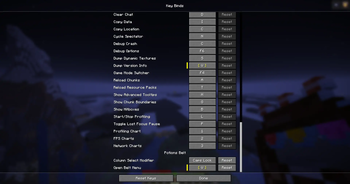
All of Potion's Belt's keybinds are unbound by default and fully remappable under Options > Controls > Potions Belt — see the Column Loadouts & Keybinds wiki page before your first drink.
Requirements
| Minecraft | 1.21.11 |
| Fabric Loader | 0.18.4+ |
| Fabric API | 0.141.3+1.21.11 |
| Java | 21+ |
The belt's consumption logic runs server-side, so multiplayer requires the mod on both the server and every client — see the wiki's Installation page.
Installation
- Install Fabric Loader for Minecraft 1.21.11.
- Download Fabric API for the same
version and drop it in your
mods/folder. - Download Potion's Belt and drop it in
mods/too.
See the wiki for a full usage guide, keybind setup, and column-loadout tips.
Languages
| Language | Locale | File |
|---|---|---|
| 🇬🇧 English (US) | en_us |
en_us.json |
| 🇵🇹 Portuguese (Portugal) | pt_pt |
pt_pt.json |
Want to add or fix a translation? See the wiki's Translations page.
License
- Edition: Minecraft Java
- File type: .jar
- Minecraft version listed: 26.2
- How to install: Install the matching mod loader (Forge, Fabric or NeoForge) for your Minecraft version. → Download the .jar. → Put it in the .minecraft/mods folder and launch that loader profile.
- Where to get it: Opens on Modrinth — not every file is mirrored on our own servers.
Install steps are the general flow for this file type — How to install Minecraft Java mods & modpacks walks through it step by step.
- Ships as potions-belt-1.0.2.jar — drop this file into the mods folder
- Download size: 102 KB
- Download link checked 10 Sept 2026 — working
These come from our own check of the pack file, not from the source page.