Build Echo
Bedrock add-on listed for Minecraft 26.x (behavior + resource pack). File opened and checked on 31 Aug 2026; installs from the MC Bedrock Mods app on Android.
Build Echo leaves holographic memories of blocks destroyed by explosions, letting players restore their builds exactly using the correct materials.
I don't know my version
Build Echo
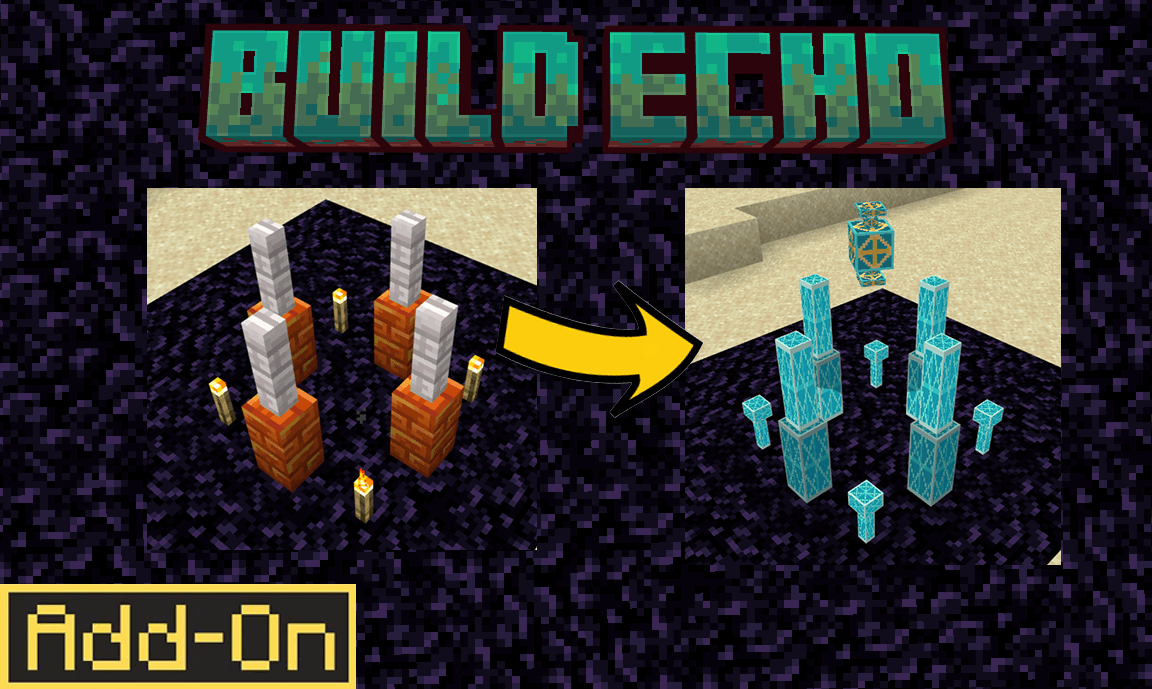
Build Echo is a Minecraft Bedrock add-on for repairing player-built structures damaged by creeper and TNT explosions.
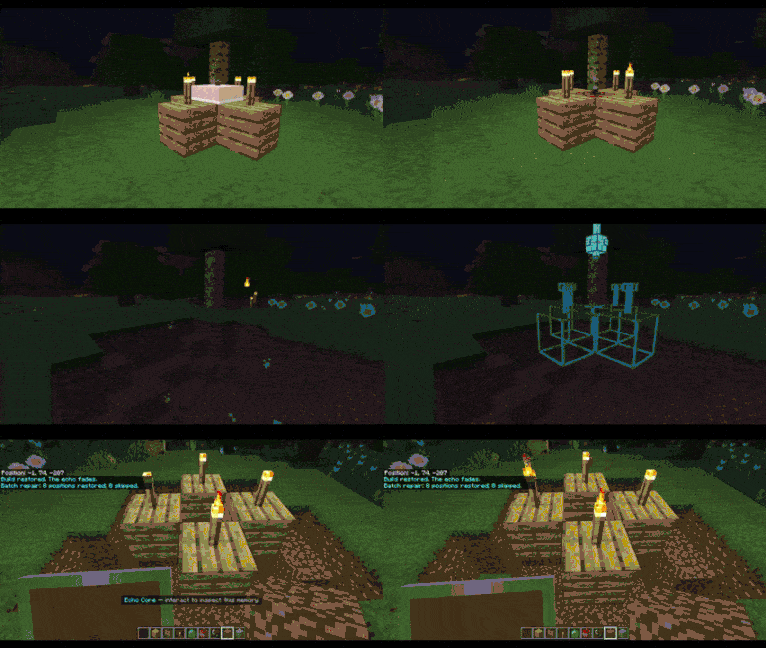
The add-on records supported blocks placed after it is activated. If an explosion destroys those blocks, cyan holograms appear in their original positions. The holograms preserve supported shapes and states such as stair direction, slab position, door orientation, fence connections, rails and redstone direction.
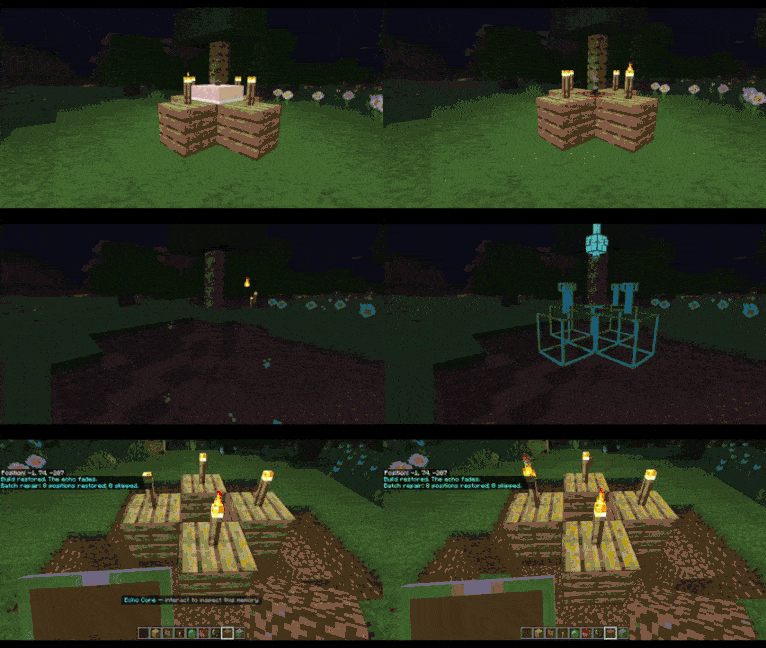
Look at a hologram to see which block is required. Hold the matching item and interact with it to restore the block. The item is removed from your inventory when the repair succeeds.
The Echo Core shows the total materials needed and can restore multiple blocks using the materials currently available in your inventory.
Features
Records supported player-placed blocks
Detects supported creeper and TNT explosion damage
Displays missing blocks as 3D cyan holograms
Includes 79 hologram shape and state variants
Preserves supported block positions, directions and connections
Supports individual and batch repair
Saves unfinished repairs when the world is closed
Does not overwrite occupied or fluid-filled positions
Automatically removes holograms after repair or dismissal
Includes hologram visibility and accessibility settings
Limitations
Only blocks placed after Build Echo is activated are recorded. Existing structures are not scanned.
Natural terrain is not restored.
Containers and blocks containing additional data are excluded to prevent duplication. This includes container inventories, sign text, books, banner patterns, bees, custom names and loot data.
Unsupported custom blocks are ignored. Some unsupported vanilla blocks may display a basic marker and require manual repair.
Installation
-
Open
Build-Echo-1.0.0.mcaddon. -
Wait for Minecraft to import both packs.
-
Enable Build Echo Behavior on your world.
-
Confirm that the linked resource pack is enabled.
-
Enter the world and place blocks normally.
Back up important worlds before installing any add-on.
- Edition: Minecraft Bedrock
- File type: .mcpack or .mcaddon
- Minecraft versions listed: 26.40, 26.30
- How to install: Download the .mcpack or .mcaddon file. → Open it — Minecraft imports it. → In your world: Behavior Packs → Available → Activate, then the same under Resource Packs.
- Where to get it: Opens on CurseForge — not every file is mirrored on our own servers.
Install steps are the general flow for this file type — How to install Minecraft Bedrock addons & mods walks through it step by step.
- Pack type: .mcaddon — behaviour and resource pack in one file
- Complete pack — everything it depends on is inside the file
- Download size: 32 KB
- Download link checked 30 Sept 2026 — working
These come from our own check of the pack file, not from the source page.