
Orange Text Features
A mod that allows the player to easily type in orange on the Minecraft Server MCC Island, with other features to help them easily do that.
⬇ Download on Modrinth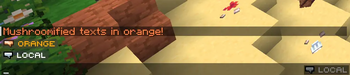

Orange Text features is a Minecraft mod that allows the player to easily type in orange text on the server MCC Island.
✨ Features
MCC Island has a feature where wrapping your message in asterisks turns it orange and removes the colon after your name. This mod allows you to turn on "Orange Mode" and text in orange, applying the asterisks for you!
There is an additional feature to automatically start chat with a synonym of "says" (from a configurable list) because MCC Island removes the colon after your name.
Clickable Button Above Chat
- Can toggle Orange Mode on and off
- Doesn't conflict with the popular MCC Island Mod Trident
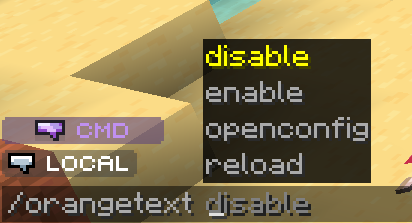
- Shows CMD if you're typing a command
Advanced Hotkeys
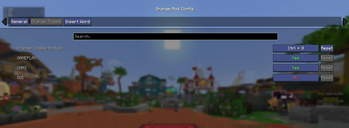
- Supports Modifier + Key (like Ctrl + /)
- Configurable context (you choose whether the hotkey affects gameplay, chat, and gui)
Commands
/orangetext enable
/orangetext disable
to turn Orange Mode on and off without a hotkey or the config menu
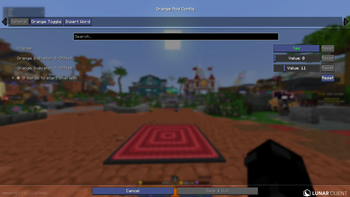
/orangetext openconfig
to open the config menu if Mod Menu isn't installed
/orangetext reload
to reload the config if you've changed something there and you don't want to open and close the game
📬 Reporting Issues
Please report any issues or bugs you encounter to the issue tracker! I would try to fix them as quickly as possible. If you have any feature requests from me, anything that could improve your experience, report it there too! I intend on maintaining this mod and make it very easy and accesible to type in orange on MCC Island!
💻 Installation
To install the mod simply download the latest release jar from Modrinth! Don't forget the mod's dependencies:
Additionally, this mod's config neatly integrates with Mod Menu
- Edition: Minecraft Java
- File type: .jar
- Minecraft version listed: 26.1.2
- How to install: Install the matching mod loader (Forge, Fabric or NeoForge) for your Minecraft version. → Download the .jar. → Put it in the .minecraft/mods folder and launch that loader profile.
- Where to get it: Opens on Modrinth — not every file is mirrored on our own servers.
Install steps are the general flow for this file type — How to install Minecraft Java mods & modpacks walks through it step by step.
- Ships as orange-text-features-26.1.2-1.1.0-beta.jar — drop this file into the mods folder
- Download size: 51 KB
- Download link checked 11 Sept 2026 — working
These come from our own check of the pack file, not from the source page.