ModsJava
World Notes & Coordinates
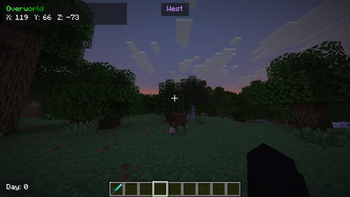
World Notes & Coordinates A client-side bookmark manager for Minecraft 26.x Track one bookmark per world with direction, distance, and dimension guidance…
⬇ Download on Modrinth


World Notes & Coordinates
A client-side bookmark manager for Minecraft 26.x
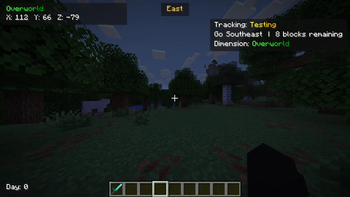
- Track one bookmark per world with direction, distance, and dimension guidance.
- World-separated bookmark storage.
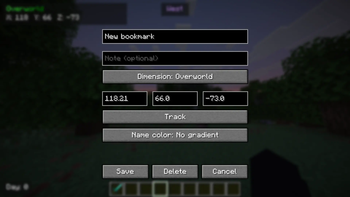
- Read-only bookmark details with dedicated editing controls.
- Notes, coordinates rounded to two decimals, dimension filters, and teleport support.
- Editable bookmark name colors and gradients, including black, red, yellow, blue, orange, purple, green, and pink.
- Dimension-themed HUD and bookmark colors.
- Native Minecraft icons for bookmarks, editing, adding notes, and teleporting.
- Permission-aware teleport controls and custom teleport confirmations. Configurable default keybind through Minecraft’s Controls settings.
Requires Fabric Loader, Fabric API, and Minecraft 26.x.
Quick facts
- Edition: Minecraft Java
- File type: .jar
- Minecraft versions listed: 26.1, 26.1.1, 26.1.2
- How to install: Install the matching mod loader (Forge, Fabric or NeoForge) for your Minecraft version. → Download the .jar. → Put it in the .minecraft/mods folder and launch that loader profile.
- Where to get it: Opens on Modrinth — not every file is mirrored on our own servers.
Install steps are the general flow for this file type — How to install Minecraft Java mods & modpacks walks through it step by step.
Verified by MCModsHub
- Ships as world-notes-0.1.4-stable.jar — drop this file into the mods folder
- Download size: 39 KB
- Download link checked 11 Sept 2026 — working
These come from our own check of the pack file, not from the source page.