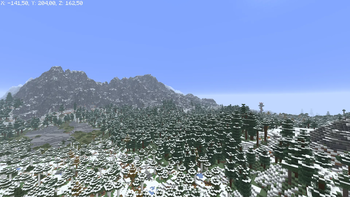
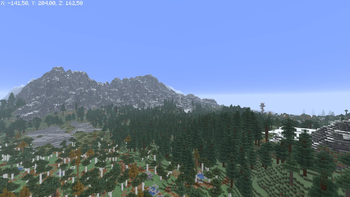
Altitudes of Frost is a tiny tweak that changes the altitude where snow begins to fall in non-snowy biomes.
In vanilla Minecraft, the temperature drops way too fast as you climb higher. Because of this, once you reach around Y=120, rain turns into snow and covers everything in white, ruining the look of regular forests, birch groves, and taiga biomes on hills.

- The snow height limit is changed specifically for non-snowy biomes so snow won't appear on high hills and trees.
- Green zones stay green and clean, even if they generate high up.
- It is fully compatible with any world generation mods and datapacks (like Terralith, Tectonic, etc.) because it doesn't add new biomes, it only tweaks the temperature math.
It's a pure server-side logic change done via Mixins. It does not require Fabric API, adds no new blocks, and can be safely added or removed from your world at any time.
Quick facts
- Edition: Minecraft Java
- File type: .jar
- Minecraft version listed: 26.2
- How to install: Install the matching mod loader (Forge, Fabric or NeoForge) for your Minecraft version. → Download the .jar. → Put it in the .minecraft/mods folder and launch that loader profile.
- Where to get it: Opens on Modrinth — not every file is mirrored on our own servers.
Install steps are the general flow for this file type — How to install Minecraft Java mods & modpacks walks through it step by step.
Verified by MCModsHub
- Ships as altitudes-of-frost-1.0.0.jar — drop this file into the mods folder
- Download size: 48 KB
- Download link checked 11 Sept 2026 — working
These come from our own check of the pack file, not from the source page.