
What it does
This mod simply adds a menu which allows you to respawn quickly and easily. It is activated by pressing the R key (custom keys available v1.1.0+). It works in all gamemodes, even if cheats are not activated.
How it works
Clicking R makes a prompt open. Unless you are on a server, the game should also pause.
If No is clicked on the prompt, you return to normal gameplay.
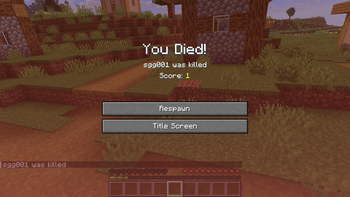
However, if Yes is clicked, you die normally. Normally means all of your items drop, you are reset to the world spawn, and the death screen shows.
It even works correctly with Totems of Undying, they drop on the ground ready for you to pick up.
For servers
On multiplayer servers, the mod must be installed on both the client and the server to work correctly.
Otherwise, the UI will work, but respawning will not work correctly.
Images
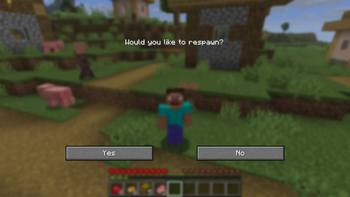
The respawn menu.
Go to the Gallery for more images!
Links
- Edition: Minecraft Java
- File type: .jar
- Minecraft version listed: 26.2
- How to install: Install the matching mod loader (Forge, Fabric or NeoForge) for your Minecraft version. → Download the .jar. → Put it in the .minecraft/mods folder and launch that loader profile.
- Where to get it: Opens on Modrinth — not every file is mirrored on our own servers.
Install steps are the general flow for this file type — How to install Minecraft Java mods & modpacks walks through it step by step.
- Ships as respawn-menu-1.1.2.jar — drop this file into the mods folder
- Download size: 16 KB
- Download link checked 11 Sept 2026 — working
These come from our own check of the pack file, not from the source page.