
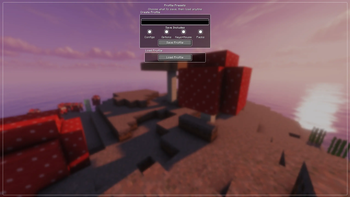
Profile Presets is a profile management mod that lets you save, load, and organize multiple client configurations in seconds.
Features
📁 Create unlimited named profiles 💾 Save your current client configuration 📂 Load saved profiles instantly ✏️ Rename existing profiles 🗑️ Delete profiles you no longer need ✅ Choose which parts of a profile to load 🎨 Clean and easy-to-use interface ⚡ Fast profile switching
Perfect for
- PvP players with multiple configurations
- Different servers and playstyles
- Testing new settings safely
- Organizing client setups
- Anyone who frequently changes their configuration
Quick facts
- Edition: Minecraft Java
- File type: .jar
- Minecraft version listed: 1.21.11
- How to install: Install the matching mod loader (Forge, Fabric or NeoForge) for your Minecraft version. → Download the .jar. → Put it in the .minecraft/mods folder and launch that loader profile.
- Where to get it: Opens on Modrinth — not every file is mirrored on our own servers.
Install steps are the general flow for this file type — How to install Minecraft Java mods & modpacks walks through it step by step.
Verified by MCModsHub
- Ships as presets-1.2.jar — drop this file into the mods folder
- Download size: 199 KB
- Download link checked 11 Sept 2026 — working
These come from our own check of the pack file, not from the source page.