
DuelHUD
A lightweight client-side combat HUD for PvP — keystrokes, CPS, ping, cooldowns, armor durability, and potion effects, all drag-and-drop repositionable.
⬇ Download on Modrinth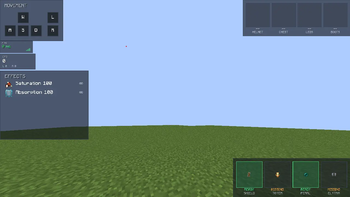
DuelHUD
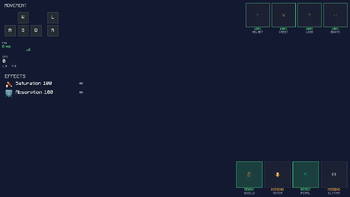
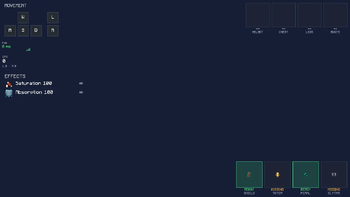
A lightweight, fully client-side combat HUD for competitive PvP and duels. DuelHUD surfaces the stats you actually watch mid-fight — keystrokes, CPS, ping, cooldowns, armor durability, and active potion effects — in clean, repositionable panels that stay out of your way.
Features
- ⌨️ Keystroke display — WASD + mouse buttons, live as you play
- 🖱️ CPS counter — track your click speed in real time
- 📶 Ping display — always know your connection
- ⏱️ Cooldown tracker — item/ability cooldowns at a glance
- 🛡️ Armor durability — spot cracked armor before it breaks
- 🧪 Potion effect panel — active effects and remaining duration
- 🎯 Live drag-and-drop HUD editor — press
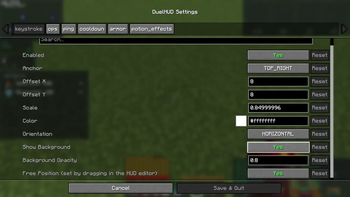
[in-game to freely reposition every panel exactly where you want it, no config file editing required - ⚙️ Cloth Config + Mod Menu support — tweak every panel from an in-game settings screen if Mod Menu is installed
- 🪶 Zero server-side footprint — 100% client-side, safe for any server, no server mod required
Installation
- Install Fabric Loader for Minecraft 1.21.11
- Download and install Fabric API
- Download and install Cloth Config (required)
- (Optional) Install Mod Menu for an in-game config screen
- Drop the DuelHUD
.jarinto yourmodsfolder
Configuration
Open the HUD editor in-game with [ (rebindable in Controls) to drag panels wherever you like. Toggle individual panels and tweak scale/detail from the Mod Menu config screen, or edit the generated config file directly.
Compatibility
| Loader | Fabric |
| Minecraft | 1.21.11 |
| Side | Client-only |
| Requires | Fabric API, Cloth Config |
| Optional | Mod Menu |
Notes
DuelHUD only reads client-side information that's already available to your game (keys pressed, ping, your own armor/effects/cooldowns) — it doesn't modify gameplay, give any competitive advantage beyond visibility of your own state, or send/receive anything from the server. It should be safe on anti-cheat-protected servers, but as always, check your server's mod policy first.
License: MIT
- Edition: Minecraft Java
- File type: .jar
- Minecraft version listed: 1.21.11
- How to install: Install the matching mod loader (Forge, Fabric or NeoForge) for your Minecraft version. → Download the .jar. → Put it in the .minecraft/mods folder and launch that loader profile.
- Where to get it: Opens on Modrinth — not every file is mirrored on our own servers.
Install steps are the general flow for this file type — How to install Minecraft Java mods & modpacks walks through it step by step.
- Ships as duelhud-1.0.0.jar — drop this file into the mods folder
- Download size: 83 KB
- Download link checked 11 Sept 2026 — working
These come from our own check of the pack file, not from the source page.