Mortem


Feature rich skyblock dungeon and kuudra mod
Installation Guide
- Prerequisites: Fabric Language Kotlin
- Download into your favourite launcher or into your mods folder directly.
- Run /mortem to access the config.
What does it do?
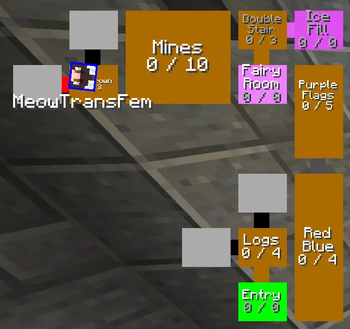
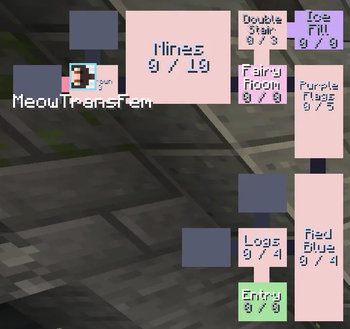
Mortem adds multiple hud elements, notifiers and solvers for dungeon content. All the features are fully customizable, allowing you to change everything from color to message text.
Examples for those features are:
- Dungeon map
- Secrets count per room
- Custom colors
- Room names
- Customizable sizes for everything
- Item Refill (lets you select items used in dungeons to refill)
- Dungeon breaker overlay
- Max secrets notification
Very early versions
Right now mortem is nowhere to complete in what we want to add, however the lack of good dungeon maps for skyblock prompted us to release an alpha as soon as possible.
Quick facts
- Edition: Minecraft Java
- File type: .jar
- Minecraft version listed: 26.2
- How to install: Install the matching mod loader (Forge, Fabric or NeoForge) for your Minecraft version. → Download the .jar. → Put it in the .minecraft/mods folder and launch that loader profile.
- Where to get it: Opens on Modrinth — not every file is mirrored on our own servers.
Install steps are the general flow for this file type — How to install Minecraft Java mods & modpacks walks through it step by step.
Verified by MCModsHub
- Ships as mortem-1.0.0-alpha.1-26.2.jar — drop this file into the mods folder
- Download size: 8.4 MB
- Download link checked 11 Sept 2026 — working
These come from our own check of the pack file, not from the source page.