
AE2 ScreenShot
AE2 Screenshot exports any crafting order as a single continuous image. It auto-stitches long lists, isolates faulty icons, and keeps all materials…
⬇ Download on Modrinth
AE2 Screenshot
AE2 Screenshot is a screenshot mod designed for the AE2 Crafting Planner interface. It exports all materials in a crafting order as a single continuous image in AE2 style, with no need for manual stitching and no splitting into multiple images. For large orders, the mod automatically renders and stitches segments together, while isolating the rendering of abnormal item icons to ensure that material icons and quantity information remain complete and coherent, making it easy to share, record, and verify crafting requirements.This mod is a client-side mod, so you can use it in any situation.
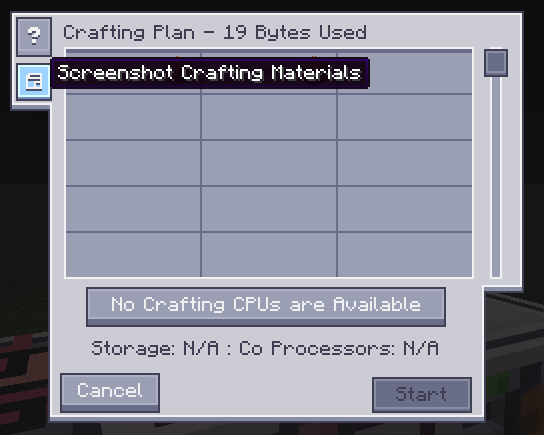
The button added by this mod:
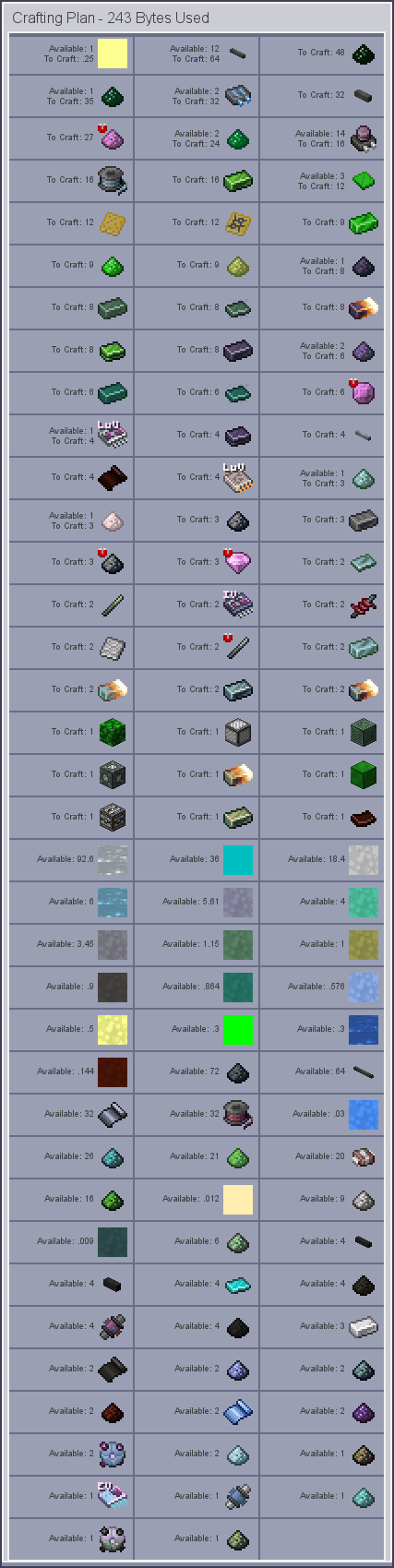
Screenshots exported through this mod:
- Edition: Minecraft Java
- File type: .jar
- Minecraft version listed: 1.20.1
- How to install: Install the matching mod loader (Forge, Fabric or NeoForge) for your Minecraft version. → Download the .jar. → Put it in the .minecraft/mods folder and launch that loader profile.
- Where to get it: Opens on Modrinth — not every file is mirrored on our own servers.
Install steps are the general flow for this file type — How to install Minecraft Java mods & modpacks walks through it step by step.
- Ships as ae2sreenshot-1.20.1-1.0.0.jar — drop this file into the mods folder
- Download size: 19 KB
- Download link checked 12 Sept 2026 — working
These come from our own check of the pack file, not from the source page.