
GrimColors
GrimColors is a lightweight client-side visual enhancement mod that gives you complete control over Minecraft's color grading
⬇ Download on Modrinth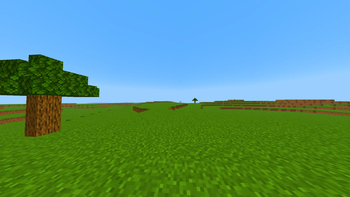
GrimColors
GrimColors is a lightweight client-side visual enhancement mod that gives you complete control over Minecraft's color grading. Customize the game's appearance with powerful real-time color adjustments, all without requiring shaders.
Whether you want a brighter world, more vibrant colors, a cinematic look, or your own unique visual style, GrimColors makes it easy with an intuitive and modern interface.
Features
- Adjustable Gamma (beyond Minecraft's default limit)
- Brightness
- Contrast
- Saturation
- Vibrance
- Hue
- Exposure
- Color Temperature
- Tint
- RGB Color Balance
- Shadow & Highlight controls
- Optional Bloom effects
- Multiple built-in color filters
- Create, save, load, import, and export presets
- Instant preview while changing settings
- Lightweight with minimal performance impact
- Automatically saves your configuration
Presets
Create your own visual profiles for different situations such as PvP, Survival, Building, Night Exploration, or Cinematic gameplay. Switch between presets instantly without restarting Minecraft.
Controls
Press J to open the GrimColors configuration GUI. The keybind can be changed in Minecraft's Controls menu if desired.
Compatibility
- Minecraft 1.21.0 - 1.21.11
- Fabric
- Forge
- Client-side only
No server installation is required, making GrimColors compatible with any multiplayer or singleplayer world.
Transform Minecraft into your own visual experience with GrimColors.
- Edition: Minecraft Java
- File type: .jar
- Minecraft versions listed: 1.21, 1.21.1, 1.21.2
- How to install: Install the matching mod loader (Forge, Fabric or NeoForge) for your Minecraft version. → Download the .jar. → Put it in the .minecraft/mods folder and launch that loader profile.
- Where to get it: Opens on Modrinth — not every file is mirrored on our own servers.
Install steps are the general flow for this file type — How to install Minecraft Java mods & modpacks walks through it step by step.
- Ships as GrimColors-Fabric-1.21.jar — drop this file into the mods folder
- Download size: 23 KB
- Download link checked 12 Sept 2026 — working
These come from our own check of the pack file, not from the source page.