
Bottle Counter
This mod allows you to see how many experience bottles you have in your inventory in game. (DOES NOT include shulkerboxes!)
⬇ Download on Modrinth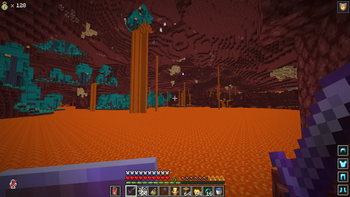
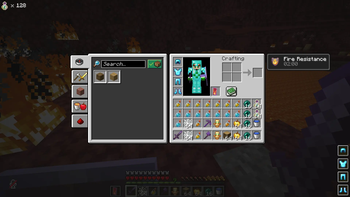
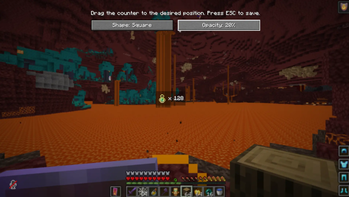
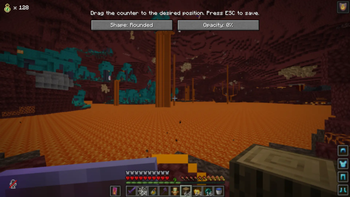
Bottle Counter is a lightweight, fully client-side Fabric mod for Minecraft 1.21.11 and 26.1.2 that helps you keep track of every Bottle o’ Enchanting in your inventory. Instead of repeatedly opening your inventory and counting individual stacks, the mod displays the total amount directly on your in-game HUD. The counter includes bottles stored in your main inventory, hotbar, and offhand. It updates automatically whenever bottles are collected, moved, used, or dropped, ensuring that the displayed number always reflects your current inventory. Bottle Counter also includes a simple customization menu. By default, you can open it with the P key, although the keybind can be changed at any time through Minecraft’s standard Controls and Key Binds settings. Inside the menu, you can freely drag the counter to any position on your screen. You can choose between a square or rounded background and adjust its opacity from zero to one hundred percent in ten-percent increments. Zero percent makes the background completely transparent, while one hundred percent makes it fully visible. All position and appearance settings are saved automatically and remain available after restarting Minecraft. The relative positioning system also helps keep the counter in the correct place when changing the GUI scale or window resolution. Because Bottle Counter is entirely client-side, it can be used on single-player worlds and multiplayer servers without requiring installation on the server. The mod requires Fabric Loader and Fabric API for Minecraft 1.21.11. Bottle Counter is ideal for players using XP bottles for repairing Mending equipment, enchanting, storage management, or large multiplayer projects where tracking supplies quickly and accurately is useful.
- Edition: Minecraft Java
- File type: .jar
- Minecraft version listed: 26.1.2
- How to install: Install the matching mod loader (Forge, Fabric or NeoForge) for your Minecraft version. → Download the .jar. → Put it in the .minecraft/mods folder and launch that loader profile.
- Where to get it: Opens on Modrinth — not every file is mirrored on our own servers.
Install steps are the general flow for this file type — How to install Minecraft Java mods & modpacks walks through it step by step.
- Ships as bottle-counter-1.1.0.jar — drop this file into the mods folder
- Download size: 1.7 MB
- Download link checked 12 Sept 2026 — working
These come from our own check of the pack file, not from the source page.