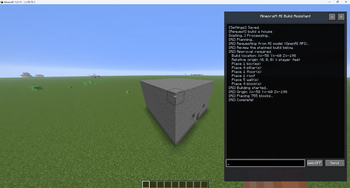
Minecraft AI Builder
Build Minecraft structures using natural language AI.
Features
- Natural Language Building: Describe what you want to build
- AI Flexibility: Works with both local Ollama and OpenAI API
- Safe Approval Flow: Review AI decisions before execution
- Real-time Placement: Blocks are placed as you approve
- **Most settings and operations can be handled through the user interface (UI).
Quick Start
- Install the mod
- Press O to open AI Builder
- Select your AI provider (Ollama or OpenAI)
- Type what you want to build
- Review and approve the design
- Watch it build!
Requirements
- Fabric Loader
- Fabric API
- Minecraft 1.21.11
GitHub
Quick facts
- Edition: Minecraft Java
- File type: .jar
- Minecraft version listed: 1.21.11
- How to install: Install the matching mod loader (Forge, Fabric or NeoForge) for your Minecraft version. → Download the .jar. → Put it in the .minecraft/mods folder and launch that loader profile.
- Where to get it: Opens on Modrinth — not every file is mirrored on our own servers.
Install steps are the general flow for this file type — How to install Minecraft Java mods & modpacks walks through it step by step.
Verified by MCModsHub
- Ships as minecraft-ai-build-assistant-1.0.1.jar — drop this file into the mods folder
- Download size: 7.1 MB
- Download link checked 2 Oct 2026 — working
These come from our own check of the pack file, not from the source page.