
FXBright
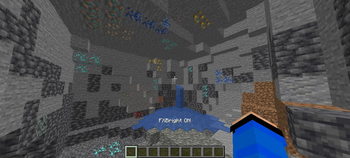
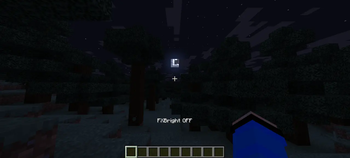
FXBright is a lightweight client-side Fabric mod that gives you full control over Minecraft's brightness. Explore caves, mines, the Nether, or the night with clear visibility—while still being able to switch back to the normal atmosphere whenever you want.
✨ Features
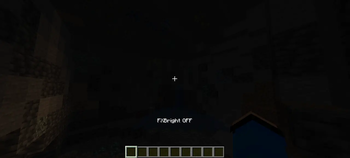
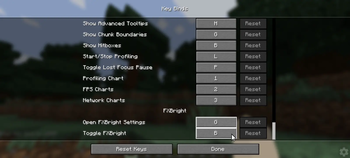
Instant Fullbright Toggle Press B at any time to instantly enable or disable Fullbright with an on-screen confirmation.
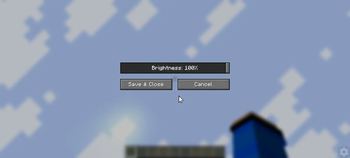
Simple Settings Menu Press G to open the FXBright settings screen.
Adjustable Brightness Use the built-in slider to choose your preferred brightness level from 0% to 100%.
Automatically Saves Settings Your brightness level and preferences are saved automatically and restored the next time you launch the game.
Lightweight & Client-Side No server installation required. Works entirely on the client, making it easy to use on servers that allow client-side mods.
🎮 Default Keybinds
Keybinds >
[B]= Toggle FXBright On/Off
[G]= Open FXBright Setting Menu
ℹ️ Important
FXBright only changes how your game is rendered on your screen. It does not modify the world, increase gamma permanently, or include unfair gameplay features such as ESP, X-Ray, combat automation, or cheats.
Enjoy better visibility while keeping complete control over when and how bright your game should be.
- Edition: Minecraft Java
- File type: .jar
- Minecraft version listed: 26.2
- How to install: Install the matching mod loader (Forge, Fabric or NeoForge) for your Minecraft version. → Download the .jar. → Put it in the .minecraft/mods folder and launch that loader profile.
- Where to get it: Opens on Modrinth — not every file is mirrored on our own servers.
Install steps are the general flow for this file type — How to install Minecraft Java mods & modpacks walks through it step by step.
- Ships as fxbright-26.2.jar — drop this file into the mods folder
- Download size: 21 KB
- Download link checked 12 Sept 2026 — working
These come from our own check of the pack file, not from the source page.