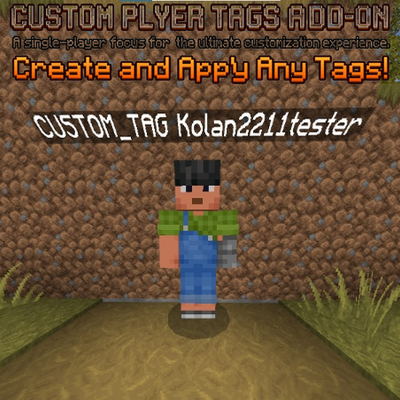
any tags for minecraft
Bedrock add-on listed for Minecraft 1.21–26.x (behavior pack only). Needs Beta APIs. File opened and checked on 17 Sep 2026; installs from the MC Bedrock Mods app on Android.
🏷️ Custom Player Tags Add-on Add custom, colored tags and ranks above players' heads in MCPE! Features: • Fully customizable text & colors (§a, §c, etc.)…
I don't know my version
🏷️ Custom Player Tags Add-on
Display custom, colored tags and ranks right above players' heads in Minecraft Bedrock (PE)!
⚡ Features:
-
Custom Ranks & Roles: Assign any tag to players (e.g.,
[Admin],[King],[VIP]). -
Color Support: Use standard Minecraft color codes with
&(e.g.,&c,&a,&l). -
Multiplayer Ready: Works in single-player, local LAN, and dedicated servers.
💻 Commands:
⚠️ Note: Due to Minecraft Bedrock rules, custom commands require a namespace (
addtag:).
-
/addtag:set <player> <text>— Assign or change a tag for a player. -
/addtag:clear <player>— Remove a tag from a player.
💡 Example:
/addtag:set player &c[Admin]
- Edition: Minecraft Bedrock
- File type: .mcpack or .mcaddon
- Minecraft versions listed: 26.50, 26.40, 26.30
- How to install: Download the .mcpack or .mcaddon file. → Open it — Minecraft imports it. → In your world: Behavior Packs → Available → Activate, then the same under Resource Packs.
- Where to get it: Opens on CurseForge — not every file is mirrored on our own servers.
Install steps are the general flow for this file type — How to install Minecraft Bedrock addons & mods walks through it step by step.
- Pack type: .mcaddon — behaviour and resource pack in one file
- Manifest requires Minecraft 1.21.80 or newer
- Needs Beta APIs switched on in the world settings
- Complete pack — everything it depends on is inside the file
- Download size: 2 KB
- Download link checked 2 Oct 2026 — working
These come from our own check of the pack file, not from the source page.