
ForceGL3.0-Remapped
OpenGL 3.0 compatibility for Minecraft 26.1.2 and 26.2.
ForceGL3.0-Remapped is an unofficial maintenance fork of ForceGL3.0 by coredex-source.
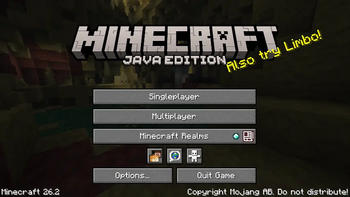
Minecraft officially requires OpenGL 3.2, preventing many older graphics cards from launching the game. This mod forces Minecraft to create an OpenGL 3.0 context, allowing supported OpenGL 3.0 hardware to run newer Minecraft versions.
Unlike the original project, this fork has been updated for Minecraft 26.1.2 and 26.2, including updated Mixins, remapped code, rendering compatibility improvements, and an additional compatibility layer required for Minecraft 26.2.
Features
- ✅ Supports Minecraft 26.1.2
- ✅ Supports Minecraft 26.2
- ✅ Fabric Loader
- ✅ Forces Minecraft to use an OpenGL 3.0 context
- ✅ Updated Mixins for Minecraft 26.x
- ✅ Updated rendering compatibility for Minecraft 26.x
- ✅ Additional compatibility layer for Minecraft 26.2
- ✅ Remapped to the latest Minecraft mappings
- ✅ Improved compatibility with Intel HD Graphics and similar legacy GPUs
Before reporting a bug
Make sure your GPU supports OpenGL 3.0, but does not support OpenGL 3.2 or newer.
This mod does not fix:
- Missing or broken graphics drivers
- Unsupported GPUs
- Unrelated OpenGL or GLFW errors
Please include your latest.log or crash report when opening an issue.
GitHub: https://github.com/MATYJAGUZ075/ForceGL3.0-Remapped
Issues: https://github.com/MATYJAGUZ075/ForceGL3.0-Remapped/issues
Credits
- Original ForceGL3.0 by coredex-source
- Port, maintenance, rendering compatibility updates, and additional compatibility work by MATYJAGUZ075
License
Licensed under the GNU Lesser General Public License v3.0 (LGPL-3.0).
Disclaimer
This project is not affiliated with Mojang or Microsoft.
Compatibility with future Minecraft versions, snapshots, mods, or resource packs cannot be guaranteed.
- Edition: Minecraft Java
- File type: .jar
- Minecraft version listed: 26.2
- How to install: Install the matching mod loader (Forge, Fabric or NeoForge) for your Minecraft version. → Download the .jar. → Put it in the .minecraft/mods folder and launch that loader profile.
- Where to get it: Opens on Modrinth — not every file is mirrored on our own servers.
Install steps are the general flow for this file type — How to install Minecraft Java mods & modpacks walks through it step by step.
- Ships as ForceGL3.0-Remapped-1.0.1-01-mc26.2.jar — drop this file into the mods folder
- Download size: 867 KB
- Download link checked 14 Sept 2026 — working
These come from our own check of the pack file, not from the source page.