
Enhanced Darkness
Java mod listed for Minecraft 26.x. Downloads from the MC Java Mods app on Android.
Realistic darkness: pitch-black caves and truly dark nights, with the sky, fog and clouds darkened too, so silhouettes won't save you. Optional moonlight…
I don't know my version or loader
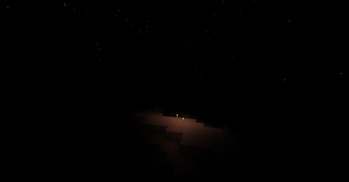
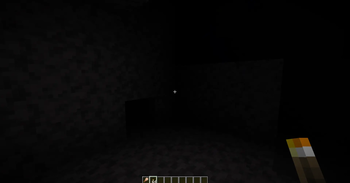
True darkness for Minecraft. Built for horror.
Minecraft's night isn't dark — it's a dim grey you can read by. Enhanced Darkness fixes that. Caves fall to true black, the night sky stops glowing, and you actually need a torch to move after dark. No new blocks, no new items, no server install — just honest, oppressive darkness, made for horror modpacks.
Features
- True black — rewrites the lightmap so unlit areas reach real black instead of vanilla's grey floor.
- Dark skies — the night sky, horizon fog and clouds are darkened too, so you can't read the terrain by silhouette.
- No cheating the dark — the video brightness slider is overridden; cranking it won't save you.
- Plays fair — Night Vision, the Warden's Darkness effect and Conduit Power all still work.
- Live config — every slider changes the world under your cursor. No restart, no reload.
- Per-dimension — the Overworld, Nether and End each have their own numbers, all editable in game.
- Client-side — install it locally and play on any server, vanilla or modded.
Optional, off by default
The mod ships as pure darkness. This changes how a night feels, so it is yours to turn on:
- Moonlight — a full moon lights the ground; a new moon is the darkest night of the month. All eight phases are honoured in proportion to the game's own table, so a crescent gives exactly a quarter of a full moon. Rain dims it, a thunderstorm kills it, and caves stay black either way.
And one thing that is on by default, because it is a fix rather than a flavour:
- Lightning flashes — a strike lights up the world again. Without it the mod swallowed the flash whole and a thunderstorm looked like any other night.
Presets
| Preset | Feel |
|---|---|
| Soft | Darker than vanilla, still comfortable to play. |
| Realistic | Night and caves are genuinely dark. |
| Nightmare | Default. No light source, no vision. For horror. |
Dim light sources stay dim. The darkness curve is applied on top of vanilla's own falloff, so a weak source loses much more than a bright one. In vanilla a redstone torch reads at roughly a quarter of a torch; under Nightmare it is closer to a fiftieth — which means a redstone torch lights essentially nothing. That is the preset doing its job, not a bug. If you build with redstone in the dark, drop the gamma or switch to Realistic.
Settings
ModMenu → gear. Three tabs — Darkness, Night & weather, Dimensions — and every slider applies while you drag it, so you can tune the dark while standing in it. Save writes config/enhanceddarkness.json; Cancel puts everything back.
How it works
Minecraft 26.1 moved lightmap generation onto the GPU. Enhanced Darkness ships its own lightmap shader that keeps vanilla's colours — the Nether's warm glow, the blue of night — and multiplies each of the 256 light levels by a custom darkness curve. Sky, fog and clouds are dimmed separately, since they aren't part of the lightmap. Nothing is a flat black overlay: the darkness is computed per light level, so it looks right.
Inspired by True Darkness
Enhanced Darkness owes its idea to True Darkness by Grondag — the mod that first made Minecraft nights genuinely dark. This one takes that idea further: built natively for 26.1's GPU lighting, it darkens the sky rather than just the ground, and stays lean and focused on one job. Full credit to Grondag for the original.
Installation
- Install Fabric Loader for Minecraft 26.1.2 or 26.2.
- Install Fabric API.
- Run Java 25 — Minecraft 26.1 requires it.
- (optional) ModMenu for the settings button.
- Drop the jar into
mods— take the one matching your game version.
Compatibility
- Client-side — works on any server, nothing to install server-side. Nothing in the world emits light and nothing is sent anywhere: other players see the darkness they always did.
- Shader packs (Iris / OptiFine) replace the lighting pipeline and will override the effect.
- Performance mods (Sodium and friends) hook the vanilla lightmap — test them in your pack.
License
MIT — source on GitHub.
- Edition: Minecraft Java
- File type: .jar
- Minecraft versions listed: 26.1, 26.1.1, 26.1.2
- How to install: Install the matching mod loader (Forge, Fabric or NeoForge) for your Minecraft version. → Download the .jar. → Put it in the .minecraft/mods folder and launch that loader profile.
- Where to get it: Opens on Modrinth — not every file is mirrored on our own servers.
Install steps are the general flow for this file type — How to install Minecraft Java mods & modpacks walks through it step by step.
- Ships as enhanced-darkness-1.1.0+26.1.2.jar — drop this file into the mods folder
- Download size: 1.2 MB
- Download link checked 24 Oct 2026 — working
These come from our own check of the pack file, not from the source page.