
SkinBlocker
Java mod listed for Minecraft 1.21. Downloads from the MC Java Mods app on Android.
⬇ Download on Modrinth

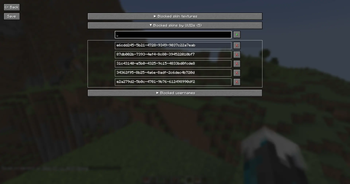
This mod allows you to block other players' skins or usernames.
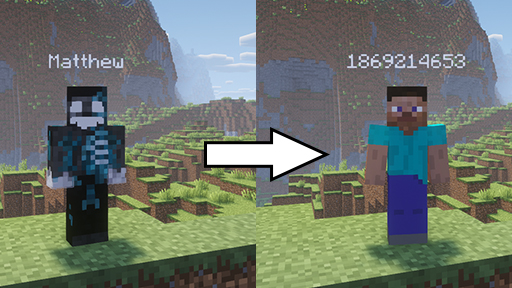
If you block someone's skin, their skin will become a Steve skin to you. If you block someone's username, their username will become a hashcode.
Username blocking uses regex matching so for example you can block the word "Mustard" and if someone has the username "MangoMustard", it will display as "Mango1413021610".
Or you can use any sort of regex patterns, such as:

Which will block the date and server's id display on scoreboard on Hypixel. If you block like a bunch or random characters, it may crash and you'll have to edit the config file manually so be careful. The mod doesn't directly replace players' info when it comes to blocking usernames, it just restricts what strings get rendered in the Font class so you can block any word on the screen.
The syntax is /sblock [type]. The possible types are:
- skin (default): blocks skin by its texture url
- uuid: blocks skin by the player's uuid so you won't see their skin even if they change it
- username: blocks the player's username
You can also setup a keybind in controls for each type
- Edition: Minecraft Java
- File type: .jar
- Minecraft version listed: 1.21.4
- How to install: Install the matching mod loader (Forge, Fabric or NeoForge) for your Minecraft version. → Download the .jar. → Put it in the .minecraft/mods folder and launch that loader profile.
- Where to get it: Opens on Modrinth — not every file is mirrored on our own servers.
Install steps are the general flow for this file type — How to install Minecraft Java mods & modpacks walks through it step by step.
- Ships as skinblocker-1.0.0.jar — drop this file into the mods folder
- Download size: 35 KB
- Download link checked 4 Oct 2026 — working
These come from our own check of the pack file, not from the source page.