
ResourcepacksJava
Custome Totem Skin Pack
A customizable Minecraft resource pack that replaces the default Totem of Undying with high-quality custom totem skins. Lightweight, easy to use, and…
I don't know my version or loader
Open the Minecraft launcher and look at the profile you play on — it names both, like fabric-loader-1.21.4. The version also shows in the bottom-right corner of the game's main menu.
No loader in the profile name? Then it's plain Minecraft, and these mods won't run — you need Fabric or NeoForge installed first.
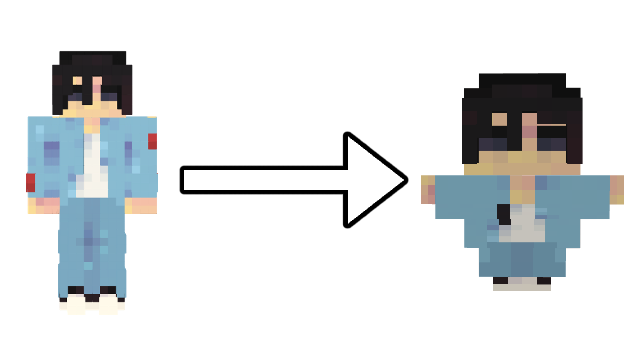
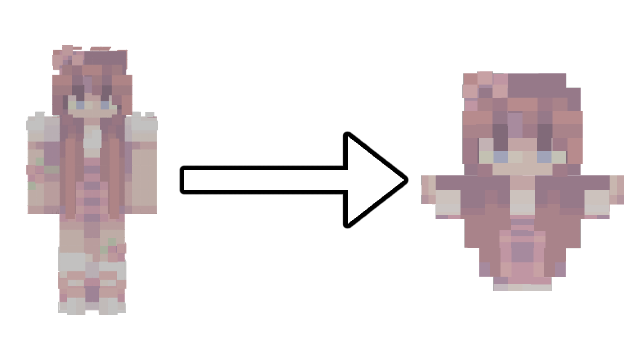
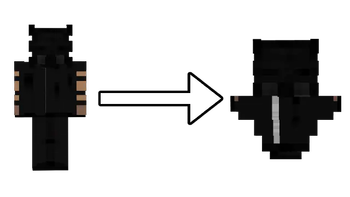
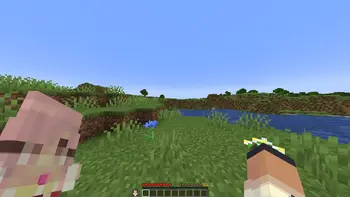
🖼️ Custom Totem Skin System
This texture pack includes a custom 3D model for the Totem of Undying that allows you to turn any Minecraft skin into a mini totem.
Simply replace the included totem_skin.png file with any Minecraft player skin, and the pack will automatically map the skin onto the custom totem model, creating a miniature version of that skin in-game.
🛠️ How to Use
- Download any Minecraft skin from a website like NameMC.
- Open the resource pack file.
- Navigate to:
assets/minecraft/textures/totem_skin.png - Replace the existing totem_skin.png with your downloaded skin.
- Rename the new file to totem_skin.png if necessary.
- Save the resource pack and enable it in Minecraft.
Your Totem of Undying will now appear as a miniature version of the selected Minecraft skin.
💡 Tips
- Works with almost any standard Minecraft skin.
- Supports custom player skins.
- Only changes the appearance of the Totem of Undying.
- No gameplay mechanics are modified.
- Lightweight and performance-friendly.
Verified by MCModsHub
- Downloads as custom-totem-pack.zip
- Download size: 987 KB
- Download link checked 2 Aug 2026 — working
These come from our own check of the pack file, not from the source page.