Minimalist UI
Dark UI & Hotbar Give Minecraft a sleek, modern look with a clean dark-themed interface. This resource pack redesigns the inventory, hotbar, and various…
⬇ Download on Modrinth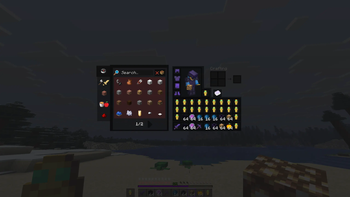
Dark UI & Hotbar
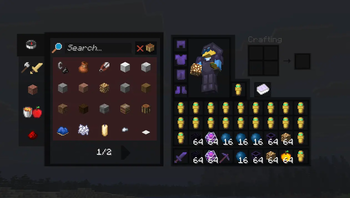
Give Minecraft a sleek, modern look with a clean dark-themed interface. This resource pack redesigns the inventory, hotbar, and various GUI elements while keeping the familiar vanilla style intact. Perfect for PvP, survival, or anyone who prefers a cleaner, less distracting UI.
✨ Features
- 🌙 Modern dark-themed inventory and menus
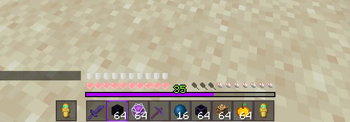
- 🎒 Redesigned hotbar
- 📖 Custom recipe book styling
- ⚔️ PvP-friendly interface
- 👀 Improved readability with high-contrast borders
- 🎨 Vanilla-inspired design that blends seamlessly with the game
- 🚀 Lightweight and compatible with other resource packs
📷 Preview
The screenshots In the Gallery showcase the pack in-game. Colors and textures are designed to remain faithful to vanilla while providing a cleaner, more polished experience.
💬 Feedback
Found a bug or have a suggestion? Feel free to leave a comment—I’m always looking to improve the pack!
- Edition: Minecraft Java
- File type: .zip (resource pack)
- Minecraft versions listed: 1.21, 1.21.1, 1.21.2
- How to install: Download the .zip resource pack — do not unzip it. → Put it in .minecraft/resourcepacks. → Enable it in Options → Resource Packs.
- Where to get it: Opens on Modrinth — not every file is mirrored on our own servers.
Install steps are the general flow for this file type — How to install Minecraft Java resource packs walks through it step by step.
- Downloads as §d§lMinimalisUI§0.zip
- Download size: 161 KB
- Download link checked 4 Oct 2026 — working
These come from our own check of the pack file, not from the source page.