Chronos Timer
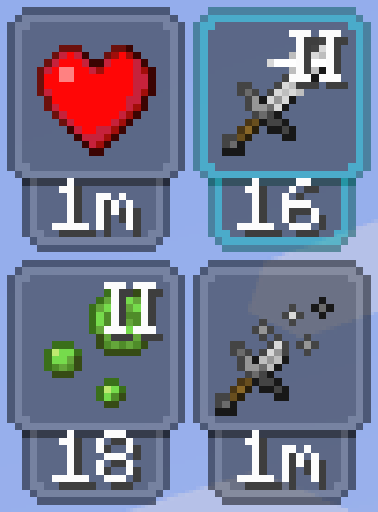
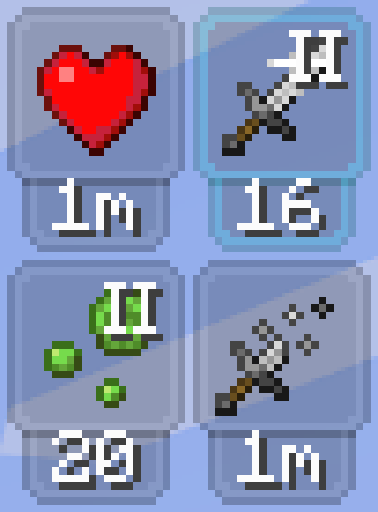
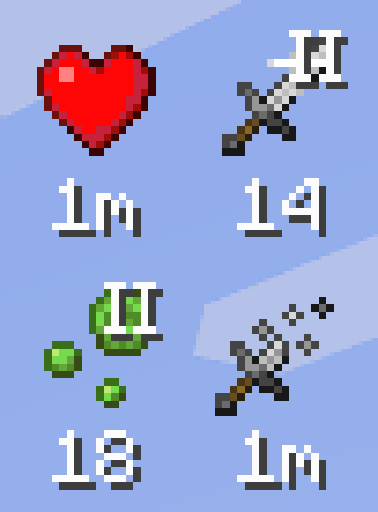
A configurable client-side status effect HUD with timers, progress bars, effect sorting, Roman numeral levels and warning colors.
⬇ Download on Modrinth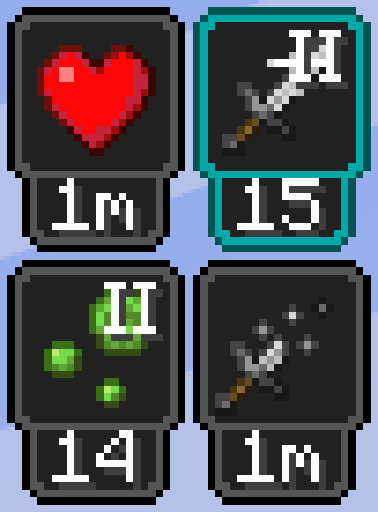

Chronos Timer
Chronos Timer is a client-side Fabric mod that adds a customizable status effect HUD to Minecraft.
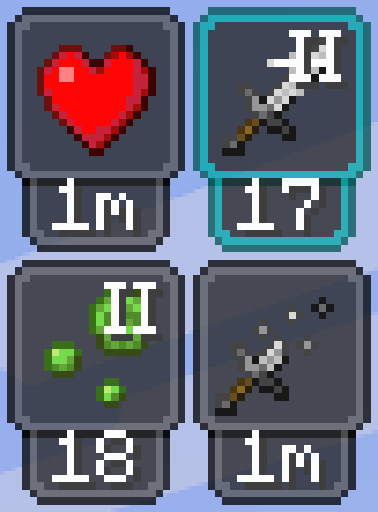
The mod improves the default effect display by showing active effects with clear timers or progress bars. It also groups beacon effects, regular effects, and harmful effects separately, making the HUD easier to read during normal gameplay, combat, mining, and beacon use.
Empty or inactive effects are automatically removed from the display, so the HUD stays compact and only shows the information you currently need.
Features
- Custom status effect HUD
- Horizontal and vertical layouts
- Left and right side placement
- Multiple anchor positions:
- Top
- Middle
- Bottom
- Timer and progress bar display modes
- Timer placement:
- Above the icon
- Below the icon
- Beside the icon
- Configurable HUD opacity
- Effect levels displayed with Roman numerals
- Infinite effects displayed with the
∞symbol - Red timer warning during the final 10 seconds
- Automatic grouping of:
- Beacon effects
- Regular positive and neutral effects
- Harmful effects
- Harmful effects displayed in a separate row in horizontal mode
- Beacon effects displayed first
- Automatic layout mirroring for the left and right side
- Centralized settings through Nythral Library
Timer
Shows the remaining duration of the effect.
Longer effects are displayed in minutes, shorter effects in seconds, and infinite effects use the ∞ symbol.
During the final 10 seconds, the timer changes to red.
Progress Bar
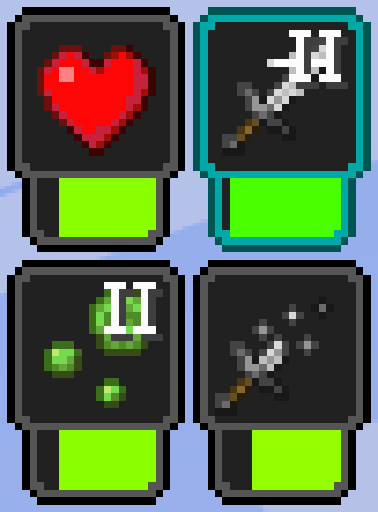
Shows the remaining duration as a visual progress bar.
The bar becomes shorter as the effect approaches its end, making it possible to check the remaining time without reading a number.
Configuration
The settings screen allows you to change:
- Whether the HUD is enabled
- Screen position
- Left or right side
- Horizontal or vertical layout
- Timer or progress bar mode
- Timer attachment position
- HUD opacity
Settings are saved automatically.
Requirements
- Minecraft 1.21.11
- Fabric Loader
- Fabric API
- Nythral Library
- Java 21
Mod Menu is optional, but recommended for easier access to the settings screen.
Client Side
Chronos Timer is a client-side mod. It does not need to be installed on the server.
It can be used on multiplayer servers because it only changes how status effects are displayed on the player's screen.
License
MIT
- Edition: Minecraft Java
- File type: .jar
- Minecraft version listed: 1.21.11
- How to install: Install the matching mod loader (Forge, Fabric or NeoForge) for your Minecraft version. → Download the .jar. → Put it in the .minecraft/mods folder and launch that loader profile.
- Where to get it: Opens on Modrinth — not every file is mirrored on our own servers.
Install steps are the general flow for this file type — How to install Minecraft Java mods & modpacks walks through it step by step.
- Ships as chronos-timer-1.0.0.jar — drop this file into the mods folder
- Download size: 45 KB
- Download link checked 15 Sept 2026 — working
These come from our own check of the pack file, not from the source page.