
Realistic Night Vision「更好的夜视」
Java resource pack listed for Minecraft 26.x. Downloads from the MC Java Mods app on Android.
⬇ Download on Modrinth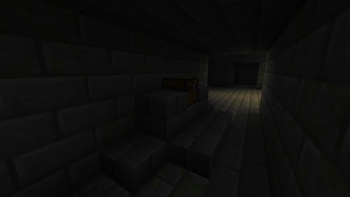
📖 Overview
Realistic Night Vision is a shader resource pack optimized for Minecraft, focused on enhancing the visual experience during nighttime and low-light environments. Through intelligent brightness adjustment, monochrome enhancement and advanced texture sampling techniques, it provides players with clearer and more comfortable vision in dark settings while preserving the game's original aesthetic.
✨ Core Features
🌙 Intelligent Brightness Adjustment
- Adaptive Brightness Mapping: Dynamically adjusts visual perception based on light intensity, making dark areas clearer
- Optimized Gamma Correction: Uses perceptual luminance weights (0.299, 0.587, 0.114), matching human eye sensitivity to brightness
- Smooth Transitions: Brightness changes are natural and fluid, with no abrupt flickering
🎨 Color Adjustment
- Smart Saturation Adjustment: Moderately reduces color saturation in low-light areas, preserving realistic visuals
- Dynamic Contrast: Automatically adjusts contrast based on brightness, enhancing visual depth
- Tonal Optimization: Subtle color shifts make the picture more natural
🖼️ Advanced Texture Sampling
- RGSS Super Sampling: Rotated grid super-sampling technology effectively reduces aliasing and flickering
- Adaptive Texture Filtering: Automatically selects the optimal sampling method based on viewing distance
- Intelligent Mipmap Blending: Smooth LOD transitions keep distant textures clear
🎯 Performance Optimization
- Smart Sampling Strategy: Achieves the best balance between image quality and performance
- Efficient Algorithm Implementation: Optimized shader code with good compatibility
- Adjustable Settings: Supports tweaking effect intensity via source code
📊 Technical Details
Brightness Processing Pipeline
- Light Sampling: Uses perceptual luminance weights to sample from light maps
- Brightness Mapping:
- The lower the brightness, the more grayscale blending is applied, increasing depth
- The higher the brightness, the more original color is preserved
- Dynamic Grayscale Calculation: Better retention of dark area details
Sampling Techniques
- RGSS: Uses rotated 4-point grid sampling to effectively reduce edge aliasing
- Nearest Neighbor Sampling: Preserves pixel art style, suitable for Minecraft's pixel aesthetic
- Blended Transitions: Automatically selects the optimal sampling method based on screen pixel size
🎮 Usage Recommendations
Recommended Settings
- Brightness Setting: Lower environmental brightness is recommended for the best effect
- Texture Quality: 16x–32x texture packs are recommended for balanced performance
- Display Settings: Enable smooth lighting for more natural shadow transitions
Suitable Scenarios
- 🌃 Night Exploration: See surrounding environments clearly
- 🕳️ Cave Adventuring: Reduces visual fatigue from darkness
- 🌅 Dawn & Dusk: More natural color transitions
- 🏔️ Mountainous Terrain: Better sense of depth
📦 Installation Instructions
Version Requirements
- Minecraft Java Edition 26.1+
Installation Steps
- Download the "Realistic Night Vision" resource pack
- Place the
.zipfile into Minecraft'sresourcepacksfolder - Open the resource pack settings in-game
- Select "Realistic Night Vision" and move it to the top layer
🔧 Compatibility
- ✅ Default resource pack
- ✅ Almost all common resource packs
- ⚠️ Resource packs that modify shaders may require minor adjustments
📜 Copyright Notice
This resource pack is released for free and for personal use only. Use in videos/streams is permitted. Do not redistribute.
🌟 Acknowledgments
Thanks to all testers for their valuable feedback, and to the Minecraft community for their support.
Let the night be dark no more, and exploration even more exciting! 🚀
"Realistic Night Vision" – A visual enhancement solution for every adventurer
更好的夜视 (Realistic Night Vision)
📖 概述
更好的夜视是一个为Minecraft优化的着色器资源包,专注于提升夜间和低光照环境下的视觉体验。通过智能的亮度调节、黑白增强和先进的纹理采样技术,让玩家在黑暗环境中获得更清晰、更舒适的视觉体验,同时保持游戏的原始美感。
✨ 核心特性
🌙 智能亮度调节
- 自适应亮度映射:根据光照强度动态调整视觉感知,让黑暗区域更清晰
- 伽马校正优化:采用感知亮度权重(0.299, 0.587, 0.114),符合人眼对亮度的敏感度
- 平滑过渡:亮度变化自然流畅,无突兀闪烁
🎨 色彩增强
- 智能饱和度调节:在低光照区域适度降低色彩饱和度,保持画面真实感
- 动态对比度:基于亮度自动调节对比度,增强视觉层次感
- 色调优化:微妙的色彩偏移,使画面更加自然
🖼️ 先进的纹理采样
- RGSS超级采样:旋转网格超采样技术,有效减少锯齿和闪烁
- 自适应纹理过滤:根据视角距离自动选择最佳采样方式
- Mipmap智能混合:平滑的LOD过渡,远处纹理保持清晰
🎯 性能优化
- 智能采样策略:在画质和性能间取得最佳平衡
- 高效算法实现:优化的着色器代码,兼容性良好
- 可调节设置:支持通过源码调整效果强度
📊 技术细节
亮度处理流程
- 光照采样:使用感知亮度权重从光照贴图采样
- 亮度映射:
- 亮度越低,灰度混合越多,增加立体感
- 亮度越高,保留更多原始色彩
- 动态灰度计算:更好的暗部细节保留
采样技术
- RGSS:使用旋转网格4点采样,有效减少边缘锯齿
- 最近邻采样:保留像素风格,适合Minecraft的像素美学
- 混合过渡:根据屏幕像素大小自动选择最佳采样方式
🎮 使用建议
推荐设置
- 亮度设置:建议降低环境亮度以获得最佳效果
- 纹理质量:建议使用16x-32x纹理包获得平衡表现
- 显示设置:开启平滑光照获得更自然的阴影过渡
适用场景
- 🌃 夜间探索:清晰看清周围环境
- 🕳️ 矿洞冒险:减少黑暗带来的视觉疲劳
- 🌅 黎明黄昏:更自然的色彩过渡
- 🏔️ 山地地形:更好的景深感
📦 安装说明
版本要求
- Minecraft Java版 26.1+
安装步骤
- 下载"更好的夜视"资源包
- 将
.zip文件放入Minecraft的resourcepacks文件夹 - 在游戏中打开资源包设置
- 选择"更好的夜视"并移至最上层
🔧 兼容性
- ✅ 默认资源包
- ✅ 几乎所有常见资源包
- ⚠️ 修改着色器的资源包可能需要微调
🤝 反馈与支持
Bilibili:https://space.bilibili.com/3493295143520788
📜 版权声明
本资源包为免费发布,仅供个人使用。允许在视频/直播中使用,请勿二次分发。
🌟 致谢
感谢所有测试者提供的宝贵反馈,以及Minecraft社区的支持。
让黑夜不再黑暗,让探索更加精彩! 🚀
"更好的夜视" - 为每一位冒险者打造的视觉优化方案
- Edition: Minecraft Java
- File type: .zip (resource pack)
- Minecraft versions listed: 26.1, 26.1.1, 26.1.2
- How to install: Download the .zip resource pack — do not unzip it. → Put it in .minecraft/resourcepacks. → Enable it in Options → Resource Packs.
- Where to get it: Opens on Modrinth — not every file is mirrored on our own servers.
Install steps are the general flow for this file type — How to install Minecraft Java resource packs walks through it step by step.
- Downloads as Realistic Night Vision 26.1 v1.0.zip
- Download size: 26 KB
- Download link checked 25 Oct 2026 — working
These come from our own check of the pack file, not from the source page.