
MaxRealstic Shader
Ultra-realistic Minecraft shader with animated foliage, dynamic water, realistic lighting, cinematic skies, and optimized performance.
⬇ Download on Modrinth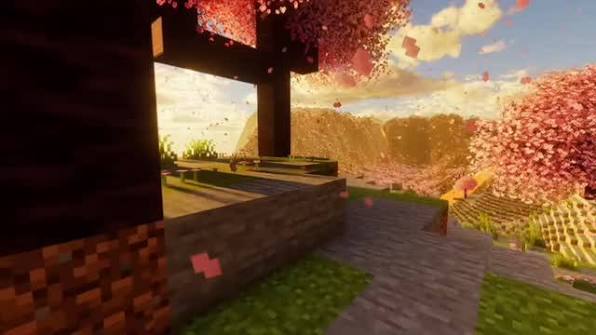
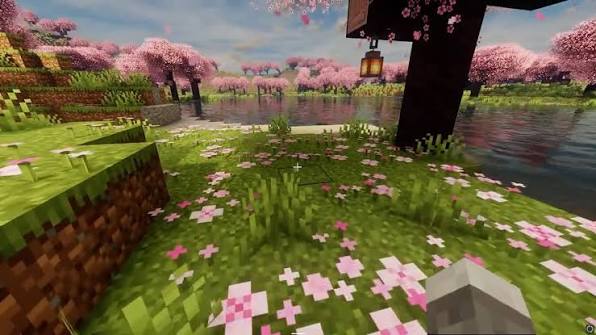
Whether you're exploring vast landscapes, building detailed creations, recording cinematic videos, or simply enjoying survival mode, MaxRealstic Shader provides a visually immersive experience without sacrificing performance.
Features 🌞 Realistic lighting and dynamic sunlight
🌅 Beautiful sunrise and sunset colors
🌙 Realistic moon with a star-filled night sky
☁️ Enhanced clouds and atmospheric fog
🌊 Crystal-clear animated water with reflections
🌳 Waving trees, leaves, flowers, and grass
🌼 Natural wind animation for vegetation
💡 Improved shadows and ambient lighting
✨ Bloom and color enhancement
🌧️ Improved rain and weather effects
🔥 Warm torch and lantern lighting
🎥 Perfect for screenshots, videos, and cinematic gameplay
🎮 Optimized for smooth FPS on a wide range of hardware
Compatibility Minecraft Java Edition
Iris Shaders
OptiFine (supported versions, if applicable)
Performance MaxRealstic Shader has been designed to provide an excellent balance between realistic graphics and smooth performance. Multiple quality settings allow players with different hardware configurations to enjoy the shader.
Installation Install Iris Shaders or OptiFine.
Download the latest version of MaxRealstic Shader.
Place the shader ZIP file into your Minecraft shaderpacks folder.
Launch Minecraft and enable the shader from the Video Settings menu.
Feedback Found a bug or have a suggestion? Your feedback helps improve MaxRealstic Shader. Report issues and share ideas for future updates.
Thank you for downloading MaxRealstic Shader. Enjoy a more realistic Minecraft experience!
- Edition: Minecraft Java
- File type: .zip (resource pack)
- Minecraft versions listed: 1.15, 1.15.1, 1.15.2
- How to install: Download the .zip resource pack — do not unzip it. → Put it in .minecraft/resourcepacks. → Enable it in Options → Resource Packs.
- Where to get it: Opens on Modrinth — not every file is mirrored on our own servers.
Install steps are the general flow for this file type — see the MC Java Mods guides for the full walkthrough.
- Downloads as RealisticShader_fixed (1).zip
- Download size: 20 KB
- Download link checked 15 Sept 2026 — working
These come from our own check of the pack file, not from the source page.