
ShishaCraft
Java data pack listed for Minecraft 26.x. Downloads from the MC Java Mods app on Android.
Add 25 craftable shisha flavors with custom particle effects, configurable particle density, and multiplayer support.
⬇ Download on Modrinth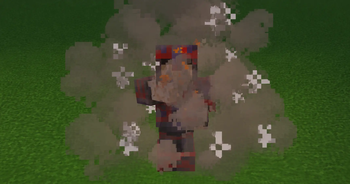
❤️ Support Future Development
This project is completely free to download and use.
Shisha Datapack was created with many hours of design, testing, and polishing. If you enjoy using it in your world or on your server, consider supporting future development.
Your support helps us:
- Create new flavors
- Add new particle effects
- Improve multiplayer features
- Keep the datapack updated for future Minecraft versions
- Develop new datapacks and content
Every bit of support is greatly appreciated and helps us continue creating free content for the Minecraft community.
☕ Support us on Ko-fi:
Thank you for supporting DataVerse Studios!
Shisha Datapack
Server-side datapack. No mods or resource packs required.
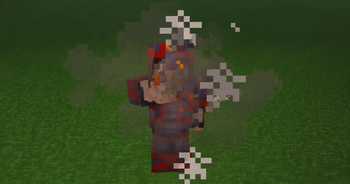
Shisha Datapack adds a unique decorative and social roleplay feature to Minecraft with 25 craftable flavors, customizable particle effects, multiple particle density levels, and full multiplayer support.
Perfect for survival worlds, SMP servers, cafés, cities, roleplay communities, and social hangout areas.
Features
- ✅ 25 Craftable Flavors
- ✅ 4 Particle Density Levels
- ✅ Custom Particle Effects
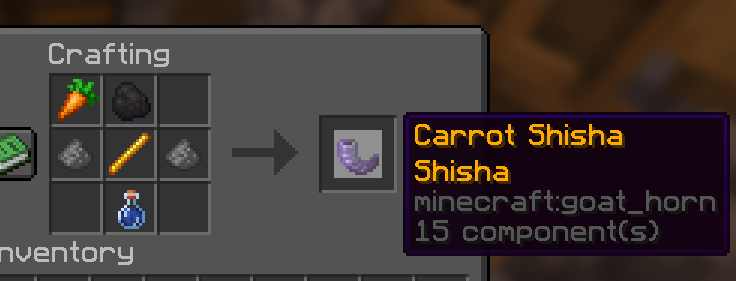
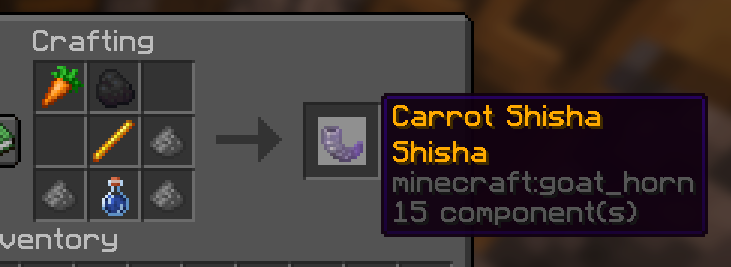
- ✅ Survival-Friendly Crafting
- ✅ Multiplayer Compatible
- ✅ Vanilla Friendly
- ✅ No Mods Required
- ✅ Server-Side Installation
- ✅ Easy Configuration Menu
- ✅ Custom Data-Driven System
Available Flavors
Fruit Flavors
- Apple
- Golden Apple
- Melon
- Sweet Berries
- Glow Berries
- Chorus Fruit
- Popped Chorus Fruit
Plant Flavors
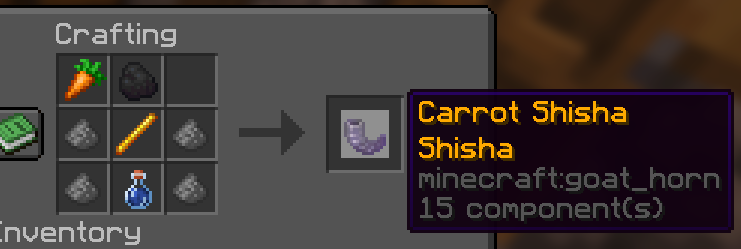
- Carrot
- Golden Carrot
- Beetroot
- Kelp
- Dried Kelp
- Cactus
Sweet Flavors
- Honey Bottle
- Pumpkin Pie
Crystal Flavor
- Amethyst Shard
Colored Flavors
- Red Dye
- Orange Dye
- Yellow Dye
- Green Dye
- Lime Dye
- Blue Dye
- Purple Dye
- Lapis Lazuli
- Glow Ink Sac
Total: 25 craftable flavors.
Particle Levels
The amount of Gunpowder used during crafting determines the particle density.
- Small
- Normal
- High
- Maximum
Higher levels create larger and denser particle effects.
Multiplayer
All players can see the custom particle effects, making the datapack perfect for multiplayer servers, roleplay worlds, cafés, and social builds.
Configuration
Use:
/function shisha:config
Configure:
- Particle Effects
- Particle Density
- Cooldowns
- Visual Settings
Installation
- Download the datapack.
- Place it in:
world/datapacks/
- Run:
/reload
- Start crafting and enjoy.
Compatibility
- Minecraft Java Edition 26.1+
- Singleplayer Supported
- Multiplayer Supported
- Vanilla Servers
- Realms Compatible
No mods required.
- Edition: Minecraft Java
- File type: .jar
- Minecraft versions listed: 26.1, 26.1.1, 26.1.2
- How to install: Install the matching mod loader (Forge, Fabric or NeoForge) for your Minecraft version. → Download the .jar. → Put it in the .minecraft/mods folder and launch that loader profile.
- Where to get it: Opens on Modrinth — not every file is mirrored on our own servers.
Install steps are the general flow for this file type — see the MC Java Mods guides for the full walkthrough.
- Downloads as ShishaDatapack_v26_2.zip
- Download size: 216 KB
- Download link checked 25 Oct 2026 — working
These come from our own check of the pack file, not from the source page.