
QuestForge | A New Way to Experience Minecraft
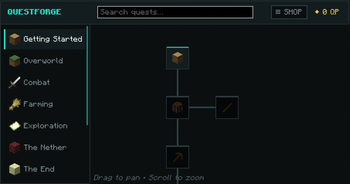
QuestForge transforms Minecraft progression with a completely redesigned quest system featuring a clean turquoise and black interface that feels modern, intuitive, and immersive.
Open the QuestForge menu at any time by pressing J, giving you instant access to your active quests, completed objectives, Quest Shop, and overall progression. Press Z to toggle a clean overlay above your experience bar, allowing you to quickly view your current Quest Points (QP) without opening the main menu.
Complete a wide variety of custom quests, from simple gathering and crafting objectives to dangerous boss battles, exploration challenges, and late-game milestones. Every completed quest rewards you with Quest Points (QP), a unique currency earned through your adventures.
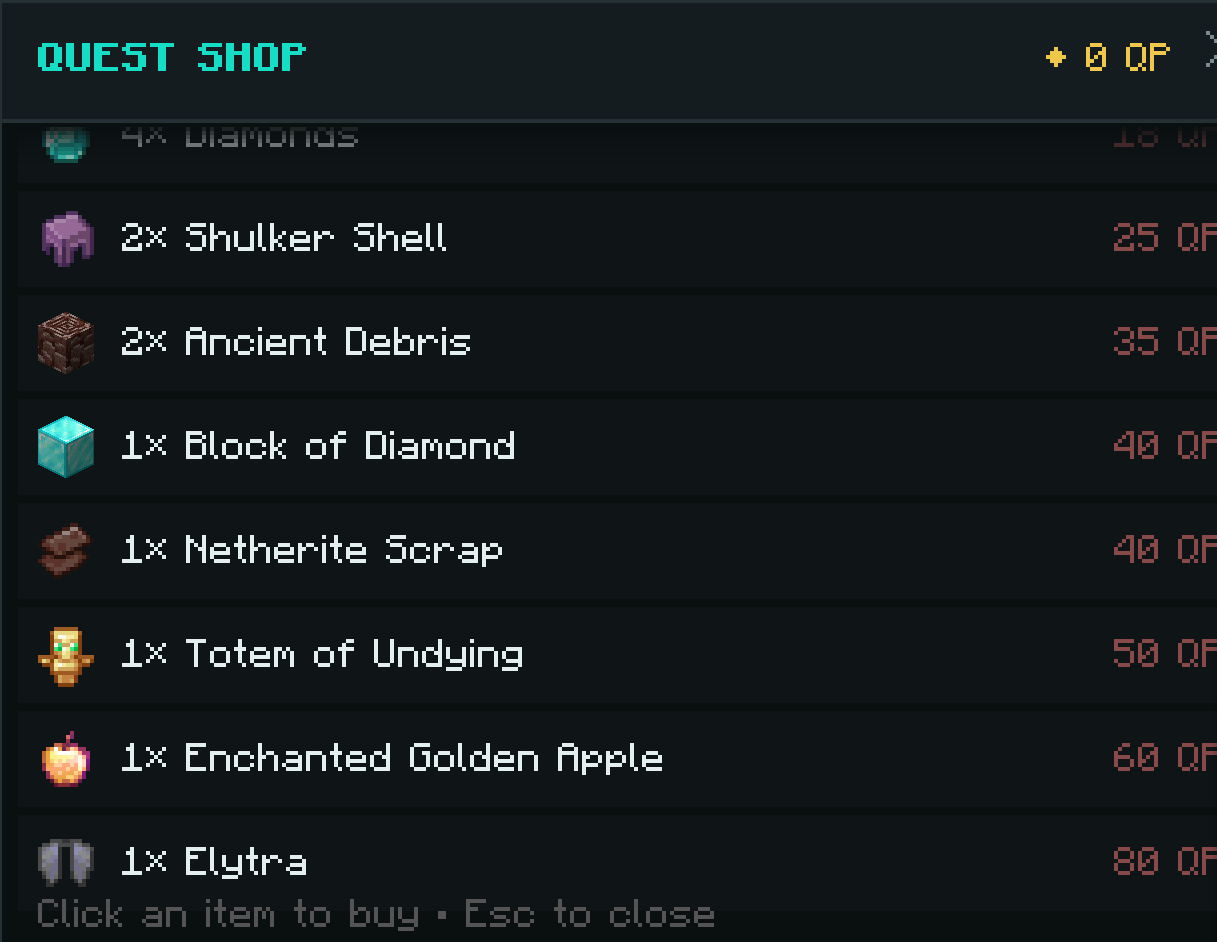
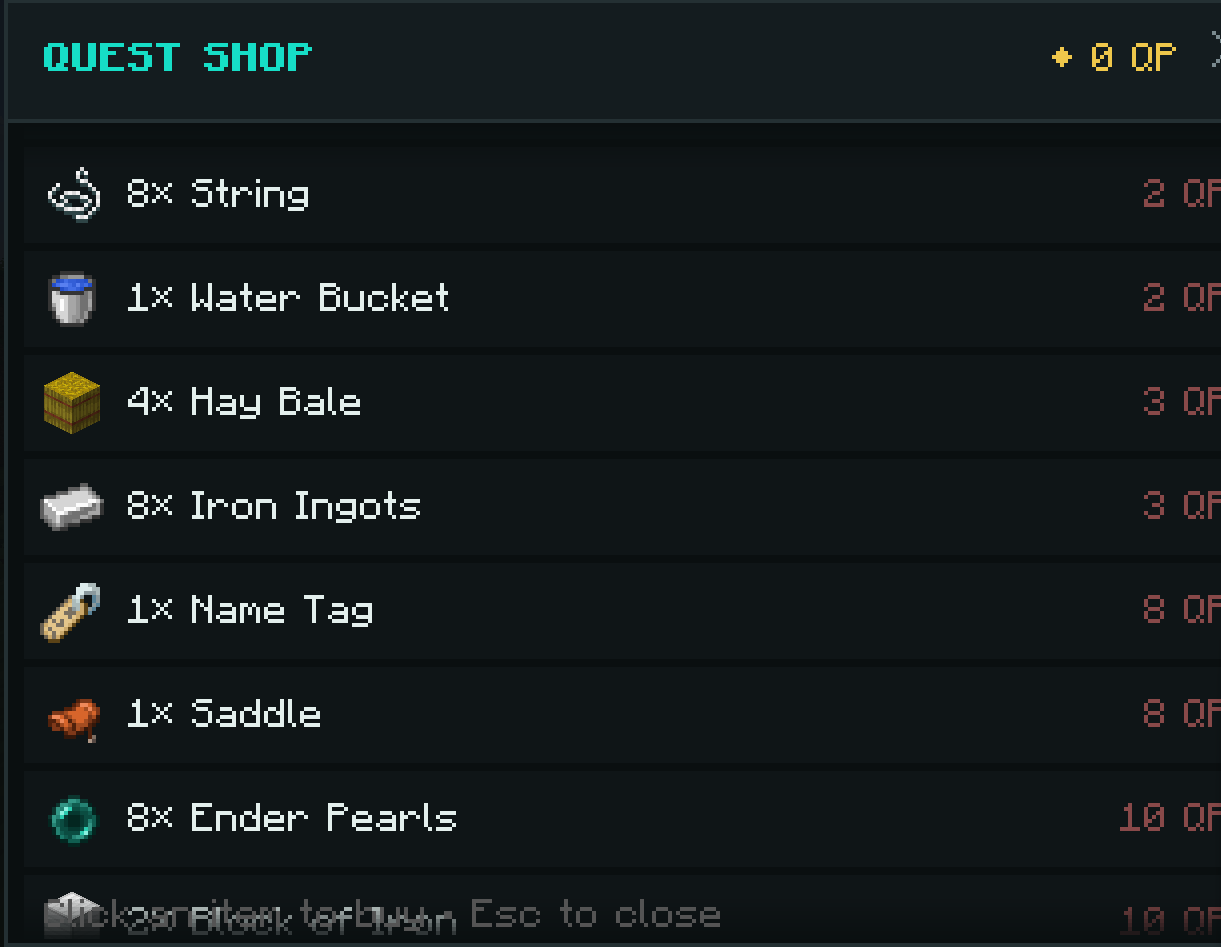
Use your Quest Points in the Quest Shop, where you can purchase everything from useful everyday supplies to powerful rare rewards. Whether you need food, tools, enchanted equipment, unique collectibles, or exclusive late-game items, every quest brings you closer to your next reward.
Features
- Modern turquoise and black GUI
- Press J to open the QuestForge menu
- Press Z to toggle the Quest Points overlay above the XP bar
- Extensive quest system with unique objectives
- Earn Quest Points (QP) by completing quests
- Dedicated Quest Shop with exclusive rewards
- Purchase common resources, useful utilities, and rare items
- Quests for mining, combat, farming, crafting, exploration, fishing, and more
- Daily, repeatable, and milestone quests
- Long-term progression system
- Smooth and intuitive interface
- Designed for both singleplayer and multiplayer worlds
QuestForge gives every action a purpose. Instead of progressing through Minecraft without direction, you'll always have new objectives to complete, Quest Points to earn, and meaningful rewards to unlock. Whether you're an explorer, builder, miner, or warrior, QuestForge provides a rewarding progression system that keeps every adventure exciting.
Complete Quests. Earn Quest Points. Unlock Powerful Rewards. Forge Your Adventure.
- Edition: Minecraft Java
- File type: .jar
- Minecraft version listed: 1.21.11
- How to install: Install the matching mod loader (Forge, Fabric or NeoForge) for your Minecraft version. → Download the .jar. → Put it in the .minecraft/mods folder and launch that loader profile.
- Where to get it: Opens on Modrinth — not every file is mirrored on our own servers.
Install steps are the general flow for this file type — How to install Minecraft Java mods & modpacks walks through it step by step.
- Ships as questforge-1.0.0.jar — drop this file into the mods folder
- Download size: 195 KB
- Download link checked 15 Sept 2026 — working
These come from our own check of the pack file, not from the source page.