
ModsJava
MetaSuits
Java mod listed for Minecraft 1.21. Downloads from the MC Java Mods app on Android.
Equip custom 3D Blockbench models and 2D armor cosmetics with live GUI selection, client-side fallback, and vanilla armor hiding.
⬇ Download on Modrinth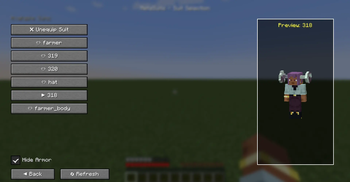
👕 MetaSuits - Custom 3D & 2D Armor Cosmetics
❗ MULTIPLAYER WORKS ONLY ON SERVER, NOT LAN SINGLEPLAYER ❗
MetaSuits is a modern, lightweight NeoForge mod (Minecraft 1.21.1) that allows players to easily equip custom 3D Blockbench models (.json) and 2D armor textures (.png) without needing OptiFine, CIT, or complex resource pack setups.
✨ Features
- 🧊 3D Blockbench Models (
.json/.model.json): Drop your 3D Blockbench models directly into themetasuits/folder and wear 3D hats, helmets, armor, or accessories with 1:1 precision! - 👕 Composite Suits (
.suit.json): Combine multiple 3D models and 2D textures into full custom armor sets. - 🛡️ Hide Vanilla Armor Toggle: Hide standard vanilla armor (helmets, chestplates, leggings, boots) with a single click while preserving full armor defense and stats!
- 🔄 Live Hot-Reload: Click "🔄 Refresh" in the GUI to instantly reload your files without restarting Minecraft.
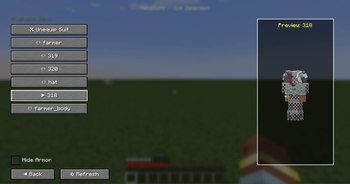
- 👁️ Interactive 3D Player Preview: Features a 3D player preview in the selection GUI that rotates and turns its head to follow your mouse cursor!
- 🌐 Client-Only Server Compatibility: Connect to any vanilla, Spigot, Paper, Fabric, or NeoForge server! If the server doesn't have MetaSuits installed, suits operate seamlessly in Client-Only Mode (visible to you).
- 🌍 10 Language Localizations: Fully translated into English, Russian, Simplified Chinese, Spanish, German, French, Japanese, Brazilian Portuguese, Ukrainian, and Polish.
🎮 How to Use
- Open your game directory and find or create the
metasuits/folder. - Put your
.json(Blockbench models) or.pngtexture files insidemetasuits/.- Put model texture assets inside
metasuits/textures/(e.g.metasuits/textures/318.png).
- Put model texture assets inside
- Open Minecraft, press
Eto open your Inventory, and click the 👕 button next to your character. - Select your suit, toggle "Hide Armor" if desired, and enjoy your custom look!
⚙️ Configuration Format
1. Composite Suit (farmer.suit.json)
{
  "name": "farmer",
  "head": "hat",
  "body": "farmer_body.model",
  "legs": "",
  "boots": ""
}
2. Custom Model from Blockbench (farmer_body.model.json)
Quick facts
- Edition: Minecraft Java
- File type: .jar
- Minecraft versions listed: 1.21.1, 1.21.2, 1.21.3
- How to install: Install the matching mod loader (Forge, Fabric or NeoForge) for your Minecraft version. → Download the .jar. → Put it in the .minecraft/mods folder and launch that loader profile.
- Where to get it: Opens on Modrinth — not every file is mirrored on our own servers.
Install steps are the general flow for this file type — How to install Minecraft Java mods & modpacks walks through it step by step.
File checked by MCModsHub
- Ships as metasuits-1.0-SNAPSHOT.jar — drop this file into the mods folder
- Download size: 59 KB
- Download link checked 26 Oct 2026 — working
These come from our own check of the pack file, not from the source page.