
NanoBuild
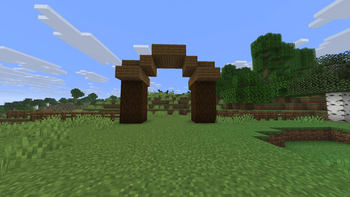
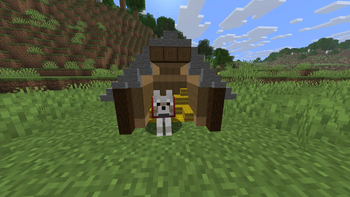
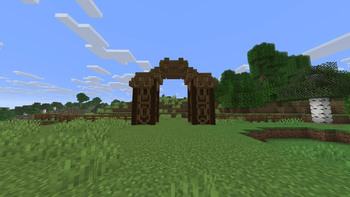
Place Minecraft blocks at 1/2 and 1/4 scale, including mini slabs, stairs, connecting fences, interactive fence gates, torches and lanterns.
⬇ Download on Modrinth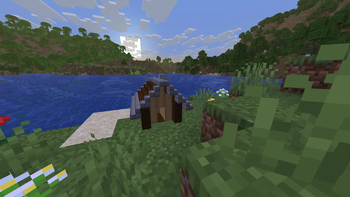
NaNo Blocks
Mini Blocks allows you to place supported Minecraft blocks at 1/2 or 1/4 of their normal size.
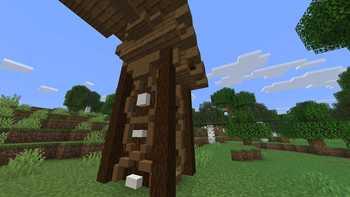
Create detailed decorations and builds using miniature full blocks, slabs, stairs, fences, fence gates, torches and lanterns.
Controls
- V — cycle between normal placement, 1/2 size and 1/4 size
- H — show or hide the HUD size indicator
- Right Click — place a mini block
- Left Click — remove the mini block part targeted by the crosshair
- Middle Mouse Button / Pick Block — copy the selected mini block and its size
- Right Click on a mini fence gate — open or close the gate
- Shift + Right Click on a mini fence gate — place another mini block instead of opening the gate
Key bindings can be changed in:
Options → Controls → Key Binds → Mini Blocks
The selected mini-block size remains active after changing the held block and after restarting the game.
Features
- 1/2 and 1/4 scale placement
- Mini slabs with top, bottom and double variants
- Mini stairs with straight, inner and outer corners
- Connecting mini fences
- Interactive mini fence gates
- Mini torches and lanterns with light emission
- Correct block sounds, collision and biome colors
- Survival and Creative mode support
- Multiplayer support
Unsupported functional blocks use their normal vanilla behaviour instead of being converted into mini blocks.
Requirements
- Minecraft Java Edition 26.1.2
- Fabric Loader 0.19.3 or newer
- Fabric API 0.155.2+26.1.2 or newer
- Java 25 or newer
The mod and Fabric API must be installed on both the client and server when playing multiplayer.
Installation
- Install Fabric Loader for Minecraft 26.1.2.
- Download and install Fabric API.
- Place
miniblocks-1.4.1.jarin the Minecraftmodsfolder. - Start the game using the Fabric profile.
- Edition: Minecraft Java
- File type: .jar
- Minecraft version listed: 26.1.2
- How to install: Install the matching mod loader (Forge, Fabric or NeoForge) for your Minecraft version. → Download the .jar. → Put it in the .minecraft/mods folder and launch that loader profile.
- Where to get it: Opens on Modrinth — not every file is mirrored on our own servers.
Install steps are the general flow for this file type — How to install Minecraft Java mods & modpacks walks through it step by step.
- Ships as miniblocks-1.4.1.jar — drop this file into the mods folder
- Download size: 65 KB
- Download link checked 16 Sept 2026 — working
These come from our own check of the pack file, not from the source page.