
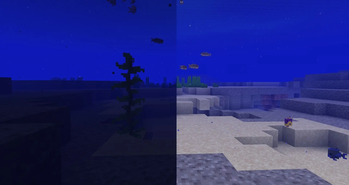
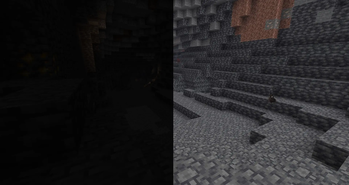
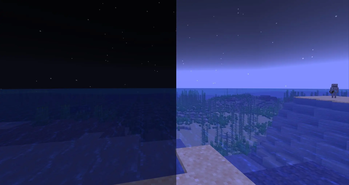
Gurozege FullBright makes dark environments easier to see by applying a clean and powerful night-vision effect. With a single key press, you can brighten caves, nighttime areas, abandoned structures, the Nether, and other low-light environments without placing torches everywhere.
The mod is designed to be simple, lightweight, and easy to use. It does not add complicated menus, unnecessary visual effects, or resource-heavy rendering systems.
Features
- Instantly enables or disables FullBright.
- Makes caves appear fully illuminated.
- Makes nighttime environments feel much brighter.
- Helps you clearly see blocks, mobs, items, and surroundings.
- Works in both single-player and multiplayer.
- Does not require administrator or operator permissions.
- Does not need to be installed on the server.
- Displays an on-screen message when FullBright is enabled or disabled.
- Uses a hidden night-vision effect without particles or an effect icon.
- Automatically refreshes the brightness effect while enabled.
- Lightweight design with little to no noticeable FPS impact.
- Compatible with client-side performance mods in most setups.
Controls Press G for enable or disable the fullbright.
Also you can change keybinds of the fullbright from the settings.
- Edition: Minecraft Java
- File type: .jar
- Minecraft version listed: 1.21.11
- How to install: Install the matching mod loader (Forge, Fabric or NeoForge) for your Minecraft version. → Download the .jar. → Put it in the .minecraft/mods folder and launch that loader profile.
- Where to get it: Opens on Modrinth — not every file is mirrored on our own servers.
Install steps are the general flow for this file type — How to install Minecraft Java mods & modpacks walks through it step by step.
- Ships as gurozege-fullbright-1.0.0.jar — drop this file into the mods folder
- Download size: 140 KB
- Download link checked 16 Sept 2026 — working
These come from our own check of the pack file, not from the source page.