
☁ Cloud World GUI
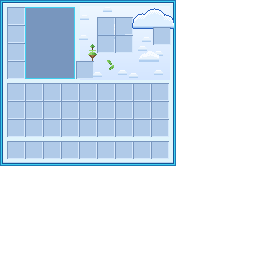
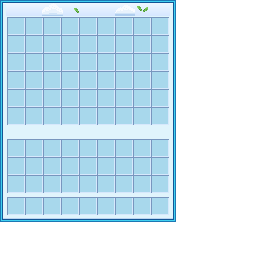
A soft, sky-themed GUI and HUD pack that wraps every Minecraft interface in clouds, floating islands, and a bright cyan palette. Built to match the Cloud World server's look, but at home on any world that wants a lighter, friendlier menu.
✨ Features
HUD
- Sky-blue cloud hearts
- Fluffy cloud armor icons
- Raindrop hunger bar
- Leafy green vine XP bar
- Cyan hotbar and selection
Containers
- Every screen themed: inventory, crafting, furnaces, anvil, enchanting, brewing, loom, beacon, chests, and more
- Cloud-white panels with a bright cyan frame and cobalt detailing
- Custom furnace smelting animation — a blue progress arrow and a sun that fills as it cooks
- Decorative clouds, floating grass islands, and leaves scattered throughout
Style
- Palette pulled straight from the Cloud World menu
- Soft-shaded clouds and hand-placed details on every panel
📥 Installation
- Download the latest version.
- Place the
.zipin your.minecraft/resourcepacksfolder (no need to unzip). - In Minecraft, go to Options → Resource Packs and move Cloud World GUI to the active side.
💬 Notes
This pack themes the in-game HUD and container screens. Title-screen buttons and server menus are controlled separately and aren't part of a resource pack.
Made for the Cloud World community 💙
Quick facts
- Edition: Minecraft Java
- File type: .zip (resource pack)
- Minecraft versions listed: 1.21, 1.21.1, 24w33a
- How to install: Download the .zip resource pack — do not unzip it. → Put it in .minecraft/resourcepacks. → Enable it in Options → Resource Packs.
- Where to get it: Opens on Modrinth — not every file is mirrored on our own servers.
Install steps are the general flow for this file type — How to install Minecraft Java resource packs walks through it step by step.
Verified by MCModsHub
- Downloads as CloudWorld_GUI_Misshalottv.zip
- Download size: 65 KB
- Download link checked 16 Sept 2026 — working
These come from our own check of the pack file, not from the source page.