




LumaTorch
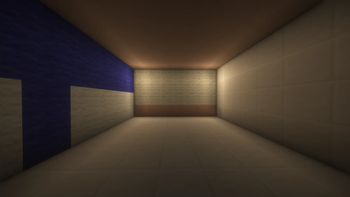
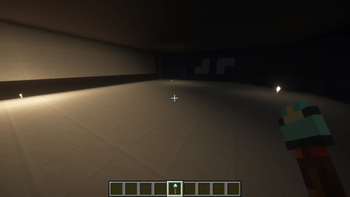
LumaTorch is a simple Fabric mod that allows players to place invisible light sources using a special tool.
It is useful for lighting builds, interiors, maps and decorative areas without placing visible torches, lanterns or glow blocks.
Features
- Adds a new item called Light Tool
- Places invisible light sources
- Adjustable light level from 1 to 15
- Invisible lights have no collision
- Lights remain saved after leaving the world
- Works in singleplayer and multiplayer
- Existing lights can be updated or removed
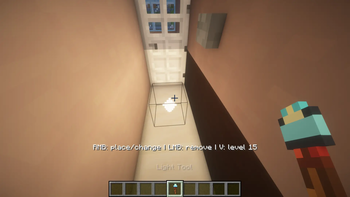
- Light sources are visible only while holding the Light Tool
- The tool has unlimited durability
- English and Polish translations included
Controls
While holding the Light Tool:
- Right-click on a block surface — place an invisible light
- Right-click an existing light — change it to the currently selected light level
- Left-click an existing light — remove it
- V — increase the selected light level
- After level 15, it returns to level 1
The current light level and controls are displayed above the hotbar.
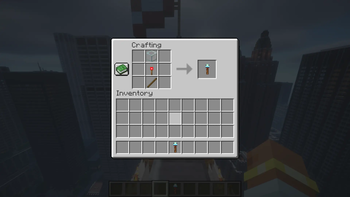
Crafting
The Light Tool can be crafted using:
[ ][Glass][ ]
[ ][Redstone Torch][ ]
[ ][Stick][ ]
Quick facts
- Edition: Minecraft Java
- File type: .jar
- Minecraft version listed: 26.1.2
- How to install: Install the matching mod loader (Forge, Fabric or NeoForge) for your Minecraft version. → Download the .jar. → Put it in the .minecraft/mods folder and launch that loader profile.
- Where to get it: Opens on Modrinth — not every file is mirrored on our own servers.
Install steps are the general flow for this file type — How to install Minecraft Java mods & modpacks walks through it step by step.
Verified by MCModsHub
- Ships as lumatorch-1.0.0.jar — drop this file into the mods folder
- Download size: 25 KB
- Download link checked 16 Sept 2026 — working
These come from our own check of the pack file, not from the source page.