
HandItemEditor
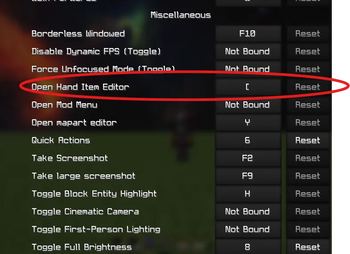
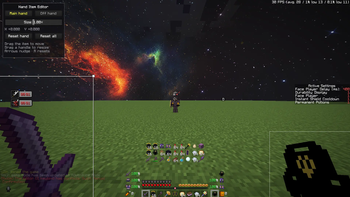
Move and resize the item in your hand by dragging it, the same way you'd move a picture in Word or PowerPoint. Press [ and a selection box appears around whatever you're holding: drag it to slide the item around your screen, grab a corner to scale it evenly, grab an edge to stretch it along one axis. The world keeps rendering behind the editor, so you're dragging your real item and watching it move as you go, not a preview. Main hand and off hand are saved separately, so you can shrink a shield out of your line of sight without touching your pickaxe. Client-side only, with nothing to install on the server.
- Edition: Minecraft Java
- File type: .jar
- Minecraft version listed: 1.21.11
- How to install: Install the matching mod loader (Forge, Fabric or NeoForge) for your Minecraft version. → Download the .jar. → Put it in the .minecraft/mods folder and launch that loader profile.
- Where to get it: Opens on Modrinth — not every file is mirrored on our own servers.
Install steps are the general flow for this file type — How to install Minecraft Java mods & modpacks walks through it step by step.
- Ships as handitemeditor-1.0.0.jar — drop this file into the mods folder
- Download size: 34 KB
- Download link checked 16 Sept 2026 — working
These come from our own check of the pack file, not from the source page.