
ModsJava
MMOBlock
[](https://ko-fi.com/chyxel)
[](https://mmoblock.chyxelmc.me/)
[](https://www.youtube.com/watch?v=wu4J4Hek9M8)
## Block Configuration
- Definition: name, item, respawn time, sound, hitbox, mining state, and block metadata.
- Conditions: create named requirements and show them in holograms with placeholders such as {condition_1}.
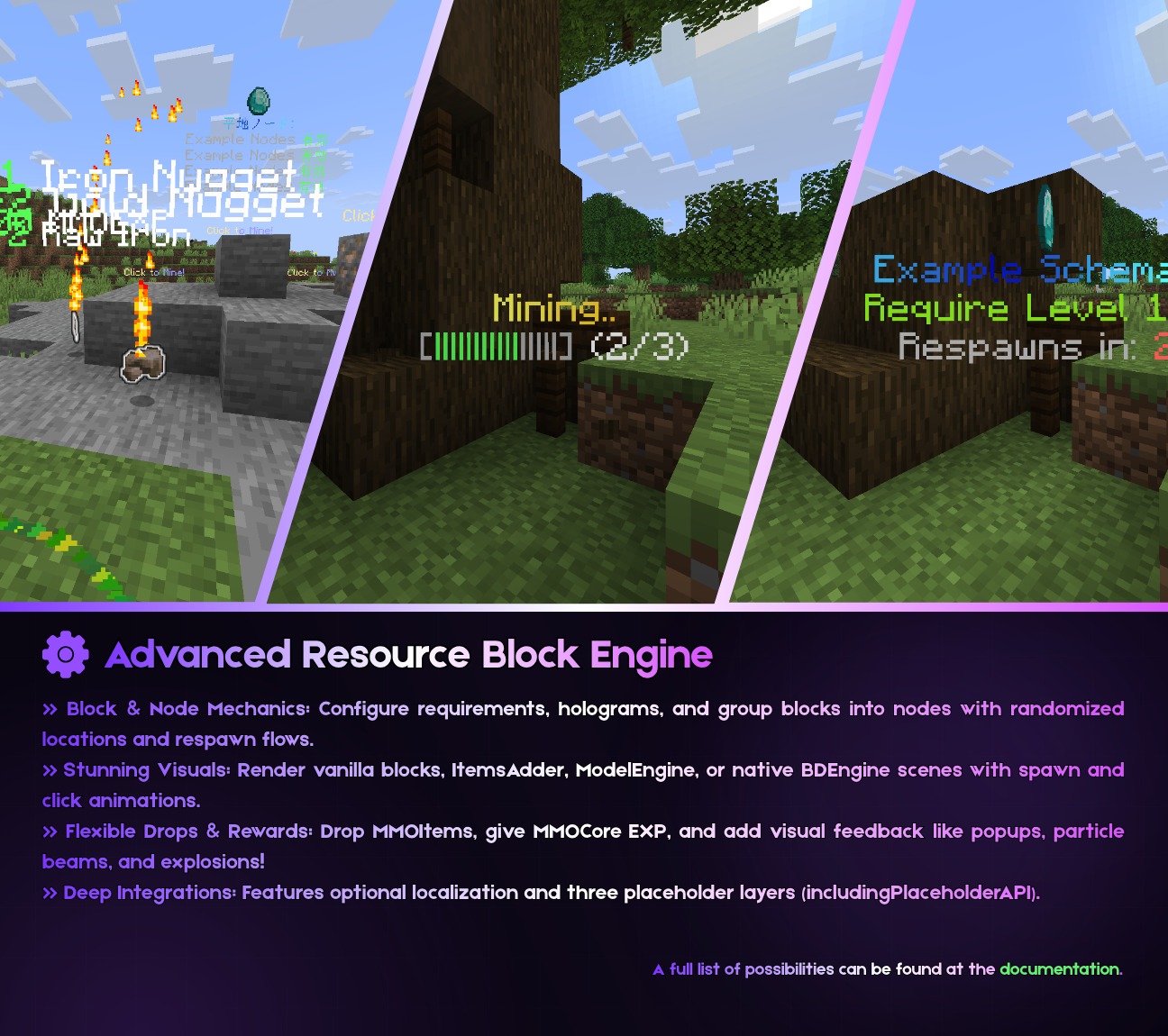
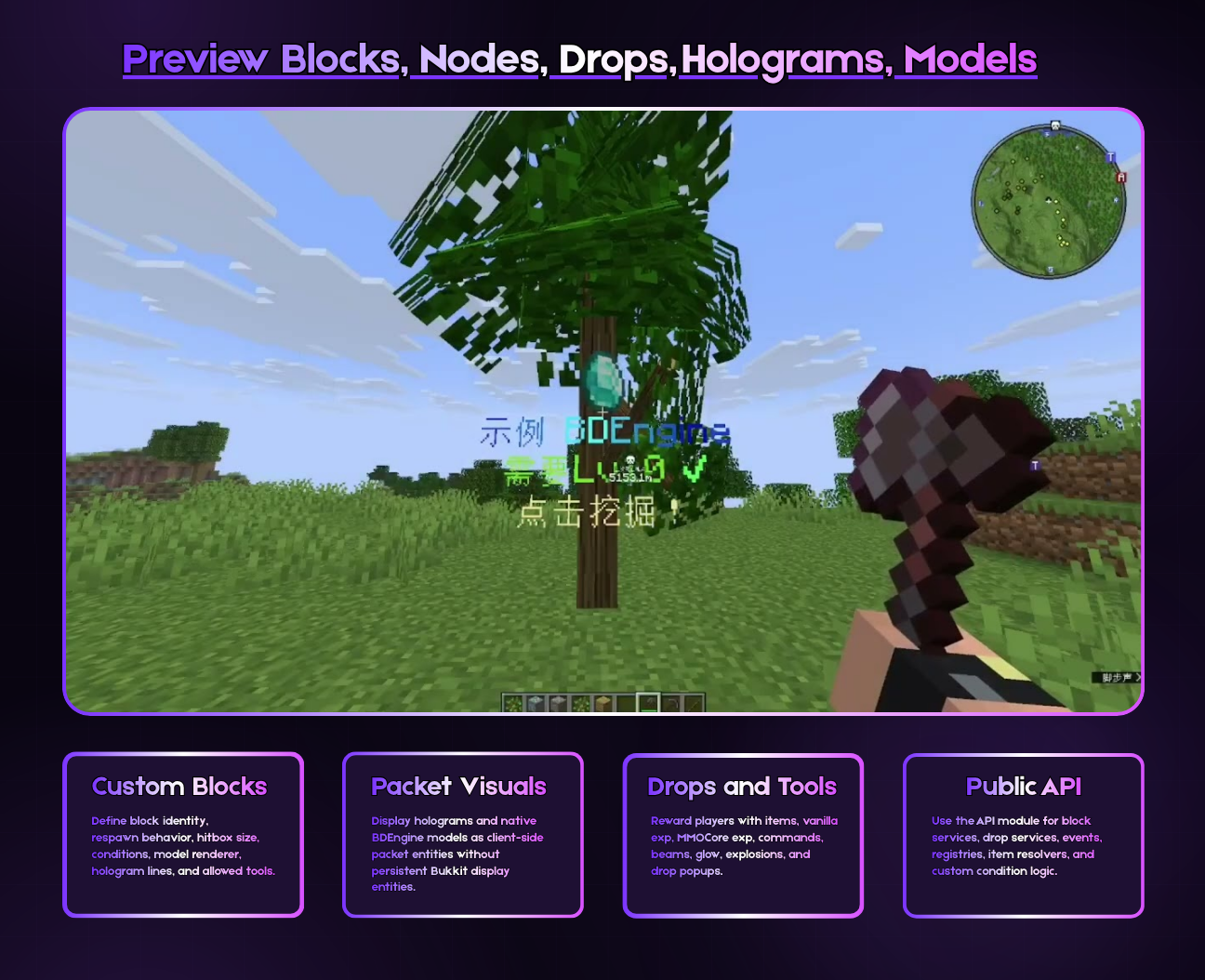
- Display hologram: render text, item, and block lines with custom offsets, facing mode, distance, and detect range.
- Allowed tools: decide which tools can mine a block and which drop tables they can trigger.
- Models: choose vanilla blocks, ItemsAdder/CraftEngine blocks, schematics, external model plugins, or native BDEngine files.
## Model Renderers
- Vanilla block renderer: simple material-based visuals.
- ItemsAdder and CraftEngine: place supported custom blocks directly through their APIs.
- ModelEngine and BetterModel: trigger configured model animations on click or death.
- Native BDEngine: render .bdengine scenes with Block Display, Item Display, and Text Display parts, including spawn and click animations.
- Schematics: use schematic-based visuals for larger or multi-block resources.
## Drops
- Drop vanilla items, ItemsAdder items, CraftEngine items, or MMOItems.
- Give vanilla experience or MMOCore experience.
- Run commands as the player, console, or other configured executor.
- Deliver rewards to inventory or spawn them in the world with front/center ground positioning.
- Add visual feedback such as drop popups, particle beams, glow, and explosion effects.
## Mining Nodes
Nodes let you group blocks into spawn areas. A node can randomize locations, control the amount of active resources, swap active/dead block lists, and render node holograms for players.
- Spawn multiple block types from one node.
- Use random positions or configured location lists.
- Control active limits and respawn flow.
- Show node status using packet holograms.
## Optional Localization / i18n
Text fields can stay in the classic direct format, or you can switch them to a key/default object. If you do not want localization, keep using plain strings.
### Classic format
```yaml
example:
name: "Example Block"
display:
lines:
line1:
contents:
text: "Click to mine!"
```
### Localized format
```yaml
example:
name:
key: "block.example.name"
default: "Example Block"
display:
lines:
line1:
contents:
text:
key: "block.example.click"
default: "Click to mine!"
```
Add the keys to lang/en-us.yml or another language file listed in lang/lang.yml. The plugin falls back to the configured default text when a key is missing, so configs remain safe while you translate gradually.
```yaml
# lang/en-us.yml
block:
example:
name: "Example Block"
click: "Click to mine!"
requirement: "Requires {item_name} x{item_amount}"
```
## Common Placeholders
MMOBlock supports three placeholder layers: config-context placeholders with curly braces, internal player placeholders with curly braces, and PlaceholderAPI placeholders with percent syntax.
- {block_name}, {block_list}, {item_name}, {item_amount}
- {vanilla_exp_amount}, {mmocore_exp_amount}, {progress_bar}, {respawn_time}
- {condition_1}, {condition_2}, and other numbered condition placeholders
- Internal MMOCore placeholders: {mmocore_level}, {mmocore_class}, {mmocore_mana}, {mmocore_stamina}, {mmocore_stellium}, {mmocore_level_mining}, {mmocore_attribute_strength}
- PlaceholderAPI placeholders use percent syntax, for example %player_name%, and are expanded after MMOBlock internal placeholders.
For dropPopup experience rewards, {exp_amount} is the generic rolled amount. Vanilla experience fills {vanilla_exp_amount}, MMOCore experience fills {mmocore_exp_amount}, and the unused source-specific placeholder resolves to 0.
If MMOCore is not installed, MMOBlock removes {mmocore_*} tokens so players do not see raw internal placeholders.
## Integrations
- Paper and Folia runtime scheduling.
- ItemsAdder, CraftEngine, MMOItems, MMOCore, ModelEngine, BetterModel, and PlaceholderAPI where installed.
- Versioned NMS adapters for packet holograms, display entities, block visuals, and visual effects.
## Developer API
MMOBlock includes a public API module for addons and custom integrations. Use it to listen for runtime events, inspect block definitions, resolve items, register custom renderers or conditions, and interact with drop services.
```gradle
repositories {
maven("[https://repo.chyxelmc.me/repository](https://repo.chyxelmc.me/repository)")
}
dependencies {
compileOnly("me.chyxelmc:mmoblock-api:")
}
```
## Best For
- MMORPG mining, gathering, farming, and resource professions.
- Survival servers that need custom ores, logs, plants, crystals, or event resources.
- Servers using custom item/model ecosystems that need a configurable resource block runtime.
- Developers who want an API-friendly block system without building packet visuals from scratch.
## bStats
## Support
For support, join our [Discord community](https://discord.com/invite/DFADYC6FAS).
## Summary
MMOBlock is a configurable resource-block engine for modern Paper/Folia servers, built around clean configs, packet visuals, optional localization, model integrations, flexible drops, node spawning, and a public API.
Quick facts
- Edition: Minecraft Java
- File type: .jar
- Minecraft versions listed: 1.19.4, 1.20.4, 1.21
- How to install: Install the matching mod loader (Forge, Fabric or NeoForge) for your Minecraft version. → Download the .jar. → Put it in the .minecraft/mods folder and launch that loader profile.
- Where to get it: Opens on Hangar — not every file is mirrored on our own servers.
Install steps are the general flow for this file type — How to install Minecraft Java mods & modpacks walks through it step by step.
MMOBlock is a free Minecraft Java mod. Compatible with Minecraft 1.19.4, 1.20.4, 1.21, 1.21.1 and newer. Downloaded 5 times (via Hangar). Download it and open it directly in the game.