Tombstone Awaits
Never lose your stuff again! Adds graves that save your inventory and experience upon death. Recover everything with a key.
⬇ Download on CurseForge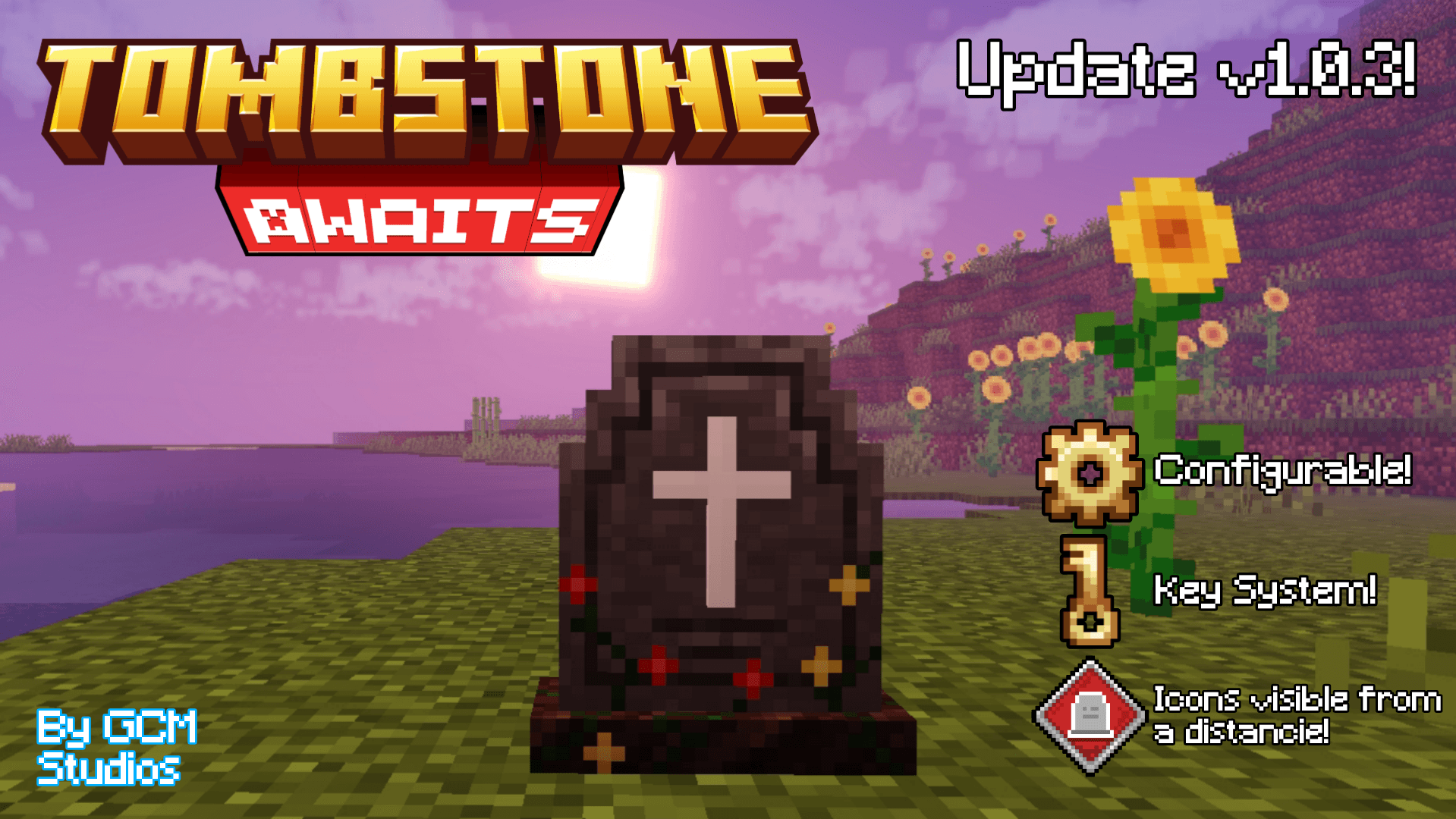
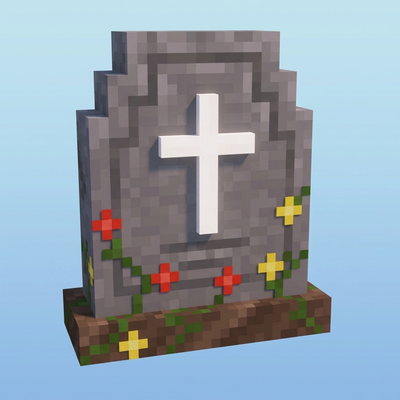
Tombstone Awaits adds a complete grave system to your world. When you die, a grave appears at your death location storing all your inventory, armor and 70 % of your experience. Upon respawning, you receive a recovery key to open the grave and retrieve your belongings.
Features:
- When you die, a message appears with your death coordinates.

- The grave stores all your items, armor and 70% of your experience.
- Upon respawning, you receive a key with your death information (player, coordinates, dimension).
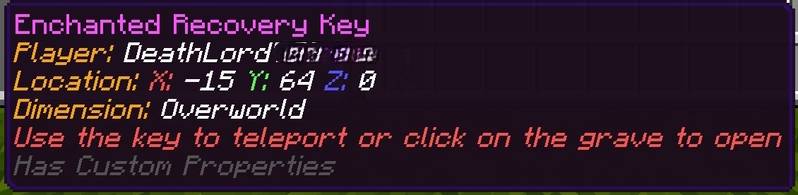
- Hold the key and click on the grave to recover your items.
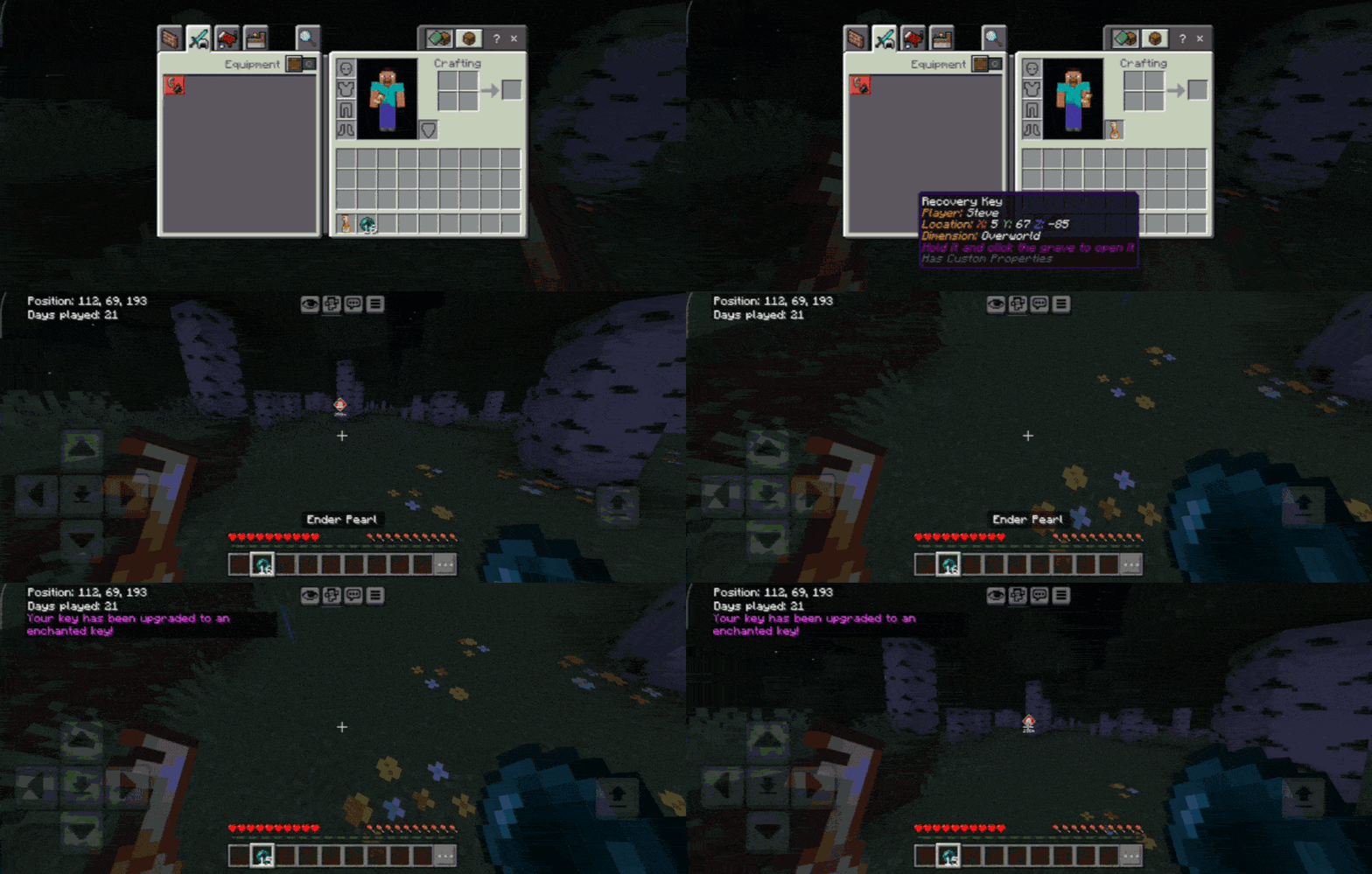
- If the key is enchanted, holding it teleports you back to your grave (3 uses).
- When opening the grave, items are automatically added to your inventory. If full, remaining items are dropped at your feet.
- You recover 70% of the experience you had upon death.
- If you die in lava, the grave will spawn right above it with a dirt block underneath so you don't fall.
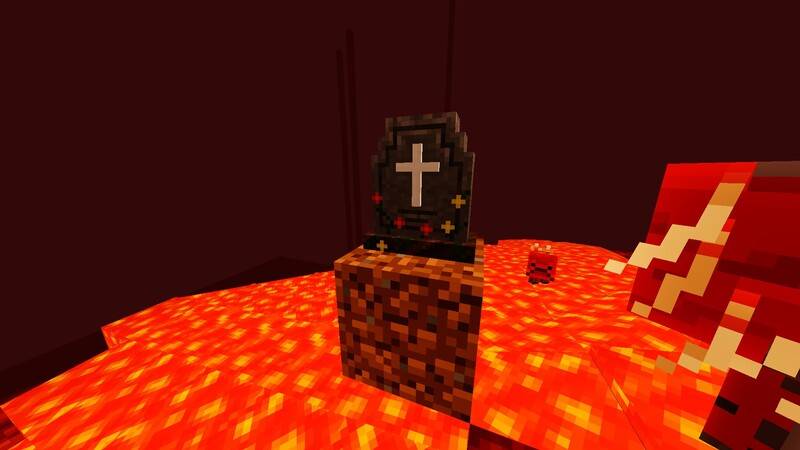
- If you fall into the void in the End, the grave will spawn with a dirt block underneath.
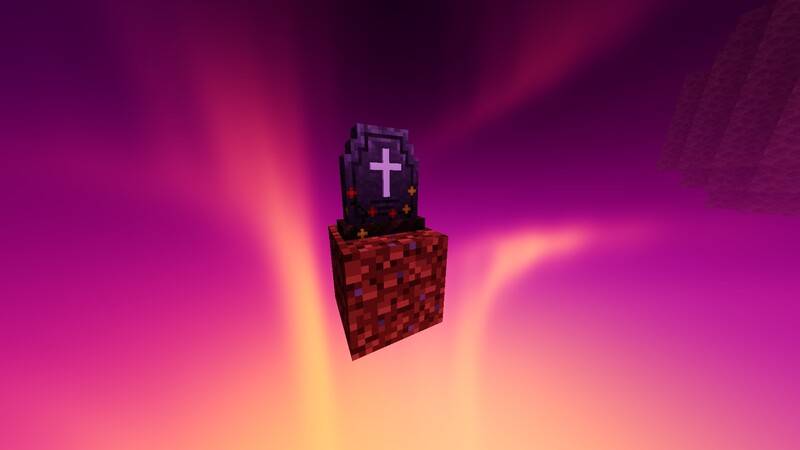
- Multiplayer friendly: restrict the grave to the owner or allow anyone to open it.
- Configurable visual effects: particles when opening the grave, teleport particles and floating name above the grave.
Configuration:
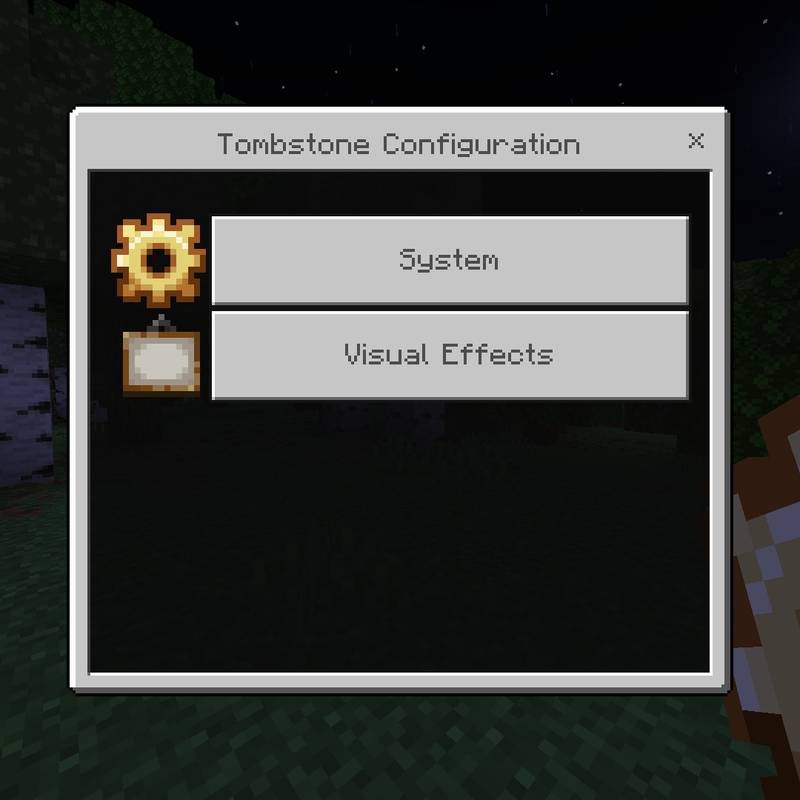
Upon first joining the world, you receive the "Tombstone Settings" item. Use it to access the configuration menu.
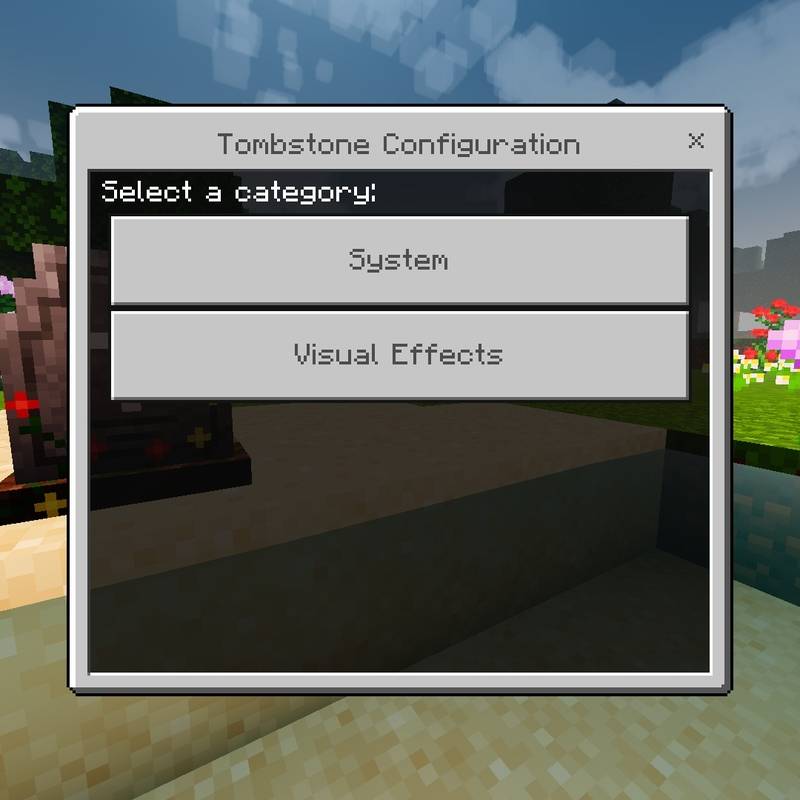
System options:
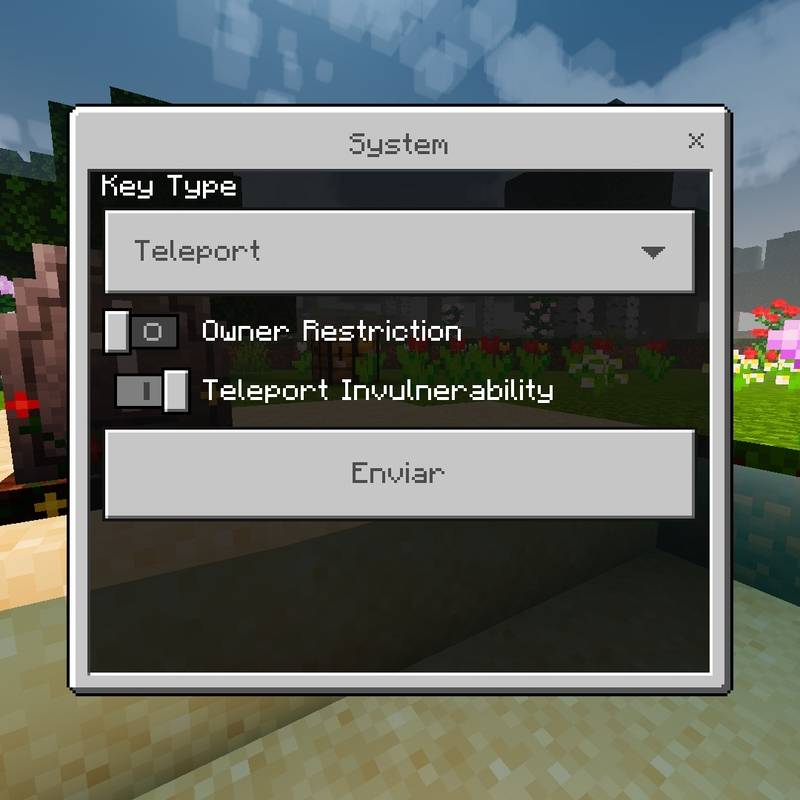
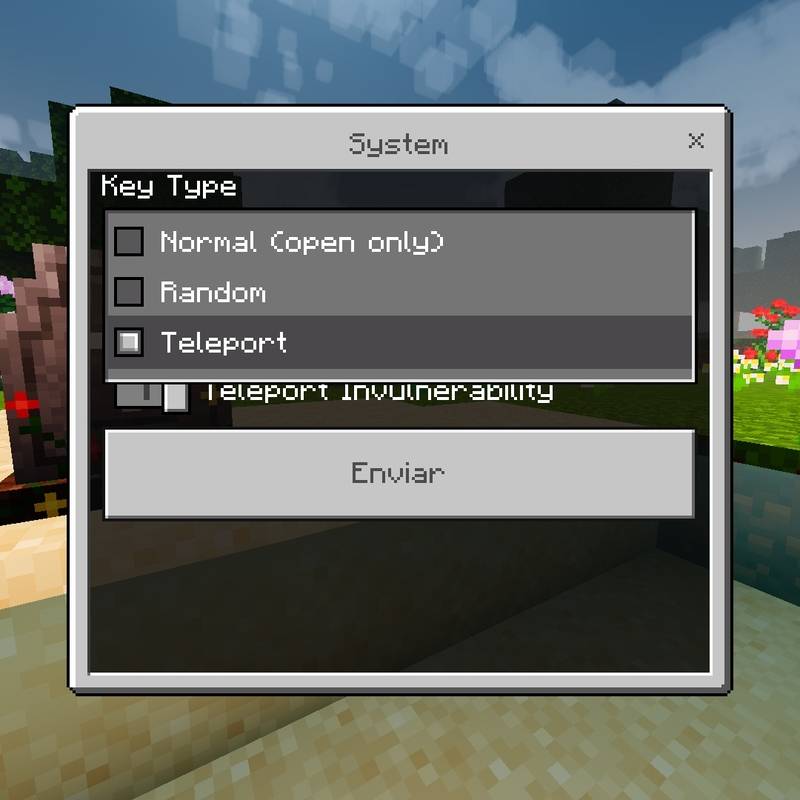
- Key type: Normal (open only), Random (50% chance of enchanted) or Teleport (always enchanted).
- Owner restriction: if enabled, only the owner can open their grave.
- Teleport invulnerability: activates resistance effect for 10 seconds after teleporting. (Only the first time per grave)
Visual options:
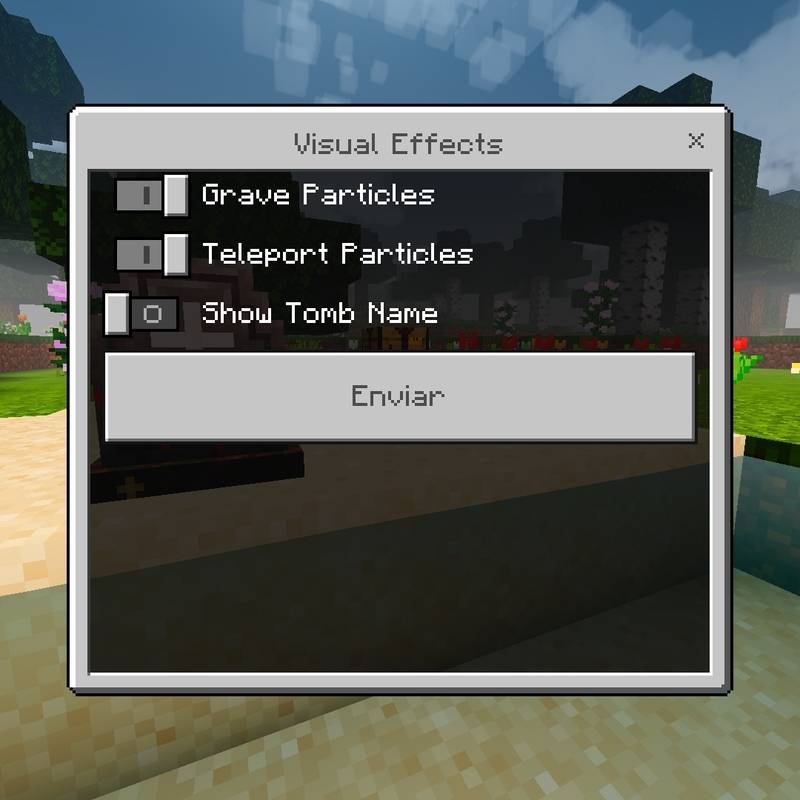
- Grave particles: toggle particles when opening the grave.
- Teleport particles: toggle particles when teleporting.
- Show tomb name: toggle floating name above the grave.
Recipes:
- Grave block
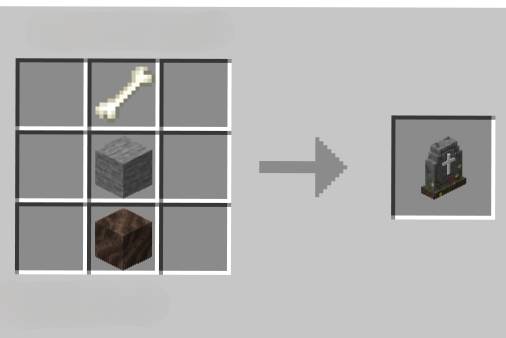
- Tombstone Settings
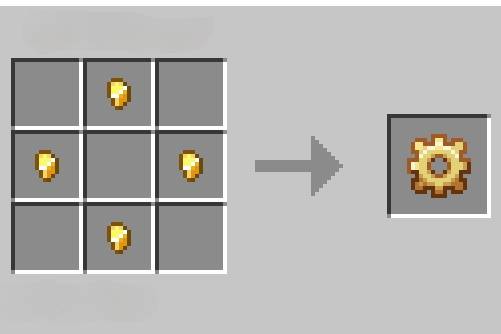
Update 1.0.2
New features:
- Floating tomb icon:
The tomb now shows a floating icon visible from a distance when you hold the recovery key.
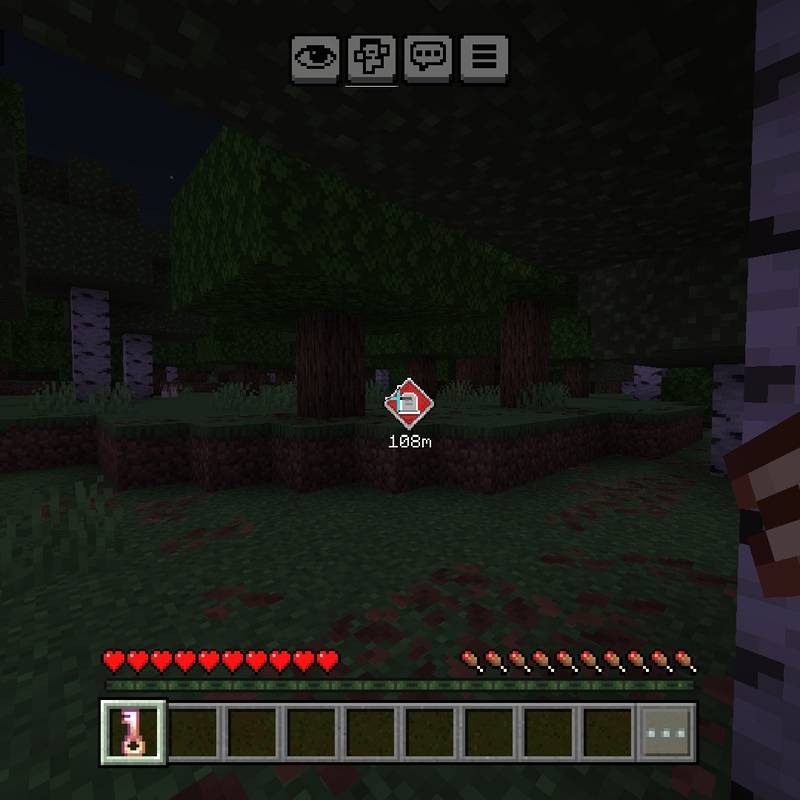
The icon includes the distance in meters.
- Visual option to enable/disable the icon.
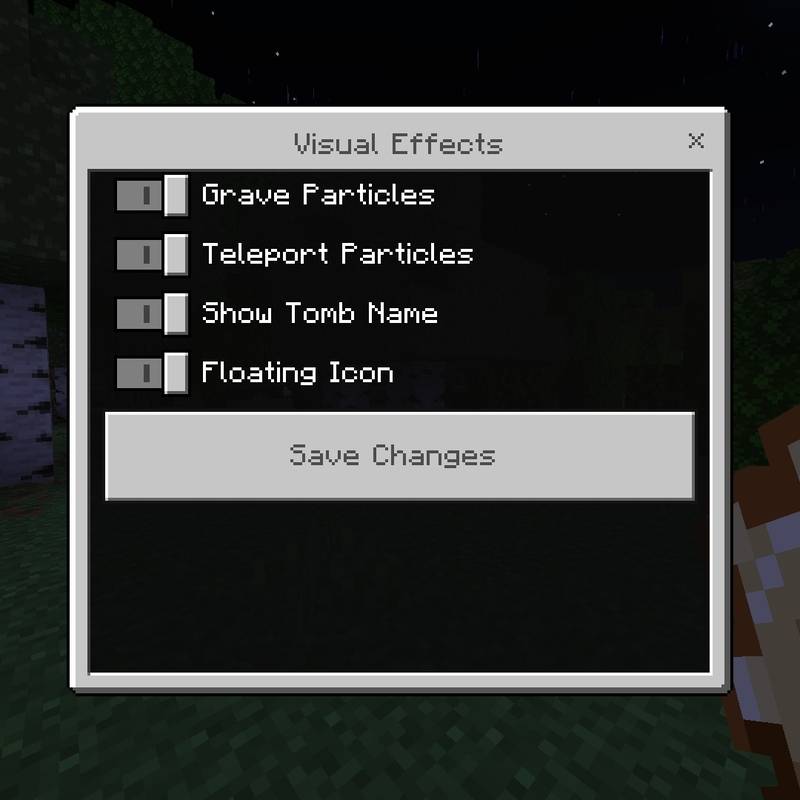 You can turn the floating icon on or off from the visual settings menu.
- Configurable teleport uses.
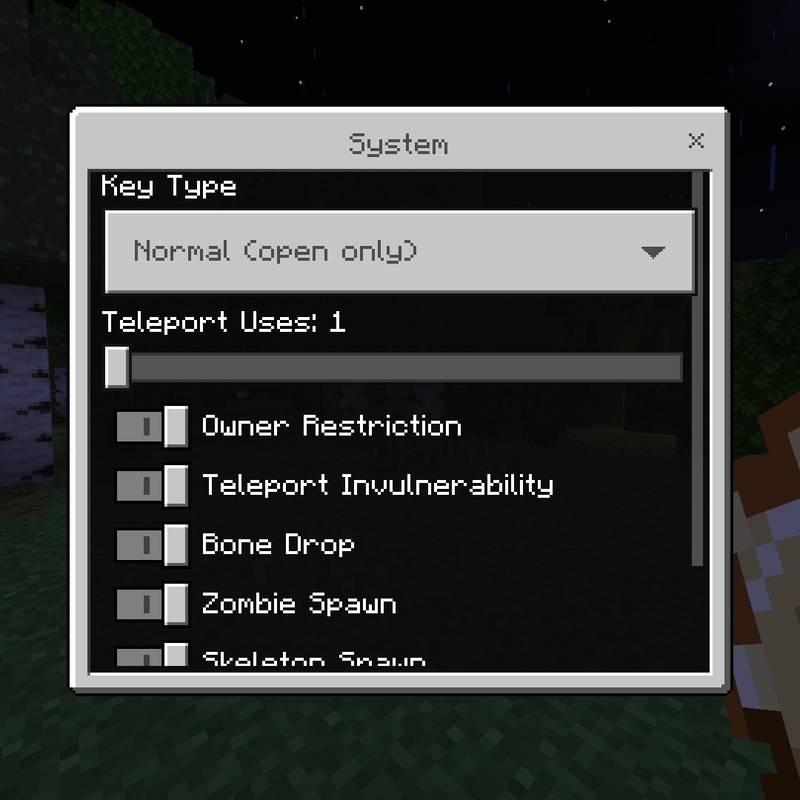 New option in System to choose how many teleports an enchanted key has: 1, 2 or 3 (default 1).
- Exhausted enchanted key → normal key.
When an enchanted key runs out of teleports, it automatically transforms into a normal key linked to the same tomb. That normal key will show the "no teleports" message when trying to use it, but it can open the tomb and be re-enchanted with an ender pearl.
- Conversion from normal key to enchanted.
If you have an ender pearl in your main hand and a normal key in your offhand, using the pearl will convert the key into an enchanted one with the configured uses.
- Drops and spawns when opening the tomb:
Now the tomb can reward or surprise you when opened:
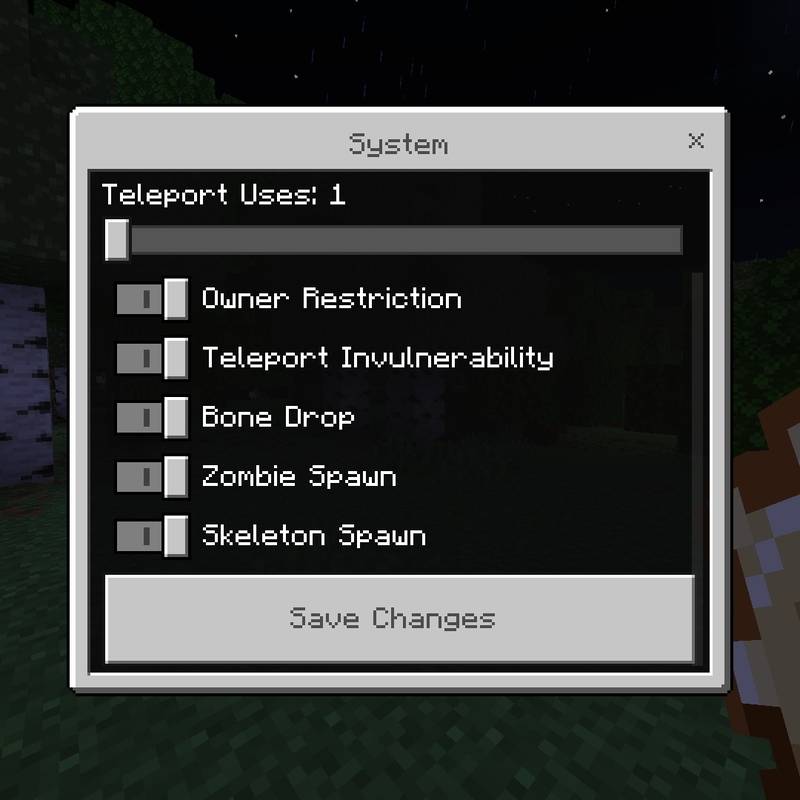
- Bones: 20% chance to drop bones when opening the tomb. Enabled by default.
- Zombie: 2% chance for a zombie to appear when opening the tomb. Enabled by default.
- Skeleton: 2% chance for a skeleton to appear when opening the tomb. Enabled by default.
- Zombie and skeleton never appear together: if both options are active, one is chosen at random.
- All these options can be turned on or off from System in the settings menu.
- Improved settings menu:
Custom "Save changes" button and reorganized options, among other improvements, for clarity and aesthetics.
Important:
- You must enable the "Keep Inventory".

- No experimental features required.
- Translated to English, Spanish (ES & MX) and French.
- Publishing on other websites is not allowed.
If you wish to share it, use only the link from this page.
- Do not create your own links.
Do not use link shorteners or services like mediadire, adfly, etc. You must use the original link from this page.
- If you make a review on YouTube or another platform, please include the link from this page in the video or post description.
If you find any bugs or issues, please report them in the comments so they can be fixed in future updates. Your suggestions are also welcome to keep improving.🤍
- Edition: Minecraft Bedrock
- File type: .mcpack or .mcaddon
- Minecraft versions listed: 26.0, 26.3, 26.10
- How to install: Download the .mcpack or .mcaddon file. → Open it — Minecraft imports it. → In your world: Behavior Packs → Available → Activate, then the same under Resource Packs.
- Where to get it: Opens on CurseForge — not every file is mirrored on our own servers.
Install steps are the general flow for this file type — How to install Minecraft Bedrock addons & mods walks through it step by step.
- Pack type: .mcaddon — behaviour and resource pack in one file
- Manifest requires Minecraft 1.21.10 or newer
- Complete pack — everything it depends on is inside the file
- Download size: 1.7 MB
- Download link checked 17 Sept 2026 — working
These come from our own check of the pack file, not from the source page.