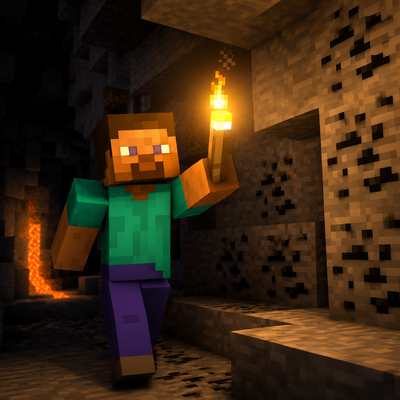
Dynamic Lighting & Java Offhand Swap | Achievement Friendly
Dynamic Light & Java Offhand Swap for MCPE! Trail-free, lag-free & 100% Achievement Friendly in Survival worlds!
⬇ Download on CurseForge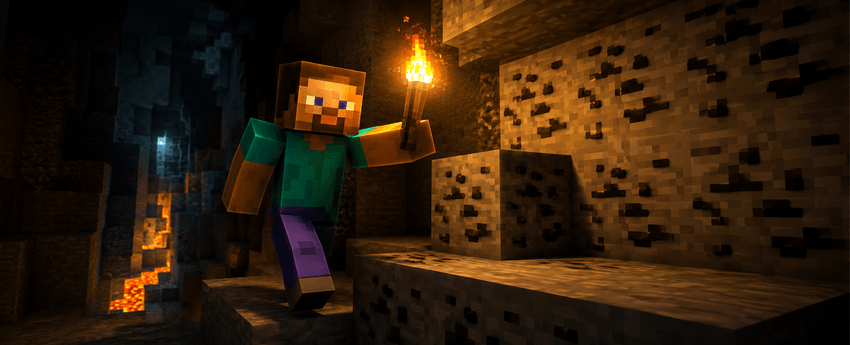
💡 Dynamic Lighting & Java Offhand Swap Addon
Upgrade your Minecraft Bedrock & Pocket Edition (MCPE) experience with Real Dynamic Lighting and Java-Style Fast Offhand Swapping! Explore dark caves, oceans, and night biomes seamlessly without placing torches everywhere.
🏆 Key Highlight: 100% Achievement Friendly!
Unlike most scripts and mods that require Experimental Toggles and disable your world achievements, this Addon keeps Xbox Achievements ACTIVE! You can use it in your main survival worlds, realms, and multiplayer servers without losing trophy progress!
🎮 HOW TO SWAP ITEMS TO OFFHAND (Controls & Guide)
Want to put a Torch, Shield, or Totem into your Offhand like Java Edition? It’s super fast and easy!
📌 Step-by-Step Instructions:
- Hold a Valid Item: Hold a Torch, Lantern, Shield, or Totem in your Main Hand.
- Aim at Open Air / Sky: Make sure your crosshair is NOT aiming at any block (no block selection outline should be visible).
- Perform the Swap Combo:
- 📱 Mobile (Touch): Crouch (Sneak) + Tap/Hold Screen looking into open air.
- 💻 PC (Keyboard/Mouse): Crouch (Shift) + Right Click into open air.
- 🎮 Controller: Crouch + LT / L2 button into open air.
- Done! Your item instantly moves to your Offhand! Repeat the same action to swap it back to your Main Hand.
⚠️ Smart Protection Note: To prevent annoying glitches, swapping will NOT trigger if you are aiming directly at a block (so you can place torches normally) or when holding weapons/tools like Bows, Swords, or Food!
✨ Main Features
- 💡 Dynamic Hand-held Lighting: Holding any light-emitting item (Torch, Copper Torch, Lantern, Glowstone, Froglight) lights up your surroundings instantly.
- ⚡ Java-Style Offhand Swap: Fast, smooth, and lag-free swapping mechanism.
- 🎯 Smart Aiming Protection: Normal block placement works seamlessly when looking at blocks.
- 🚫 Zero Light Trails & Lag-Free: Optimized Script API ensures no leftover light blocks and stable FPS.
- 🌌 Multi-Dimension Support: Works perfectly in Overworld, Nether, and The End.
🔦 Supported Light Items
- Torches: Normal Torch, Copper Torch, Soul Torch, Redstone Torch
- Lanterns: Standard Lantern, Soul Lantern, Sea Lantern
- Froglights: Ochre, Pearlescent, Verdant
- Blocks & Items: Glowstone, Shroomlight, Campfires, Lava Buckets, Glow Berries, End Rods & Jack o'Lanterns
⚙️ Compatibility & Requirements
- Minecraft Version: Bedrock / MCPE 1.20.80 through 1.26+ (Latest)
- Platforms: Android, iOS, Windows 10/11, Xbox, PlayStation, Switch.
- Survival Safe: Xbox Achievements remain ENABLED.
📥 Installation Guide
- Download the
.mcaddonor.mcpackfile. - Open the file to automatically import it into Minecraft.
- Activate the Behavior Pack in your World Settings.
- Enjoy dynamic lighting & fast swapping while keeping achievements active!
🏷️ Keywords / Tags
Dynamic Lighting MCPE, Achievement Friendly Addon Bedrock, Java Offhand Swap Minecraft, Light Source Mod, How to put torch in offhand MCPE, Copper Torch MCPE, Trail Free Dynamic Light, Xbox Achievements Enabled Mod.
- Edition: Minecraft Bedrock
- File type: .mcpack or .mcaddon
- Minecraft versions listed: 1.21.131, 1.21.132, 26.0.02
- How to install: Download the .mcpack or .mcaddon file. → Open it — Minecraft imports it. → In your world: Behavior Packs → Available → Activate, then the same under Resource Packs.
- Where to get it: Opens on CurseForge — not every file is mirrored on our own servers.
Install steps are the general flow for this file type — How to install Minecraft Bedrock addons & mods walks through it step by step.
- Pack type: .mcpack — a single pack
- Manifest requires Minecraft 1.20.80 or newer
- Complete pack — everything it depends on is inside the file
- Download size: 1.1 MB
- Download link checked 17 Sept 2026 — working
These come from our own check of the pack file, not from the source page.