Srkuls's Among Between
Bring 18 colorful, stationary Among Us Crewmate NPCs and the iconic Lobby Laptop into your Minecraft world! Perfect for roleplay, custom maps, and…
⬇ Download on CurseForge
# Srkuls's Among Between Addon (Minecraft Bedrock Edition)
Welcome to **Srkuls's Among Between**, the ultimate Among Us decoration and NPC addon for Minecraft Bedrock Edition!
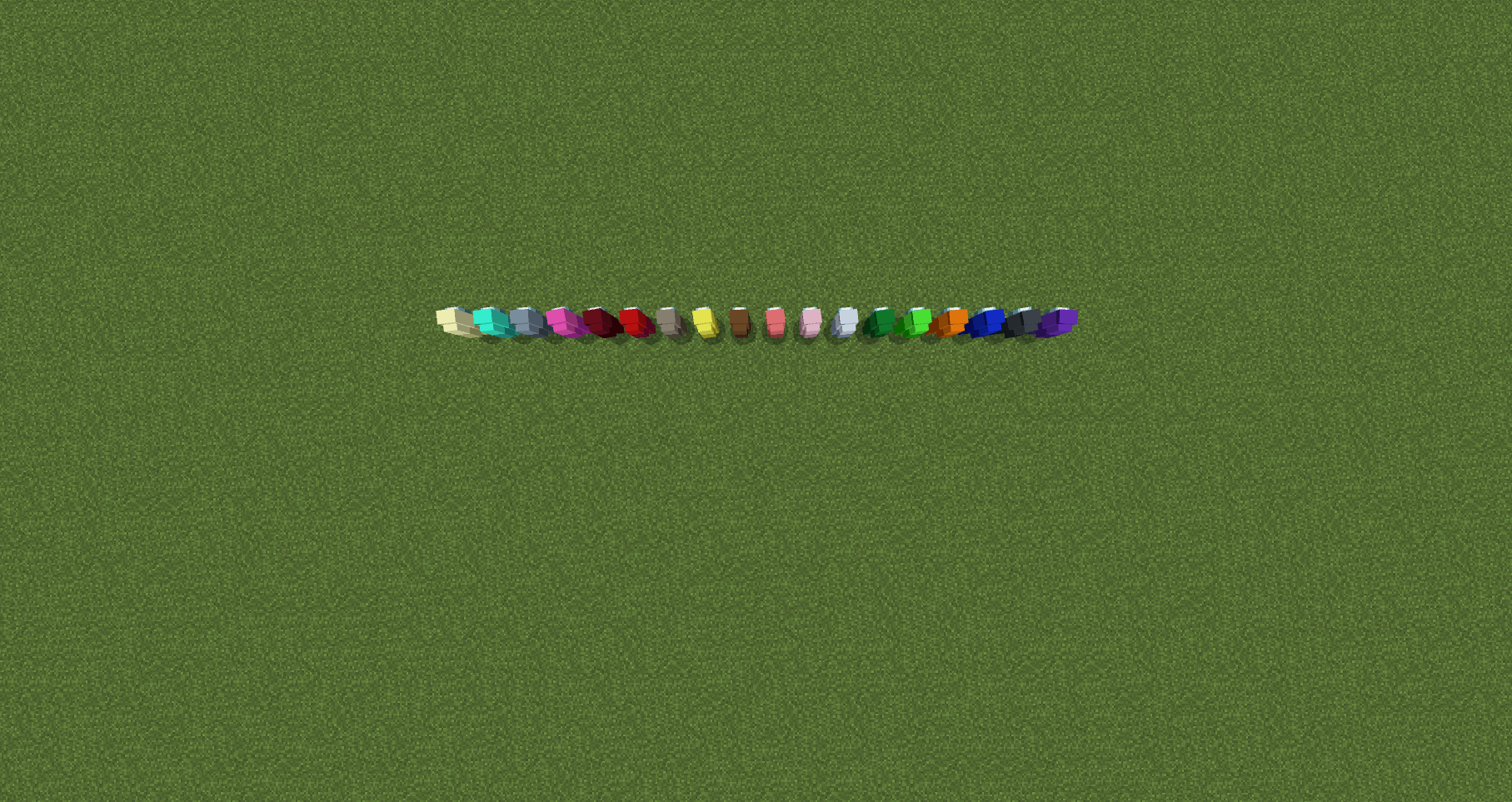
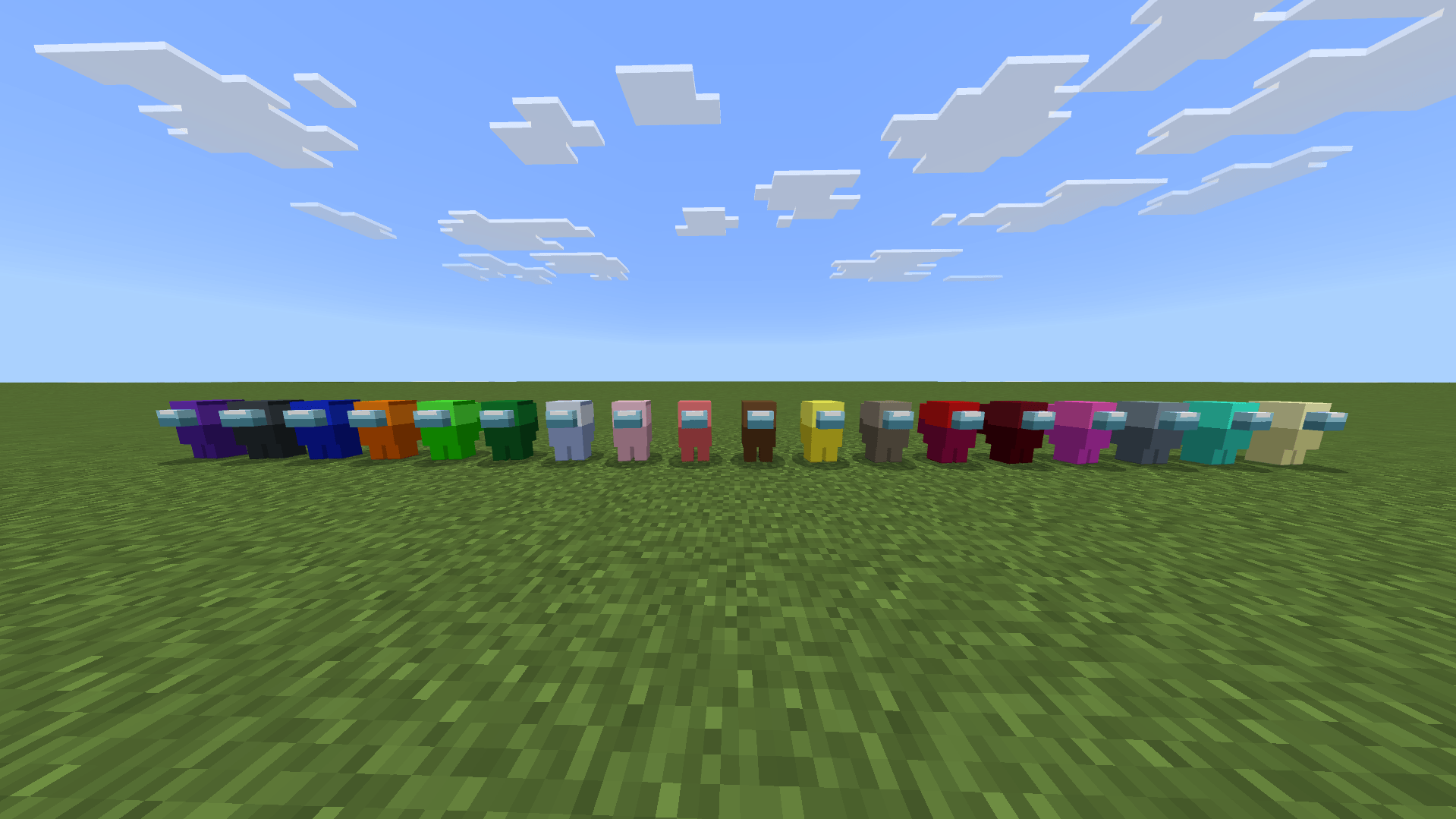
This addon introduces **18 distinct colored Among Us Crewmates** that stand perfectly in place without annoying dialogue popups, along with the iconic **Yellow Lobby Laptop & Stand** straight from the Among Us dropship lobby!
---
## 🌟 Key Features
### 🧍 1- 18 Standing Crewmate NPCs
- **All 18 Official Colors**: Red, Blue, Green, Pink, Orange, Yellow, Black, White, Purple, Brown, Cyan, Lime, Maroon, Rose, Banana, Gray, Tan, and Coral.
- **No Dialogue Windows**: Interacting or right-clicking will NOT open any dialogue popups.
- **Stationary & Solid**: They stand still in place, cannot be pushed around by players or pistons, and have full knockback resistance.
- **Custom 3D Geometry**: High quality 3D models complete with oxygen backpacks and glowing visor shading.
- **Creative Spawn Eggs**: Each color has its own custom spawn egg in the Creative inventory.
### 💻 2- Among Us Lobby Laptop Block
- **Iconic Dropship Laptop**: Includes the cardboard box stand, yellow laptop casing, keyboard, and glowing cyan screen previewing the Crewmate avatar.
- **Decorative Block & Entity**: Placeable anywhere in your world to build your very own Among Us lobby!
---
## 💬 Commands & Summoning
You can easily summon any Crewmate or Laptop using standard Minecraft commands:
- `/summon amongus:red`
- `/summon amongus:blue`
- `/summon amongus:cyan`
- `/summon amongus:yellow`
- `/summon amongus:lobby_laptop_entity` (or `/give @s amongus:lobby_laptop`)
---
## 🎨 Promotional Artwork & AI Disclosure
*Note: The promotional logo, icon, and banner artwork were created using AI design tools for stylized branding purposes and may not represent the exact pixelated voxel graphics in-game. The actual in-game models feature custom Minecraft 3D voxel geometry.*
---
## 📥 Installation Guide
1. Download both `.mcaddon` files:
- **Srkuls's Among Between - Standing NPCs Addon**
- **Srkuls's Among Between - Lobby Laptop Addon**
2. Double-click the `.mcaddon` files to automatically import them into Minecraft Bedrock Edition.
3. In your World Settings:
- Activate both **Resource Packs** and **Behavior Packs**.
4. Open your world and enjoy building your Among Us maps!
---
## 📜 Legal Disclaimer & Credits
*Srkuls's Among Between is an unofficial fan-made Minecraft Addon created by Srkuls. Among Us is a registered trademark of Innersloth LLC. Minecraft is a registered trademark of Mojang Studios / Microsoft. This project is not affiliated with or endorsed by Innersloth LLC or Mojang Studios.*
- Edition: Minecraft Bedrock
- File type: .mcpack or .mcaddon
- Minecraft versions listed: 26.0.02, 26.0, 26.3
- How to install: Download the .mcpack or .mcaddon file. → Open it — Minecraft imports it. → In your world: Behavior Packs → Available → Activate, then the same under Resource Packs.
- Where to get it: Opens on CurseForge — not every file is mirrored on our own servers.
Install steps are the general flow for this file type — How to install Minecraft Bedrock addons & mods walks through it step by step.
- Pack type: .mcaddon — behaviour and resource pack in one file
- Manifest requires Minecraft 1.16.0 or newer
- Complete pack — everything it depends on is inside the file
- Download size: 314 KB
- Download link checked 18 Sept 2026 — working
These come from our own check of the pack file, not from the source page.