Basic Auto Harvest (Achievement Friendly)
Bedrock add-on listed for Minecraft 26.x (behavior pack only). File opened and checked on 5 Oct 2026; installs from the MC Bedrock Mods app on Android.
Farming automation system that automatically detects and harvests fully grown crops within a 4-block radius, sending the yields directly into storage.
⬇ Download on CurseForge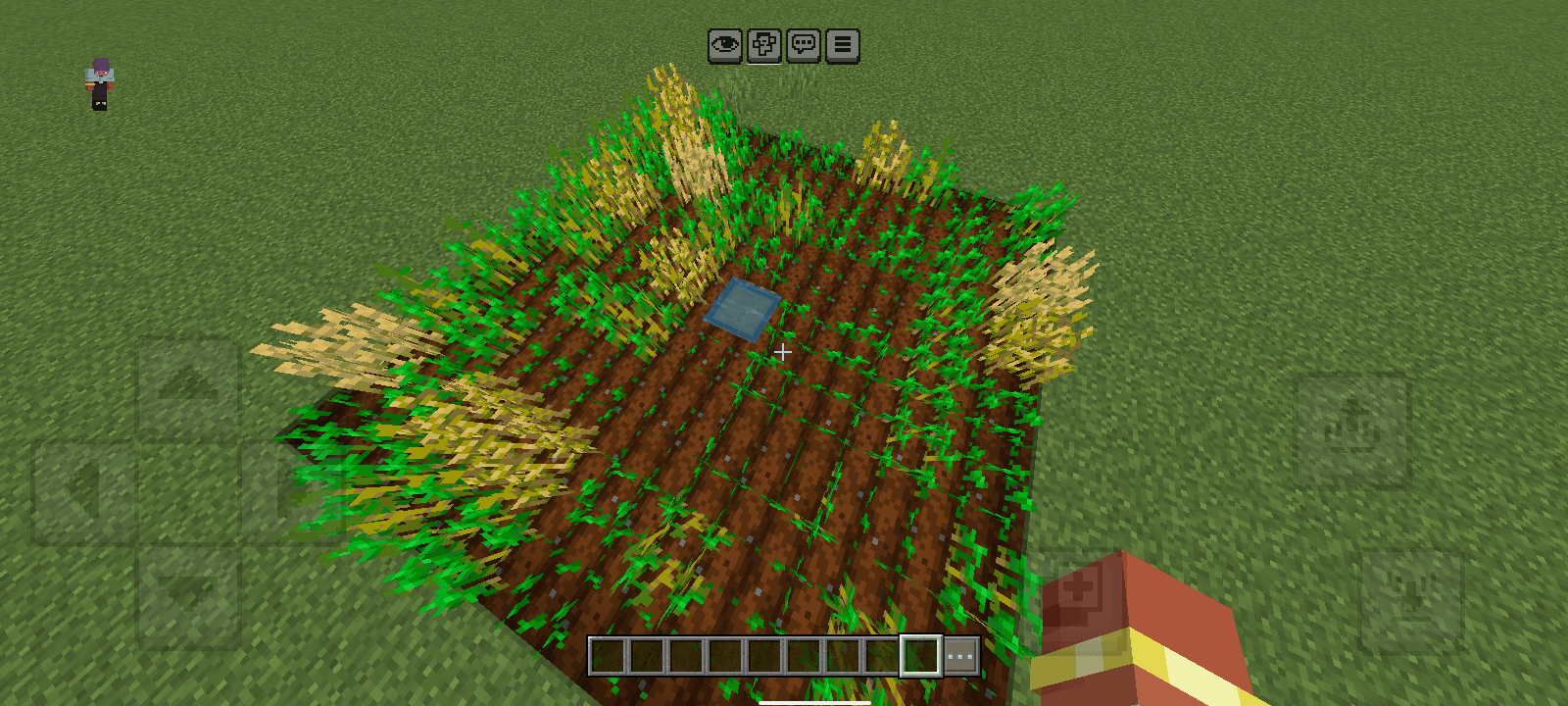
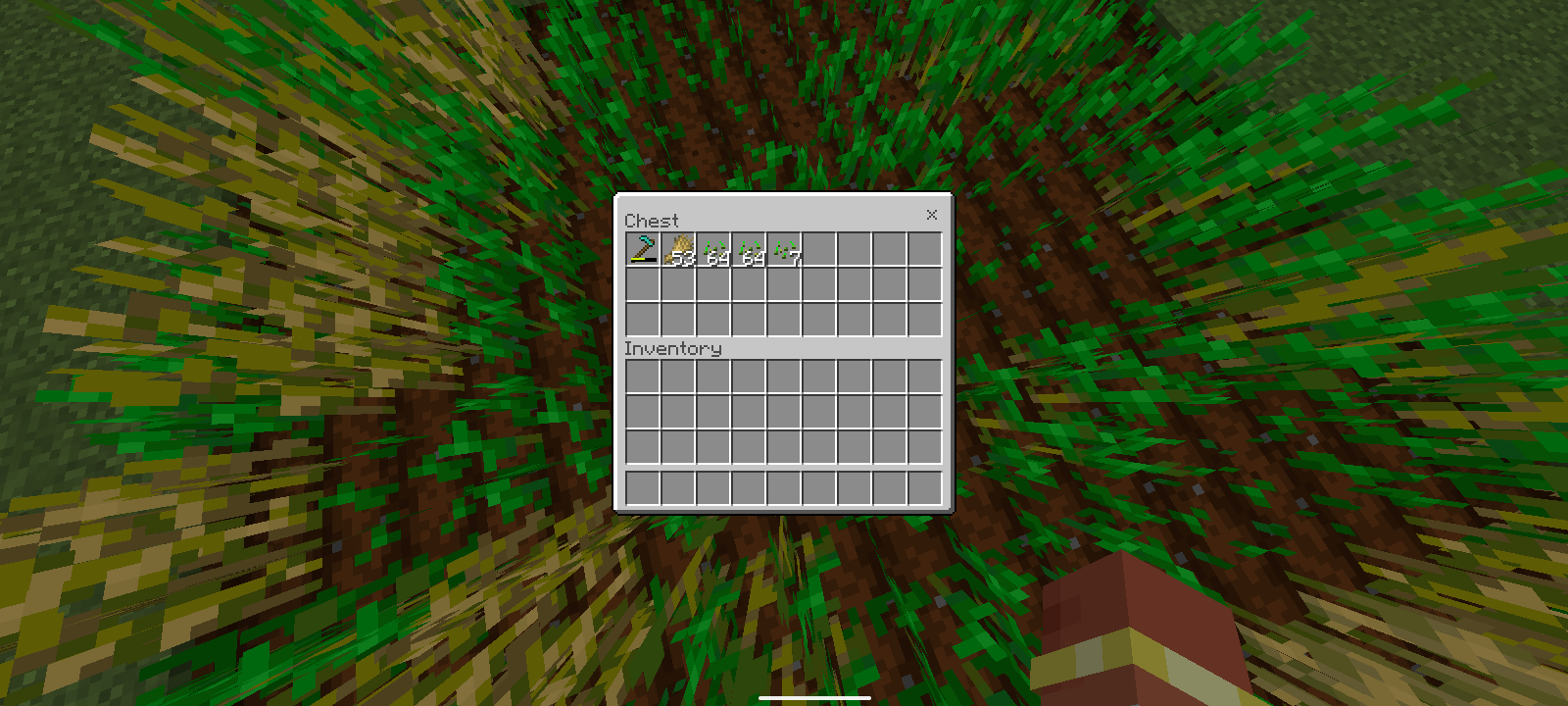
Basic Auto Harvest is a practical solution for players looking to save time while farming in Minecraft. The addon intelligently monitors the growth stages of crops planted on nearby farmland. As soon as a crop reaches full maturity, the system instantly harvests it and transfers all dropped items directly into the chest, no manual gathering required.
Key Features
- Fully grown crops are harvested automatically without any manual player interaction.
- Items are sent straight into the chest rather than dropping on the ground, preventing despawns and lag.
- Matches standard Minecraft hydration logic (4 blocks in every direction from the water source).
- The chest is submerged in water (waterlogged), leaving every surrounding block available for crops.
Supported Crops (for now)
- Wheat
- Carrots
- Potatoes
- Beetroot
- Pitcher Plant
- Torchflower
- Sweet Berry
How to Setup
- Dig 1 block down into the ground.
- Fill the hole with water and place a chest directly inside the water to create a waterlogged chest.
- Hoe the ground surrounding the chest up to 4 blocks outward in all directions (forming a 9x9 farm layout with the chest at the center).
- Insert 1 Hoe of any tier into the first slot of the chest.
- Stand directly on top of the chest and type /autoharvest in the command chat.
Note:
The durability of the hoe will decrease as crops are cut. If the hoe is damaged, the system will stop. Insert a new hoe to restart the system.
- Edition: Minecraft Bedrock
- File type: .mcpack or .mcaddon
- Minecraft versions listed: 26.0, 26.10, 26.20
- How to install: Download the .mcpack or .mcaddon file. → Open it — Minecraft imports it. → In your world: Behavior Packs → Available → Activate, then the same under Resource Packs.
- Where to get it: Opens on CurseForge — not every file is mirrored on our own servers.
Install steps are the general flow for this file type — How to install Minecraft Bedrock addons & mods walks through it step by step.
- Pack type: .mcpack — a single pack
- Manifest requires Minecraft 1.26.0 or newer
- Complete pack — everything it depends on is inside the file
- Download size: 112 KB
- Download link checked 8 Oct 2026 — working
These come from our own check of the pack file, not from the source page.